Playback starts YouTube’s embedded player (privacy-enhanced mode).
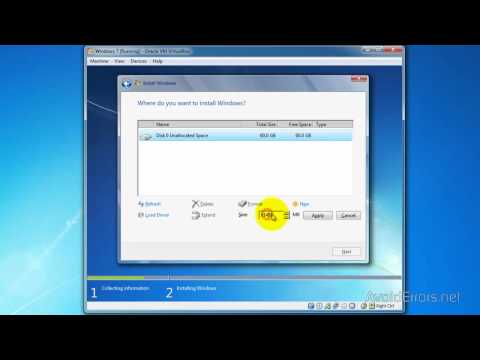
How to Install or Reinstall Windows 7
ChannelAvoidErrorsDescription from the creator
This step-by-step guide demonstrates how to install Windows 7
The best way to install Windows 7 is to do a clean install. It is not difficult to perform a clean installation.
Change First Boot Device in BIOS to Boot From CD/DVD
goo.gl/YHDzoX
Backup and Restore Windows Hardware Drivers
goo.gl/5ulxmN
Backup and Restore Windows Activation Status
goo.gl/Zpbcf5
The best way to install Windows 7 is to do a clean install. It is not difficult to perform a clean installation.
Change First Boot Device in BIOS to Boot From CD/DVD
goo.gl/YHDzoX
Backup and Restore Windows Hardware Drivers
goo.gl/5ulxmN
Backup and Restore Windows Activation Status
goo.gl/Zpbcf5
About this tutorial
AvoidErrors published this 7:46 video tutorial on November 4, 2012. It has been watched 854,472 times on YouTube.
- Channel
- AvoidErrors
- Category
- Howto & Style
- Duration
- 7:46
- Published
- November 4, 2012
- Views
- 854,472
- Likes
- 5,512
Tags
Share
This tutorial in other languages
- FRComment faire pour installer ou réinstaller Windows 7
- ESCómo instalar o reinstalar Windows 7
- PTComo instalar ou reinstalar o Windows 7
- ITCome installare o reinstallare Windows 7
- DESo installieren oder installieren Sie Windows 7
- NLHoe te installeren of opnieuw installeren van Windows 7
- RUКак установить или переустановить Windows 7
- PLJak zainstalować lub ponownie zainstalować Windows 7
- JAインストールまたはWindowsを再インストールする方法7
- ARكيفية تثبيت أو إعادة تثبيت ويندوز 7
- HIकैसे स्थापित करने के लिए या पुनर्स्थापित विंडोज 7
- IDCara Instal atau Instal ulang Windows 7