Playback starts YouTube’s embedded player (privacy-enhanced mode).
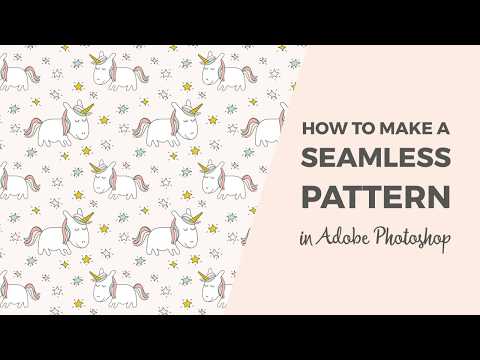
How to make a seamless pattern in Photoshop
ChannelCristina / Elan Creative CoChapters
Description from the creator
In this tutorial, you will learn how to create a seamless pattern using clip-art and Photoshop. You can also create a repeating pattern using your drawings or Photoshop brushes.
Read on the blog: elancreativeco.com/make-seamless-pattern-photos…
This Adobe Photoshop tutorial is perfect for beginners. I'm using Adobe Photoshop CC 2017, but you can use the same technique with older versions of Photoshop.
The graphics used in this tutorial are from my Magical Unicorns pattern collection: shop.elancreativeco.com/product/magical-unicorn…
Clip-art set: etsy.com/listing/508757824/fairytale-unicorn-cl…
If you want to see more Illustrator and Photoshop tutorials, please check out my blog: elancreativeco.com/blog/
Chapters:
0:00 Intro
0:22 How to set up the canvas
0:43 Designing the pattern
2:47 How to make a seamless pattern in Photoshop
4:14 How to save it as a pattern file
4:30 How to test the pattern
You can also follow me on:
Facebook: facebook.com/elancreativeco/
Twitter: twitter.com/elancreativeco
Instagram: instagram.com/elancreativeco/
Thanks for watching!
The music used in this video, Carefree by Kevin MacLeod is licensed under a Creative Commons Attribution License (creativecommons.org/licenses/by/4.0/)
Source: incompetech.com/music/royalty-free/index.html?i…
Artist: incompetech.com/
Read on the blog: elancreativeco.com/make-seamless-pattern-photos…
This Adobe Photoshop tutorial is perfect for beginners. I'm using Adobe Photoshop CC 2017, but you can use the same technique with older versions of Photoshop.
The graphics used in this tutorial are from my Magical Unicorns pattern collection: shop.elancreativeco.com/product/magical-unicorn…
Clip-art set: etsy.com/listing/508757824/fairytale-unicorn-cl…
If you want to see more Illustrator and Photoshop tutorials, please check out my blog: elancreativeco.com/blog/
Chapters:
0:00 Intro
0:22 How to set up the canvas
0:43 Designing the pattern
2:47 How to make a seamless pattern in Photoshop
4:14 How to save it as a pattern file
4:30 How to test the pattern
You can also follow me on:
Facebook: facebook.com/elancreativeco/
Twitter: twitter.com/elancreativeco
Instagram: instagram.com/elancreativeco/
Thanks for watching!
The music used in this video, Carefree by Kevin MacLeod is licensed under a Creative Commons Attribution License (creativecommons.org/licenses/by/4.0/)
Source: incompetech.com/music/royalty-free/index.html?i…
Artist: incompetech.com/
About this tutorial
Cristina / Elan Creative Co published this 5:03 video tutorial on November 5, 2017. It has been watched 679,251 times on YouTube.
- Channel
- Cristina / Elan Creative Co
- Category
- Howto & Style
- Duration
- 5:03
- Published
- November 5, 2017
- Views
- 679,251
- Likes
- 13,280
Tags
Share
This tutorial in other languages
- FRComment faire un modèle sans couture dans Photoshop
- ES¿Cómo hacer un patrón transparente en Photoshop
- PTComo fazer um teste padrão sem emenda no Photoshop
- ITCome fare un modello senza soluzione di continuità in Photoshop
- DEWie man ein nahtloses Muster in Photoshop machen
- NLHoe maak je een naadloze patroon in Photoshop te maken
- RUКак сделать шаблон бесшовного в Photoshop
- PLJak zrobić bez szwu w Photoshopie
- JAPhotoshopでのシームレスなパターンを作る方法
- ARكيفية جعل نمط سلس في برنامج فوتوشوب
- HIPhotoshop में एक सहज पैटर्न बनाने के लिए
- IDCara membuat pola mulus di Photoshop