Playback starts YouTube’s embedded player (privacy-enhanced mode).
How To Make Biometrics/Fingerprint Reader Work on Hp Elitebook Windows 10 32/64 bit SOLVED!
ChannelDelloDescription from the creator
DONATE HERE: paypal.me/dellomorgan
How To Use biometrics or fingerprint reader for hp elitebook 8460p or similar models
HP DRIVERS: support.hp.com/us-en/drivers/selfservice/hp-eli…
Hp Client Security: h20564.www2.hp.com/hpsc/swd/public/detail?swIte…
OR
www8.hp.com/us/en/ads/clientmanagement/download…
If this Video did not work for you please let me know, either send me message or please leave it in the comments below. This Will only work on most models!! :)
HP Client Security works on Both 32/64 bit Operating systems.
STEP BY STEP INSTRUCTIONS!!
STEP ONE:
Download Latest Drivers and update computer.
STEP TWO:
OPEN Device Manager
Right click on the bio metrics Fingerprint sensor and uninstall it and then download the latest driver from the hp website.
Make sure you Restart computer.
Step Three:
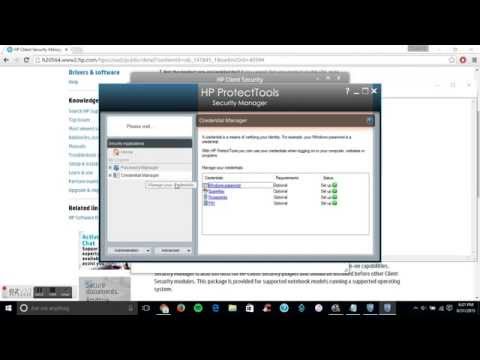
Download Hp Client Security
Download Hp Protect Tools (Might be optional for some Computers)
Step FOUR:REGISTER YOUR FINGERPRINTS AFTER RESTARTING COMPUTER
GOOD LUCK!
IF YOU RUN ACROSS INSTALLATION ERRORS DO THIS!
01. Start the installation of the Client Security Manager,
// DO NOT click the second next/continue button
// From the Messagebox shown in your post
// Just let the files extract.
02. Then goto the temporary directory: C:\ Users \ USER NAME \ AppData \ Local \ Temp \ 481CCD48-45A4-4630-B505-4B5ACDF0177D,
03. EMPTY the file "ShortcutPinning.ps1" I removed all lines except the comments in the beginning and SAVE.
04. Then finish the installation, reboot and everything.
TIP:Easy way to go to appData is go to run and type %appdata% then local\temp\....IT will take you to the ROAMing folder so click appdata on top then local.
OR WATCH THIS : youtube.com/watch?v=Cf3c31tf_-I
SPEcS
Specs
CPU: Intel Core i5-2520M
Memory: 12GB DDR3-1066 RAM
GPU: AMD Radeon HD 6470M
HDD: Seagate 2TB Hard-Drive
HDD:Seagate 500GB Hard-Drive
Display: 1366 x 768 Matte Panel
Made with ezvid, free download at ezvid.com
How To Use biometrics or fingerprint reader for hp elitebook 8460p or similar models
HP DRIVERS: support.hp.com/us-en/drivers/selfservice/hp-eli…
Hp Client Security: h20564.www2.hp.com/hpsc/swd/public/detail?swIte…
OR
www8.hp.com/us/en/ads/clientmanagement/download…
If this Video did not work for you please let me know, either send me message or please leave it in the comments below. This Will only work on most models!! :)
HP Client Security works on Both 32/64 bit Operating systems.
STEP BY STEP INSTRUCTIONS!!
STEP ONE:
Download Latest Drivers and update computer.
STEP TWO:
OPEN Device Manager
Right click on the bio metrics Fingerprint sensor and uninstall it and then download the latest driver from the hp website.
Make sure you Restart computer.
Step Three:
Download Hp Client Security
Download Hp Protect Tools (Might be optional for some Computers)
Step FOUR:REGISTER YOUR FINGERPRINTS AFTER RESTARTING COMPUTER
GOOD LUCK!
IF YOU RUN ACROSS INSTALLATION ERRORS DO THIS!
01. Start the installation of the Client Security Manager,
// DO NOT click the second next/continue button
// From the Messagebox shown in your post
// Just let the files extract.
02. Then goto the temporary directory: C:\ Users \ USER NAME \ AppData \ Local \ Temp \ 481CCD48-45A4-4630-B505-4B5ACDF0177D,
03. EMPTY the file "ShortcutPinning.ps1" I removed all lines except the comments in the beginning and SAVE.
04. Then finish the installation, reboot and everything.
TIP:Easy way to go to appData is go to run and type %appdata% then local\temp\....IT will take you to the ROAMing folder so click appdata on top then local.
OR WATCH THIS : youtube.com/watch?v=Cf3c31tf_-I
SPEcS
Specs
CPU: Intel Core i5-2520M
Memory: 12GB DDR3-1066 RAM
GPU: AMD Radeon HD 6470M
HDD: Seagate 2TB Hard-Drive
HDD:Seagate 500GB Hard-Drive
Display: 1366 x 768 Matte Panel
Made with ezvid, free download at ezvid.com
About this tutorial
Dello published this 4:44 video tutorial on November 15, 2015. It has been watched 334,720 times on YouTube.
- Channel
- Dello
- Category
- Howto & Style
- Duration
- 4:44
- Published
- November 15, 2015
- Views
- 334,720
- Likes
- 630
Share
This tutorial in other languages
- FRComment faire du travail Biométrie / lecteur d'empreintes digitales sur HP Elitebook 10 bits de Windows 32/64 SOLVED!
- ESCómo hacer Biometría / lector de huellas dactilares su trabajo en HP Elitebook Windows 10 32/64 bits resuelto!
- PTComo fazer Biometrics / Fingerprint Reader Trabalho sobre HP EliteBook Windows 10 32/64 bit resolvido!
- ITCome fare Biometria / lettore di impronte digitali I lavori per HP EliteBook di Windows 10 32/64 bit risolto!
- DEWie Biometrics Fingerabdruckleser / Arbeiten an HP Elitebook Windows-To Make 10 32/64 bit GELÖST!
- NLHow To Make Biometrie / Fingerprint Reader Werk aan HP EliteBook Windows 10 32/64 bit opgelost!
- RUКак сделать биометрии / считыватель отпечатков пальцев Работа на HP EliteBook Windows, 10 32/64 бит РЕШИТЬ!
- PLJak zrobić Biometria / czytnika linii papilarnych HP EliteBook Praca na systemie Windows 10 32/64 bit rozwiązany!
- JAHPのElitebook Windows上で生体認証/指紋リーダー機能させるためにどのように10 32/64ビットが解決しよう!
- ARكيفية جعل القياسات الحيوية / قارئ بصمات الأصابع العمل على إتش بي EliteBook ويندوز 10 بت 32/64 حلها!
- HIकैसे हिमाचल प्रदेश EliteBook विंडोज पर बॉयोमेट्रिक्स / फिंगरप्रिंट रीडर कार्य बनाने के लिए 10 32/64 बिट का हल!
- IDCara Membuat Biometrics / Pembaca Sidik Jari Bekerja pada Hp Elitebook Windows 10 bit 32/64 LATIHAN!