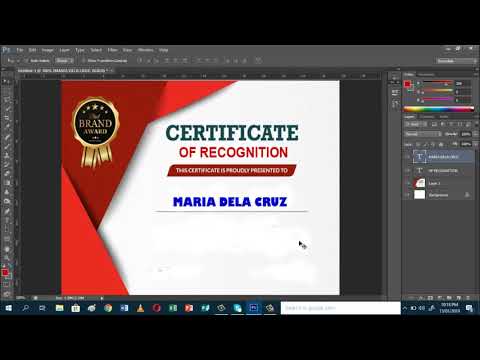
Playback starts YouTube’s embedded player (privacy-enhanced mode).
How to make elegant certificate using Photoshop CS6
ChannelEvelia SadulloDescription from the creator
This video teaches you how to make an elegant certificate using Adobe Photoshop CS6. First you need to download an elegant border art from the internet and you just edit the content of the certificate. Make sure that when you edit the content of the certificate, it will match the color of your downloaded elegant certificate template. After editing you have already an elegant certificate made using Adobe Photoshop CS6.
Attribution: The elegant certificate border art was taken from Freepick.com created by Pixochris.
Attribution: The elegant certificate border art was taken from Freepick.com created by Pixochris.
About this tutorial
Evelia Sadullo published this 20:07 video tutorial on October 29, 2019. It has been watched 23,116 times on YouTube.
- Channel
- Evelia Sadullo
- Category
- Howto & Style
- Duration
- 20:07
- Published
- October 29, 2019
- Views
- 23,116
- Likes
- 119
Tags
Share
This tutorial in other languages
- FRComment faire un certificat élégant en utilisant Photoshop CS6
- ESComo hacer el certificado elegante usando Photoshop CS6
- PTComo fazer certificado elegante usando o Photoshop CS6
- ITCome rendere certificato elegante con Photoshop CS6
- DEWie elegant Zertifikat mit Photoshop CS6 machen
- NLHoe maak je elegant certificaat met behulp van Photoshop CS6
- RUКак сделать элегантный сертификат с помощью Photoshop CS6
- PLJak zrobić elegancką certyfikat za pomocą Photoshop CS6
- JAPhotoshopのCS6を使用したエレガントな証明書を作成する方法
- ARكيفية جعل شهادة أنيقة باستخدام برنامج فوتوشوب CS6
- HIकैसे फ़ोटोशॉप CS6 का उपयोग कर सुरुचिपूर्ण प्रमाण पत्र बनाने के लिए
- IDCara membuat sertifikat elegan menggunakan Photoshop CS6