Playback starts YouTube’s embedded player (privacy-enhanced mode).
How to make inserts post-fader in MOTU Digital Performer
ChannelBo AstrupDescription from the creator
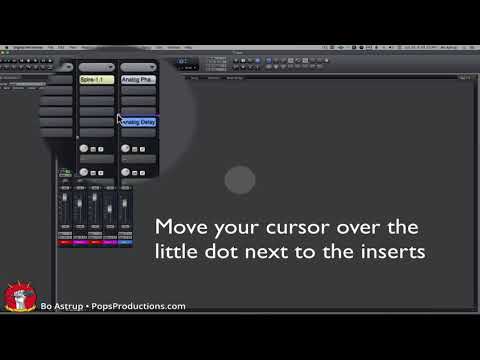
It‘s easy to make inserts on a mixer channel post-fader in MOTU Digital Performer. Just find the little dot at the bottom of your inserts in the channel and drag it up. All your inserts above the line stay pre-fader - all inserts below the line are post-fader.
About this tutorial
Bo Astrup published this 0:21 video tutorial on November 13, 2018. It has been watched 1,059 times on YouTube.
- Channel
- Bo Astrup
- Category
- Howto & Style
- Duration
- 0:21
- Published
- November 13, 2018
- Views
- 1,059
Tags
Share
This tutorial in other languages
- FRComment faire des inserts post-fader dans MOTU Digital Performer
- ESComo hacer inserciones postfader en MOTU Digital Performer
- PTComo fazer inserções pós-fader no MOTU Digital Performer
- ITCome rendere gli inserti post-fader in MOTU Digital Performer
- DEWie Einsätze Post-Fader in MOTU Digital Performer machen
- NLHoe wordt inserts post-fader in MOTU Digital Performer maken
- RUКак сделать Вставки пост-фейдер в MOTU Digital Performer
- PLJak zrobić wstawia faderem w MOTU Digital Performer
- JAMOTUデジタルパフォーマーに挿入ポストフェーダーを作成する方法
- ARكيفية جعل إدراج ما بعد ترويسة في المؤدي موتو الرقمية
- HIस्वप्रेरणा डिजिटल कलाकार में आवेषण के बाद पिता बनाने के लिए
- IDCara membuat sisipan pasca-fader di MOTU Digital Performer