Playback starts YouTube’s embedded player (privacy-enhanced mode).
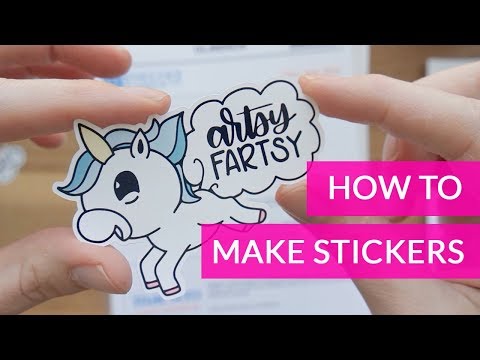
How To Make Stickers With Cricut (SUPER QUICK + EASY)
ChannelSarah TypesDescription from the creator
How To Make Stickers With Cricut
Check out my video on how to do this with free software: youtu.be/N8Up6ePlhu0
Check out my video on how to deal with glossy stickers!!: youtu.be/56KmeTwBj_g
This is how I make stickers. I first draw my image out in procreate on the ipad pro (not shown in video) and export as PNG. I use illustrator to vectorize it and create the border around my image so cricut knows what to print and cut. If you want to see a video on how you can do this with a free program (not illustrator) let me know!
I get asked a lot about what printer I use. I am using the Canada MG7720 in the video but it's really old and isn't in production anymore. The one I found that is closest is the PIXMA TS9521C Wireless. This printer has a few more features but my printer seemed to have a better scanner which may or may not matter.
Printer: amzn.to/3hVUquD
These are the specs comparing the two printers: usa.canon.com/internet/portal/us/home/products/…
Cricut Explore Air 2: amzn.to/2QHcqiu
Labels:
Neato white glosssy: amzn.to/3hSbzFy
Onlinelabels white glossy: amzn.to/3hZ8LWV
Onlinelabels clear glossy: amzn.to/33QEYe3
----------------------
MY LINKS »
WEBSITE → sarahtypes.com/
ETSY → sarahtypes.etsy.com
INSTAGRAM → instagram.com/sarahtypes
SKILLSHARE → hhttps://www.skillshare.com/user/sarahtrafford
NEWSLETTER & FREEBIES→ eepurl.com/cufuVP
Check out my video on how to do this with free software: youtu.be/N8Up6ePlhu0
Check out my video on how to deal with glossy stickers!!: youtu.be/56KmeTwBj_g
This is how I make stickers. I first draw my image out in procreate on the ipad pro (not shown in video) and export as PNG. I use illustrator to vectorize it and create the border around my image so cricut knows what to print and cut. If you want to see a video on how you can do this with a free program (not illustrator) let me know!
I get asked a lot about what printer I use. I am using the Canada MG7720 in the video but it's really old and isn't in production anymore. The one I found that is closest is the PIXMA TS9521C Wireless. This printer has a few more features but my printer seemed to have a better scanner which may or may not matter.
Printer: amzn.to/3hVUquD
These are the specs comparing the two printers: usa.canon.com/internet/portal/us/home/products/…
Cricut Explore Air 2: amzn.to/2QHcqiu
Labels:
Neato white glosssy: amzn.to/3hSbzFy
Onlinelabels white glossy: amzn.to/3hZ8LWV
Onlinelabels clear glossy: amzn.to/33QEYe3
----------------------
MY LINKS »
WEBSITE → sarahtypes.com/
ETSY → sarahtypes.etsy.com
INSTAGRAM → instagram.com/sarahtypes
SKILLSHARE → hhttps://www.skillshare.com/user/sarahtrafford
NEWSLETTER & FREEBIES→ eepurl.com/cufuVP
About this tutorial
Sarah Types published this 12:39 video tutorial on October 31, 2019. It has been watched 1,029,518 times on YouTube.
- Channel
- Sarah Types
- Category
- Howto & Style
- Duration
- 12:39
- Published
- October 31, 2019
- Views
- 1,029,518
- Likes
- 13,986
Tags
Share
This tutorial in other languages
- FRComment faire des autocollants avec Cricut (SUPER RAPIDE + EASY)
- ESCómo hacer pegatinas Con Cricut (SUPER RÁPIDO + Fácil)
- PTComo fazer adesivos com Cricut (SUPER RÁPIDO + FÁCIL)
- ITCome fare adesivi con Cricut (SUPER VELOCE + EASY)
- DEWie man Aufkleber Mit Cricut (SUPER QUICK + EASY)
- NLHow To Make stickers met Cricut (SUPER SNEL + EASY)
- RUКак сделать наклейки с Cricut (сверхбыстрой + ЛЕГКО)
- PLJak zrobić naklejki z Cricut (SUPER SZYBKI + EASY)
- JACricut(SUPER QUICK + EASY)でステッカーを作る方法
- ARكيفية جعل ملصقات مع Cricut (سوبر QUICK + EASY)
- HIकैसे सुनिश्चित करने के लिए Cricut के साथ स्टिकर (सुपर शीघ्र + आसान)
- IDCara Membuat Stiker Dengan Cricut (SUPER CEPAT + MUDAH)