Playback starts YouTube’s embedded player (privacy-enhanced mode).
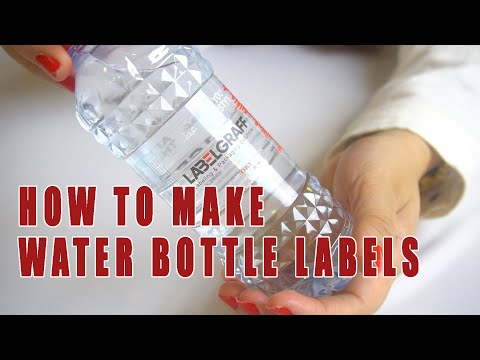
How to make water bottle labels
ChannelLabelgraffDescription from the creator
We will start the process by printing with Oki pro 1050. Place your clear label roll for printing in Oki pro1050. It is easy to set- up and requires minimal training. Oki pro 1050 comes in 5 color toner cmyk plus white. It can print at a speed of 9m/min. The OKI Pro1050 ensures high quality, vibrant in-house printing. You can load media with a maximum width of 130mm. In this video, we have printed 2 labels at a time with 17.5 cm length and 4.5 cm width. In one hour we can print more than 6000 labels of this size.It can produce waterproof labels can survive underwater, and resistant to UV fading. Pro Series can be used across a wide range of label types and it brings great results for all kinds of printed label. Outdoor use labels, freezer and cold-storage labels, or labels for standard store cupboard products, the Pro Series can deliver them all.
Once it is printed; we will cut it with Graphtec R14 label finisher. Label Maker R14 is a compact digital label finisher that offers professional digital die-cut and finishing of labels without additional investment on dies. It can be used to unwind and laminate the labels, excess label material removal also. It can give you a professional cut and finish of labels. It is a desktop type unit and gives you full-bleed labels. With the camera, it uses an integrated optical black-mark registration system which allows it to read black-mark for the cutting layout, and helps in optimizing cutting speed. The matrix roll facilitates the matrix removal from the die-cut roll and reduces the risk of tearing and ensures more precise operation of the machine. It is equipped with inexpensive multi-edge blades which helps to extend the life of the blade and promises you hassle-free cutting. Its maximum cutting speed 600mm/s (24 in/s) in all directions. You will get finished labels in no time. So if you are thinking of how to make water bottle labels, here is the answer.
After cutting and finishing, apply the label roll on bottles.
To know more about this product, click this link:
PRO 1050:
labelgraff.com/products/pro1050-label-printer/
Contact us: Whatsapp: +971 50 55 88 315
Tel: +971 6 557 9929
E-mail us: [email protected]
Website: labelgraff.com/
About this tutorial
Labelgraff published this 1:54 video tutorial on December 25, 2019. It has been watched 172,193 times on YouTube.
- Channel
- Labelgraff
- Category
- Howto & Style
- Duration
- 1:54
- Published
- December 25, 2019
- Views
- 172,193
- Likes
- 1,766
Tags
Share
Further reading
-
How To Make Printable Water Bottle Labels
love-the-day.com
Make this the back of your bottle. Tape the first side of the water bottle wrapper to the bottle. (If you are using waterproof labels, these will be self-stick and you won’t need the tape.) Overlap the second end of the…
-
Free Custom Water Bottle Label Templates: Create Your Water ...
spark.adobe.com
Custom water bottle labels are a fantastic way to add a personalized touch to any event or branded material. Showcase a custom design on your label, or feature photos that are fit for the occasion. Spark Post assists yo…
-
Create Personalized Labels For Your Water Bottles - Canva
canva.com
Water bottle label sizes are typically 8 x 2 inches for 16 oz bottles and 8.25 x 1.75 inches for 8 or 12 oz bottles. Be sure you’ve settled on the right size before printing by cutting a mock-label from a piece of paper…
This tutorial in other languages
- FRComment faire des étiquettes de bouteilles d'eau
- ESCómo hacer etiquetas para botellas de agua
- PTComo fazer rótulos de garrafas de água
- ITCome rendere le etichette delle bottiglie di acqua
- DEWie man Wasser Flaschenetiketten machen
- NLHoe kan ik labels waterfles maken
- RUКак сделать бутылку воды этикетки
- PLJak tworzyć etykiety na butelkę z wodą
- JA水のボトルのラベルを作成する方法
- ARكيفية جعل تسميات زجاجة المياه
- HIकैसे पानी की बोतल लेबल बनाने के लिए
- IDCara membuat label botol air