Playback starts YouTube’s embedded player (privacy-enhanced mode).
How to Make Your Own 2012 Calendar with Your Photographs
ChannelAmsSoftwareDescription from the creator
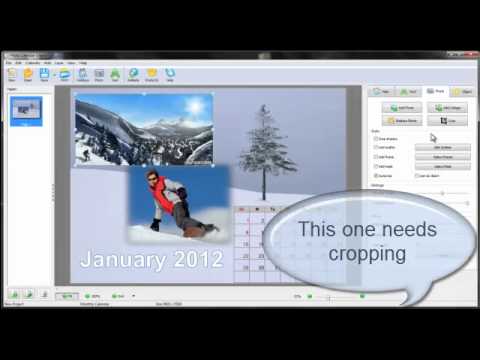
Want to make a 2012 calendar with your own photographs? photo-calendar-software.com offers you all the necessary tools for designing stunning calendars. This video tutorial demonstrates how to customize the predesigned calendar templates and insert your own photographs. Besides the standard calendar software features, Photo Calendar Creator has a full range of image editing tools. It lets you crop pictures, add masks and frames, modify the brightness, contrast, saturation, and transparency. You can even add a picture collage to your calendar. Try making you own 2012 calendar, and you'll see there are virtually no limits to your imagination!
About this tutorial
AmsSoftware published this 2:55 video tutorial on November 4, 2012. It has been watched 3,848 times on YouTube.
- Channel
- AmsSoftware
- Category
- Howto & Style
- Duration
- 2:55
- Published
- November 4, 2012
- Views
- 3,848
- Likes
- 7
Tags
Share
This tutorial in other languages
- FRComment faire votre propre calendrier 2012 avec vos photos
- ESCómo hacer tu propio calendario 2012 con sus fotografías
- PTComo fazer seu próprio calendário de 2012 com suas fotografias
- ITCome fare la tua Calendario 2012 con le vostre fotografie
- DEWie Sie Ihren eigenen Kalender 2012 mit Ihren Fotos Stellen
- NLHoe maak je een kalender van 2012 met uw foto
- RUКак сделать свой собственный 2012 календарь с фотографией
- PLJak zrobić własną 2012 kalendarz z fotografiami
- JAあなたの写真を使用して独自の2012年カレンダーを作る方法
- ARكيفية جعل بنفسك 2012 التقويم مع الصور الخاصة بك
- HIअपनी खुद की 2012 कैलेंडर आपका फोटो के साथ बनाने के लिए कैसे
- IDCara Membuat Kalender 2012 Sendiri dengan Foto Anda