Playback starts YouTube’s embedded player (privacy-enhanced mode).
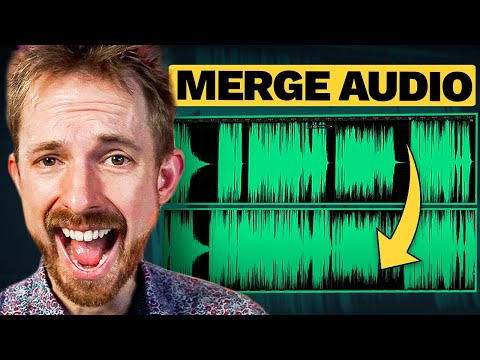
How to Merge Multiple Audio Files Into One Long MP3 File
ChannelMike RussellChapters
Description from the creator
It's a common task and so easy to complete inside Adobe Audition. When you use the Open Append option you'll create one long audio file with markers to indicate start and end times. You can then use the Diagnostics window to delete silences and you have a well edited long MP3 file from multiple audio files.
▶ mrc.fm/presets ◀ 🎙 Adobe Audition Presets! 🎧 The audio presets I use.
▶ mrc.fm/learn ◀ 🎚 Learn how to master audio production using Audacity or Adobe Audition. 🎤
---
0:00 Tutorial start
0:10 Getting started
0:37 File – open append
1:08 Deleting silences
2:08 Wrap up
---
▶My YouTube Setup: mrc.fm/equipment
▶Get FREE jingles: mrc.fm/fjf
▶Subscribe To My Channel: mrc.fm/youtube
🎙Cool Stuff For Audio Creators🎙
▶Community For Audio Geeks Like Me: community.musicradiocreative.com
▶Buy My Royalty Free Music: musicradiocreative.com/collections/royalty-free…
▶Get Your Own Jingles and Voice Overs: musicradiocreative.com
▶Get the exact sound effects and audio production elements I use here: mrc.fm/sfx
▶Audio Sale is now ON: mrc.fm/sale
---
#adobeaudition #auditiontips #audioediting
▶ mrc.fm/presets ◀ 🎙 Adobe Audition Presets! 🎧 The audio presets I use.
▶ mrc.fm/learn ◀ 🎚 Learn how to master audio production using Audacity or Adobe Audition. 🎤
---
0:00 Tutorial start
0:10 Getting started
0:37 File – open append
1:08 Deleting silences
2:08 Wrap up
---
▶My YouTube Setup: mrc.fm/equipment
▶Get FREE jingles: mrc.fm/fjf
▶Subscribe To My Channel: mrc.fm/youtube
🎙Cool Stuff For Audio Creators🎙
▶Community For Audio Geeks Like Me: community.musicradiocreative.com
▶Buy My Royalty Free Music: musicradiocreative.com/collections/royalty-free…
▶Get Your Own Jingles and Voice Overs: musicradiocreative.com
▶Get the exact sound effects and audio production elements I use here: mrc.fm/sfx
▶Audio Sale is now ON: mrc.fm/sale
---
#adobeaudition #auditiontips #audioediting
About this tutorial
Mike Russell published this 2:40 video tutorial on October 26, 2016. It has been watched 420,140 times on YouTube.
- Channel
- Mike Russell
- Category
- Howto & Style
- Duration
- 2:40
- Published
- October 26, 2016
- Views
- 420,140
- Likes
- 2,773
Tags
Share
This tutorial in other languages
- FRComment fusionner plusieurs fichiers audio en un long fichier MP3
- ESCómo combinar múltiples archivos de audio MP3 archivos en un largo
- PTComo mesclar vários arquivos de áudio em uma longa MP3 Arquivo
- ITCome unire più file audio file in un unico lungo MP3
- DEWie mehrere Audio-Dateien in einer Langen MP3-Datei zusammenführen
- NLHoe u meerdere audio-bestanden in een Long MP3 File samenvoegen
- RUКак объединить несколько звуковых файлов в один длинный файл MP3
- PLJak połączyć kilka plików audio w jeden długi plik MP3
- JA複数のオーディオファイルに一つの長いのMP3ファイルをマージする方法
- ARكيفية دمج عدة ملفات MP3 السمعية الملفات في واحد طويل
- HIकैसे एकाधिक ऑडियो फ़ाइलें में एक लंबे समय से एमपी 3 फ़ाइल मर्ज करने के लिए
- IDCara Menggabungkan Beberapa Audio File Ke Satu Panjang MP3 Berkas