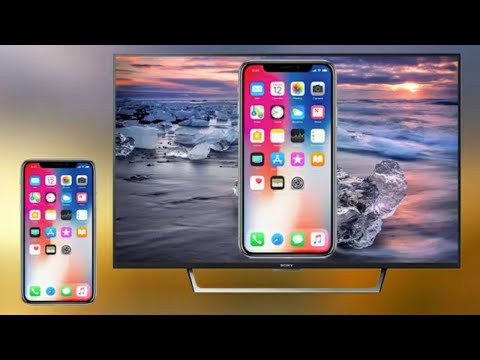
Playback starts YouTube’s embedded player (privacy-enhanced mode).
How to Mirror Your iPhone to Roku
ChannelJuan CamachoDescription from the creator
(Amazon USA Link) - amzn.to/2LgotPC
(Amazon International Link) - geni.us/Hju7
🙌🏻 Please take a moment and Subscribe for more helpful videos: bit.ly/SubscribeToJuan
🔥Amazon Prime Free 30 Day Trial: amzn.to/37nQpup
=============================
MY GEAR I USE:
=============================
My Camera Kit: amzn.to/2DVnpNt
My Camera I Use: amzn.to/38jVbd6
My Mic: amzn.to/36eGAhg
My Wireless Mic: amzn.to/2OZpkqt
My Smartphone Camera: amzn.to/2Pswjq7
My Mic for Smartphone: amzn.to/2RwOJd8
My GoPro: amzn.to/2Rw6jxy
My Tripod: amzn.to/2rgau6f
My Bendy Tripod: amzn.to/2DYauKM
My Small Tripod: amzn.to/343jCZ4
My Smartphone Tripod: amzn.to/341RV2I
My Lighting Kit: amzn.to/2s7ggXA
My Backpack: amzn.to/38jTqwu
My Desktop: amzn.to/2YrNE7H
My Monitor: amzn.to/31l5QkS
My Laptop: amzn.to/2s3SrQA
My Small Gaff Tape: amzn.to/38kA1LZ
My Small Drone: amzn.to/2TE4WxX
MY VR Headset: amzn.to/2R5gRU4
My Drone: amzn.to/3cQmsGq
=============================
WATCH MORE OF MY VIDEOS:
=============================
My Latest Uploads: bit.ly/JuansUploads
My Tech Videos: bit.ly/JuansTechVideos
My Popular Videos: bit.ly/JuansPopular
My Reviews, DIYs, and How To’s: bit.ly/JuansReviews
=============================
ツ CONNECT WITH ME ツ
=============================
Leave a comment on this video and it'll get a response. Or you can connect with me on different social platforms too:
• Instagram: instagram.com/juancamacho21
For business or sponsorship inquiries, please email me at [email protected]
---
Use this tool to help grow your YouTube channel fast - tubebuddy.com/JuanCamacho
---
#Roku #iPhone #Mirror
---
DISCLAIMER: This video and description contain affiliate links, which means that if you click on one of the product links, I’ll receive a small commission. This helps support the channel and allows me to continue to make videos like this. Thank you for your support!
---
Be Creative!
About this tutorial
Juan Camacho published this 6:49 video tutorial on May 26, 2020. It has been watched 1,134,796 times on YouTube.
- Channel
- Juan Camacho
- Category
- Howto & Style
- Duration
- 6:49
- Published
- May 26, 2020
- Views
- 1,134,796
- Likes
- 10,789
Tags
Share
Further reading
-
How to Mirror An iPhone to Roku | Beginner Guide
terrariumtv.co
Download the Roku app on your iPhone, you can find the Roku app on the website of Roku. Connect your iPhone with Roku by tapping on the name of your Roku device. Now to mirror the content that is already stored in your…
-
How to Mirror Your iPhone to Roku : HelloTech How
hellotech.com
To mirror your iPhone to a Roku device, open the Control Center on your iPhone. Then tap Screen Mirroring and select your Roku device from the pop-up list. Finally, enter the code that appears on your TV into your iPhon…
-
How to Mirror Your iPhone to Roku - Lifewire
lifewire.com
Set up mirroring on Roku under Settings > System > Screen Mirroring. Use Photo+ and tap Music, Photos or Videos (your choice). You can also select Screensaver to quickly send a slideshow to your TV. Your Roku receiver a…
This tutorial in other languages
- FRComment miroir de votre iPhone pour Roku
- ESCómo duplicar su iPhone a Roku
- PTComo espelhar o seu iPhone para Roku
- ITCome per rispecchiare il vostro iPhone a Roku
- DEWie Sie Ihr iPhone zu Roku spiegeln
- NLHoe te spiegelen je iPhone naar Roku
- RUКак зеркало вашего iPhone к Roku
- PLJak Mirror iPhone do Roku
- JARokuのためにあなたのiPhoneをミラーリングする方法
- ARكيفية مرآة فون الخاص بك إلى روكو
- HIRoku के लिए आपका iPhone मिरर कैसे
- IDCara Cermin iPhone Anda ke Roku