Playback starts YouTube’s embedded player (privacy-enhanced mode).
How to Mount a Tablet on the Wall with Constant Power
ChannelSimplySmart123 ✅Description from the creator
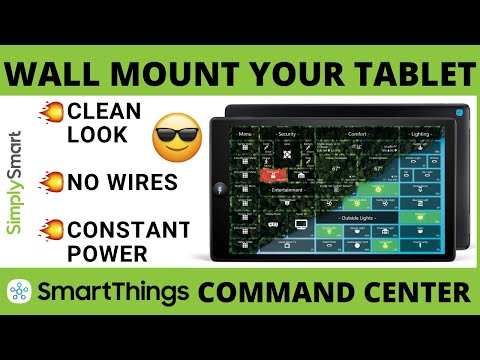
In this video, I will show you how to mount a tablet to the wall using a recessed USB outlet and a tablet wall mount to create a clean look with constant power!
Support the Channel and Check out My Amazon Store!
amazon.com/shop/simplysmart123
*** IF YOU DO NOT FEEL COMFORTABLE WORKING WITH ELECTRICITY HIRE A PROFESSIONAL ***
By mounting your tablet to the wall you can create a smart home command center and so much more. Just follow the simple steps of this video and you will have it set up and looking clean in no time.
Products you will need:
▶ Motifs Etc Tablet Mount: etsy.com/shop/motifsetc/?etsrc=sdt&coupon=S…
▶ Drywall Saw: amzn.to/332r9sp
▶ Non-Contact Dual Voltage Tester: amazon.com/s?k=voltage+tester&tag=20265509-…
▶ 14GA Wire: amzn.to/2CmM8tR
▶ Wire Stripper: amzn.to/2uco0FO
▶ Recessed Outlet Box: amzn.to/2PzV858
▶ USB Outlets: amazon.com/s?k=USB+wall+outlet&tag=20265509…
▶ Right Angle Charging Cord: amazon.com/s?k=right+angle+USB+cable&tag=20…
Need more help? Join our Facebook Group Now: facebook.com/groups/466514343932032
Fire Tablet Options:
▶ Fire 7 Tablet: amzn.to/2XRzUCZ
▶ Fire 8 Tablet: amzn.to/4dQdoS9
▶ Fire 10 Tablet: amzn.to/4fJ5xbK
🔴 Be sure to like, share, and subscribe for more free videos involving smart home technology and improve your family’s life!
▶ Check Out My Latest Video: bit.ly/2CNjWQW
▶ Check My Most Popular Video: bit.ly/2UbGGoi
▶ Check Out All of Our Videos: bit.ly/2I1c9SY
🔴 Subscribe: goo.gl/VGC9iJ
Need to send me something? Product to review or anything else!
Mail: Justin Newbury
1124 White Oak Lane
Galivants Ferry, SC 29544
Contact me on Facebook:
facebook.com/SimplySmart123/
▶ Visit our Shop and Support this Channel - bit.ly/2H3djhW
▶ Visit our Website - SimplySmart123.com
▶ NEVER CLICK THIS! - goo.gl/VGC9iJ
Follow these 3 Simple Steps to Build the Ultimate Smart Home for Less:
--------- Building the Ultimate Smart Home -----------
---------------------- Step 1 -----------------------------
Adding Alexa Voice Assistant (the voice and ears of your smart home)
Echo Device of Some Kind (recommend Amazon products for full maximum compatibility):
Echo Dot: amazon.com/s?k=Echo+Dot&tag=20265509-20
Echo Flex: amzn.to/2DjESPk
Echo Input: amzn.to/2OTb1T5
Echo: amzn.to/2QV5gXJ
Echo Plus: amzn.to/2Oqz1xV
Echo Studio: amzn.to/2OWntBU
Echo Show: amzn.to/35F9pDh
Echo Show 5: amzn.to/2F6WyPy
Echo Show 8: amzn.to/37LvHVI
Fire 7 Tablet: amzn.to/2XRzUCZ
Fire 8 Tablet: amzn.to/4dQdoS9
Fire 10 Tablet: amzn.to/4fJ5xbK
--------- Building the Ultimate Smart Home -----------
---------------------- Step 2 -----------------------------
Adding a SmartThings Hub (the brain of your smart home)
Samsung SmartThings Hub 2nd Gen: amazon.com/s?k=Aeotec+SmartThings+Hub&tag=2…
or
Samsung SmartThings Hub 3rd Gen: amzn.to/2XbjUdd
SmartThings IDE or API: account.smartthings.com/login
--------- Building the Ultimate Smart Home -----------
---------------------- Step 3 -----------------------------
Visit SimplySmart123.com (every compatible device to expand your smart home the right way for less)
Check out our website and store for other smart home products to expand your smart home SimplySmart123.com
Smart home technology doesn’t have to be hard that is why we make it as easy as 123.
Affiliate disclosure: As an Amazon Associate I earn from qualifying purchases.
Support the Channel and Check out My Amazon Store!
amazon.com/shop/simplysmart123
*** IF YOU DO NOT FEEL COMFORTABLE WORKING WITH ELECTRICITY HIRE A PROFESSIONAL ***
By mounting your tablet to the wall you can create a smart home command center and so much more. Just follow the simple steps of this video and you will have it set up and looking clean in no time.
Products you will need:
▶ Motifs Etc Tablet Mount: etsy.com/shop/motifsetc/?etsrc=sdt&coupon=S…
▶ Drywall Saw: amzn.to/332r9sp
▶ Non-Contact Dual Voltage Tester: amazon.com/s?k=voltage+tester&tag=20265509-…
▶ 14GA Wire: amzn.to/2CmM8tR
▶ Wire Stripper: amzn.to/2uco0FO
▶ Recessed Outlet Box: amzn.to/2PzV858
▶ USB Outlets: amazon.com/s?k=USB+wall+outlet&tag=20265509…
▶ Right Angle Charging Cord: amazon.com/s?k=right+angle+USB+cable&tag=20…
Need more help? Join our Facebook Group Now: facebook.com/groups/466514343932032
Fire Tablet Options:
▶ Fire 7 Tablet: amzn.to/2XRzUCZ
▶ Fire 8 Tablet: amzn.to/4dQdoS9
▶ Fire 10 Tablet: amzn.to/4fJ5xbK
🔴 Be sure to like, share, and subscribe for more free videos involving smart home technology and improve your family’s life!
▶ Check Out My Latest Video: bit.ly/2CNjWQW
▶ Check My Most Popular Video: bit.ly/2UbGGoi
▶ Check Out All of Our Videos: bit.ly/2I1c9SY
🔴 Subscribe: goo.gl/VGC9iJ
Need to send me something? Product to review or anything else!
Mail: Justin Newbury
1124 White Oak Lane
Galivants Ferry, SC 29544
Contact me on Facebook:
facebook.com/SimplySmart123/
▶ Visit our Shop and Support this Channel - bit.ly/2H3djhW
▶ Visit our Website - SimplySmart123.com
▶ NEVER CLICK THIS! - goo.gl/VGC9iJ
Follow these 3 Simple Steps to Build the Ultimate Smart Home for Less:
--------- Building the Ultimate Smart Home -----------
---------------------- Step 1 -----------------------------
Adding Alexa Voice Assistant (the voice and ears of your smart home)
Echo Device of Some Kind (recommend Amazon products for full maximum compatibility):
Echo Dot: amazon.com/s?k=Echo+Dot&tag=20265509-20
Echo Flex: amzn.to/2DjESPk
Echo Input: amzn.to/2OTb1T5
Echo: amzn.to/2QV5gXJ
Echo Plus: amzn.to/2Oqz1xV
Echo Studio: amzn.to/2OWntBU
Echo Show: amzn.to/35F9pDh
Echo Show 5: amzn.to/2F6WyPy
Echo Show 8: amzn.to/37LvHVI
Fire 7 Tablet: amzn.to/2XRzUCZ
Fire 8 Tablet: amzn.to/4dQdoS9
Fire 10 Tablet: amzn.to/4fJ5xbK
--------- Building the Ultimate Smart Home -----------
---------------------- Step 2 -----------------------------
Adding a SmartThings Hub (the brain of your smart home)
Samsung SmartThings Hub 2nd Gen: amazon.com/s?k=Aeotec+SmartThings+Hub&tag=2…
or
Samsung SmartThings Hub 3rd Gen: amzn.to/2XbjUdd
SmartThings IDE or API: account.smartthings.com/login
--------- Building the Ultimate Smart Home -----------
---------------------- Step 3 -----------------------------
Visit SimplySmart123.com (every compatible device to expand your smart home the right way for less)
Check out our website and store for other smart home products to expand your smart home SimplySmart123.com
Smart home technology doesn’t have to be hard that is why we make it as easy as 123.
Affiliate disclosure: As an Amazon Associate I earn from qualifying purchases.
About this tutorial
SimplySmart123 ✅ published this 16:32 video tutorial on March 14, 2020. It has been watched 62,319 times on YouTube.
- Channel
- SimplySmart123 ✅
- Category
- Howto & Style
- Duration
- 16:32
- Published
- March 14, 2020
- Views
- 62,319
- Likes
- 1,163
Tags
Share
This tutorial in other languages
- FRComment monter une tablette sur le mur à puissance constante
- ESCómo montar una tableta en la pared con potencia constante
- PTComo montar um Tablet na parede com potência constante
- ITCome montare un Tablet sul muro con potenza costante
- DEWie ein Tablet auf der Wand mit konstanter Leistung montieren
- NLHoe kan ik een tablet aan de wand met Constant Vermogen
- RUКак установить Скрижаль на стене с постоянной Мощностью
- PLJak zamontować Tablet na ścianie stałej mocy
- JA定電力で壁にタブレットをマウントする方法
- ARكيفية تركيب لوحي على الحائط مع السلطة، ثابت
- HIलगातार बिजली के साथ दीवार पर एक गोली माउंट कैसे
- IDBagaimana ke Gunung Tablet di Tembok dengan Power Konstan