Playback starts YouTube’s embedded player (privacy-enhanced mode).
How to Outline Text in GIMP 2.8 + How to Add a Gradient to Text in GIMP
ChannelIvy Lily CreativeDescription from the creator
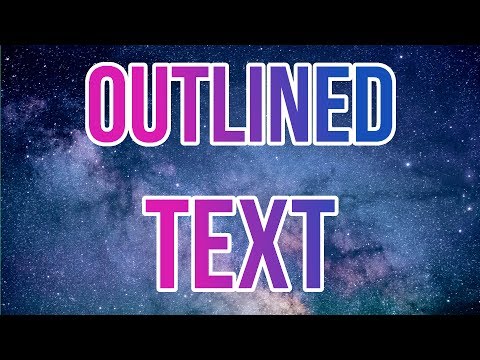
How to make outlined gradient text in GIMP 2.8. I'm showing you how I make outlined gradient titles for my video thumbnails using GIMP.
INSTRUCTIONS
Choose the text tool. Write your title and choose the font and size. I'm aligning the text to the center. Choose the select by color tool and click on the text so it becomes selected. Go to select in the menu and choose grow... You can try different sizes, just click undo and try another one. I'm using 15 pixels here. Click ok. Now choose a color for the outline and use the bucket fill tool to fill the outline. You might need to fill it in a few different places depending on the font and letters you used.
If you just want to outline text, you can stop here. But I'll show you how to give the title a gradient too. Select the text, not the outline, again with the select by color tool. Choose the two colors you want to use in the gradient. Select the blend tool. Left-click on the image and hold down, drag the mouse across the image and release it. You can try different angles and the gradient will change. The background I used is a free stock photo.
MORE GIMP TUTORIALS
How to remove background in GIMP: youtu.be/SANgCcF1qjY?list=PLmqRfhuB3ag67LBq1J29…
How to edit art in GIMP: youtu.be/o5AQruQF6sE?list=PLmqRfhuB3ag67LBq1J29…
********************************************************************
ART SUPPLIES I USE (Amazon affiliate links)
Cotman Watercolor Set amzn.to/2kPBTEn
Watercolor Masking Fluid amzn.to/2kWDScc
Metallic Acrylics amzn.to/2lrqZYq
Acrylic Gesso amzn.to/2lyih7G
Gloss Varnish amzn.to/2kPIPBn
Soft Pastel 24 pack amzn.to/2lypzbD
Pastel Pencil Skintones 12 pack amzn.to/2ktNPuf
Black Acrylic Artists' Ink amzn.to/2lymg48
White Ink amzn.to/2kPKmal
YOUTUBE SET-UP
Camera: Canon PowerShot SX260 amzn.to/2mMVSDL (affiliate)
Tripod: Hama Star 700 EF amzn.to/2nWnoPr (affiliate)
Microphone: Camera's microphone
Video editing: HitFilm 4 Express / Adobe Premiere Pro amzn.to/2n0L9X5 (affiliate)
Audio editing: Audacity
My filming equipment and set-up: bit.ly/YouTubeFilming
My art supplies: bit.ly/ArtSupply
WHAT'S NEXT
Subscribe to Ivy Lily Creative YouTube channel for more art and DIY: youtube.com/c/IvyLilyCreative
Check out my blog: ivylilycrafts.blogspot.fi/
Sign up to receive free coloring pages: ivylilycrafts.blogspot.fi/2017/05/free-printabl…
SHOP
Coloring pages: ivylilyart.etsy.com/
Art prints - Society6: society6.com/ilylilyart
Art prints - Redbubble: redbubble.com/people/almonda
Art prints - Artflakes: artflakes.com/en/shop/katri-ketola
FOLLOW
Blog: ivylilycrafts.blogspot.fi/
Twitter: twitter.com/IvyLilyBlog
Instagram: instagram.com/ivylilycreative/
Pinterest: pinterest.com/ivylilycrafts/
DeviantArt: loveras.deviantart.com/
Facebook: facebook.com/Ivy-Lily-Creative-280194138987231/
MUSIC
• bensound.com/royalty-free-music
MY FAVES
• Etsy* - Get 40 free listings: etsy.me/27Kxt4v (referral)
• GIMP - Free image editor
• PicMonkey - Free image editor online
• Screencast-O-Matic - Free screen recording
INSTRUCTIONS
Choose the text tool. Write your title and choose the font and size. I'm aligning the text to the center. Choose the select by color tool and click on the text so it becomes selected. Go to select in the menu and choose grow... You can try different sizes, just click undo and try another one. I'm using 15 pixels here. Click ok. Now choose a color for the outline and use the bucket fill tool to fill the outline. You might need to fill it in a few different places depending on the font and letters you used.
If you just want to outline text, you can stop here. But I'll show you how to give the title a gradient too. Select the text, not the outline, again with the select by color tool. Choose the two colors you want to use in the gradient. Select the blend tool. Left-click on the image and hold down, drag the mouse across the image and release it. You can try different angles and the gradient will change. The background I used is a free stock photo.
MORE GIMP TUTORIALS
How to remove background in GIMP: youtu.be/SANgCcF1qjY?list=PLmqRfhuB3ag67LBq1J29…
How to edit art in GIMP: youtu.be/o5AQruQF6sE?list=PLmqRfhuB3ag67LBq1J29…
********************************************************************
ART SUPPLIES I USE (Amazon affiliate links)
Cotman Watercolor Set amzn.to/2kPBTEn
Watercolor Masking Fluid amzn.to/2kWDScc
Metallic Acrylics amzn.to/2lrqZYq
Acrylic Gesso amzn.to/2lyih7G
Gloss Varnish amzn.to/2kPIPBn
Soft Pastel 24 pack amzn.to/2lypzbD
Pastel Pencil Skintones 12 pack amzn.to/2ktNPuf
Black Acrylic Artists' Ink amzn.to/2lymg48
White Ink amzn.to/2kPKmal
YOUTUBE SET-UP
Camera: Canon PowerShot SX260 amzn.to/2mMVSDL (affiliate)
Tripod: Hama Star 700 EF amzn.to/2nWnoPr (affiliate)
Microphone: Camera's microphone
Video editing: HitFilm 4 Express / Adobe Premiere Pro amzn.to/2n0L9X5 (affiliate)
Audio editing: Audacity
My filming equipment and set-up: bit.ly/YouTubeFilming
My art supplies: bit.ly/ArtSupply
WHAT'S NEXT
Subscribe to Ivy Lily Creative YouTube channel for more art and DIY: youtube.com/c/IvyLilyCreative
Check out my blog: ivylilycrafts.blogspot.fi/
Sign up to receive free coloring pages: ivylilycrafts.blogspot.fi/2017/05/free-printabl…
SHOP
Coloring pages: ivylilyart.etsy.com/
Art prints - Society6: society6.com/ilylilyart
Art prints - Redbubble: redbubble.com/people/almonda
Art prints - Artflakes: artflakes.com/en/shop/katri-ketola
FOLLOW
Blog: ivylilycrafts.blogspot.fi/
Twitter: twitter.com/IvyLilyBlog
Instagram: instagram.com/ivylilycreative/
Pinterest: pinterest.com/ivylilycrafts/
DeviantArt: loveras.deviantart.com/
Facebook: facebook.com/Ivy-Lily-Creative-280194138987231/
MUSIC
• bensound.com/royalty-free-music
MY FAVES
• Etsy* - Get 40 free listings: etsy.me/27Kxt4v (referral)
• GIMP - Free image editor
• PicMonkey - Free image editor online
• Screencast-O-Matic - Free screen recording
About this tutorial
Ivy Lily Creative published this 1:47 video tutorial on November 6, 2017. It has been watched 24,725 times on YouTube.
- Channel
- Ivy Lily Creative
- Category
- Howto & Style
- Duration
- 1:47
- Published
- November 6, 2017
- Views
- 24,725
- Likes
- 328
Tags
Share
This tutorial in other languages
- FRComment Outline Texte dans GIMP 2.8 + Comment ajouter un dégradé de texte dans GIMP
- ESCómo esquema de texto en GIMP 2.8 + Cómo agregar un degradado al texto en GIMP
- PTComo esquema de texto no GIMP 2.8 + Como adicionar um Gradiente de texto no GIMP
- ITCome struttura di testo in GIMP 2.8 + Come aggiungere una sfumatura a testo in GIMP
- DEWie man Textumriß in GIMP 2.8 + Wie ein Gradient zu Text in GIMP hinzufügen
- NLHoe tekstcontour in GIMP 2.8 + Hoe kan ik een Gradient toevoegen aan tekst in GIMP
- RUКак Outline текст в GIMP 2.8 + Как добавить градиент к тексту в GIMP
- PLJak Outline tekstu w GIMP 2.8 + Jak dodać gradient do tekstu w GIMP-ie
- JAGIMPのテキストにグラデーションを追加する方法GIMP 2.8 +内のテキストをアウトラインにする方法
- ARكيفية تفصيلي نص في GIMP 2.8 + كيفية إضافة التدرج إلى نص في الأعرج
- HIGIMP 2.8 + में पाठ को रेखांकित करने के लिए कैसे कैसे GIMP में पाठ करने के लिए एक ढाल जोड़ें
- IDCara Outline Teks di GIMP 2.8 + Bagaimana menambahkan Gradient ke Teks di GIMP