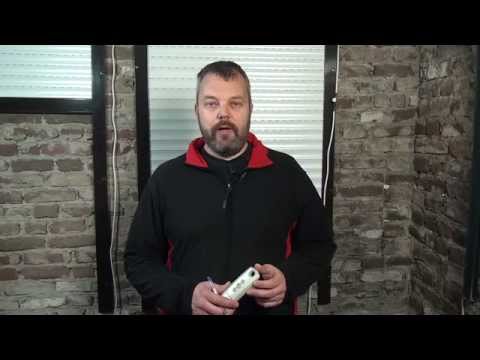
Playback starts YouTube’s embedded player (privacy-enhanced mode).
How to program a Somfy RTS motor (setting limits - direction - link remote)
ChannelMotoriseDescription from the creator
When you have a new Somfy RTS motor, you need to set the upper and lower limit, check the direction in which it rolls and link a remote control.
In this video we show you all that:
- How to take control of the motor
- How to check and change the direction into which the motor turns
- How to set the lower limit
- How to set the upper limit
- How to memorise the settings
In this video, we use the Somfy Oximo RTS, but this procedure is identical for all RTS motors.
The Somfy Oximo RTS can be found here: motorise.it/motors/somfy/oximo-rts.html (UK only).
If you are not in the UK, please go here: tubularmotors.eu/oximo-50-rts/
The remote that's used is the Telis 4 RTS silver, but any RTS remote can be used.
-~-~~-~~~-~~-~-
Please watch: "Make your own wireless electric roller blind: TS40RTS WF kit contents"
youtube.com/watch?v=K8ZnwCe6j6M
-~-~~-~~~-~~-~-
For more information, visit:
tromm.com
tromm.com/uk
tromm.com/us
Or email:
[email protected]
[email protected]
In this video we show you all that:
- How to take control of the motor
- How to check and change the direction into which the motor turns
- How to set the lower limit
- How to set the upper limit
- How to memorise the settings
In this video, we use the Somfy Oximo RTS, but this procedure is identical for all RTS motors.
The Somfy Oximo RTS can be found here: motorise.it/motors/somfy/oximo-rts.html (UK only).
If you are not in the UK, please go here: tubularmotors.eu/oximo-50-rts/
The remote that's used is the Telis 4 RTS silver, but any RTS remote can be used.
-~-~~-~~~-~~-~-
Please watch: "Make your own wireless electric roller blind: TS40RTS WF kit contents"
youtube.com/watch?v=K8ZnwCe6j6M
-~-~~-~~~-~~-~-
For more information, visit:
tromm.com
tromm.com/uk
tromm.com/us
Or email:
[email protected]
[email protected]
About this tutorial
Motorise published this 4:50 video tutorial on November 8, 2015. It has been watched 759,611 times on YouTube.
- Channel
- Motorise
- Category
- Howto & Style
- Duration
- 4:50
- Published
- November 8, 2015
- Views
- 759,611
- Likes
- 2,188
Tags
Share
This tutorial in other languages
- FRComment programmer un moteur RTS Somfy (limites de réglage - direction - connexion à distance)
- ESCómo programar un motor Somfy RTS (límites de ajuste - dirección - enlace remoto)
- PTComo programar um motor Somfy RTS (limites de regulação - direção - conexão remota)
- ITCome programmare un motore Somfy RTS (limiti di impostazione - direzione - collegamento remoto)
- DEWie ein Somfy RTS Motor programmieren (Einstellgrenzen - Richtung - link remote)
- NLHoe kan ik een Somfy RTS motor te programmeren (- richting - instelling beperkt verbinding op afstand)
- RUКак программировать двигатель Somfy RTS (пределы настройки - направление - ссылка удаленного)
- PLJak zaprogramować silnik Somfy RTS (limity Setting - kierunek - Link zdalny)
- JASOMFY RTSモータ( - 方向 - 制限を設定するリンクのリモート)をプログラムする方法
- ARكيفية برمجة محرك سومفي RTS (حدود الإعداد - الاتجاه - الارتباط البعيد)
- HIकैसे एक Somfy आरटीएस मोटर कार्यक्रम (- दिशा - सेटिंग सीमा लिंक दूरस्थ)
- IDBagaimana program Somfy RTS bermotor (batas pengaturan - arah - link yang terpencil)