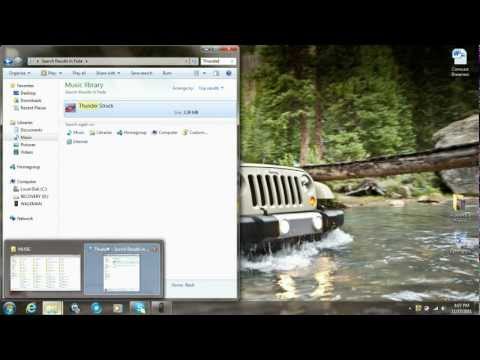
Playback starts YouTube’s embedded player (privacy-enhanced mode).
How To Put Music onto Your Mp3 Player (2 Ways)
Channelf lopezDescription from the creator
This a tutrial of how to easily put music onto your Mp3 player. It's very simple.
Steps: METHOD 1
1) Plug in your Mp3 player with USB cable
2) Open the file where you wan to put your song as well as the file where the song you want is located
3) Click and drag song onto Mp3 file abd wait for it to load
4) Done
Steps: METHOD 2
1) Connect Mp3 Player with USB cable
2) Open your Windows Media Player and find the song(s) you want
3) Click on the top right corner where it says (Sync).
4) Then click and drag all the song(s) you want onto the list
5) Press (Sync) once done and then wait for songs to load onto the Mp3
6) Done!
Steps: METHOD 1
1) Plug in your Mp3 player with USB cable
2) Open the file where you wan to put your song as well as the file where the song you want is located
3) Click and drag song onto Mp3 file abd wait for it to load
4) Done
Steps: METHOD 2
1) Connect Mp3 Player with USB cable
2) Open your Windows Media Player and find the song(s) you want
3) Click on the top right corner where it says (Sync).
4) Then click and drag all the song(s) you want onto the list
5) Press (Sync) once done and then wait for songs to load onto the Mp3
6) Done!
About this tutorial
f lopez published this 3:14 video tutorial on November 3, 2012. It has been watched 458,894 times on YouTube.
- Channel
- f lopez
- Category
- Howto & Style
- Duration
- 3:14
- Published
- November 3, 2012
- Views
- 458,894
- Likes
- 869
Tags
Share
This tutorial in other languages
- FRComment mettre de la musique sur votre lecteur MP3 (2 façons)
- ES¿Cómo poner música en su reproductor de mp3 (2 maneras)
- PTComo colocar música para o seu Mp3 Player (2 maneiras)
- ITCome mettere la musica sul lettore mp3 (2 modi)
- DEWie man Musik auf den MP3-Player-Put (2 Wege)
- NLHow To Music op uw mp3-speler (2 manieren)
- RUКак поставить музыку на свой MP3-плеер (2 способа)
- PLJak umieścić muzykę do odtwarzacza MP3 (2 sposoby)
- JAあなたのMP3プレーヤーに音楽を置く方法(2つの方法)
- ARكيفية وضع الموسيقى على لديك مشغل MP3 (2 طرق)
- HIसंगीत अपने एमपी 3 प्लेयर पर डाल करने के लिए कैसे (2 तरीके)
- IDCara Pasang Musik ke Mp3 Player (2 Cara)