Playback starts YouTube’s embedded player (privacy-enhanced mode).
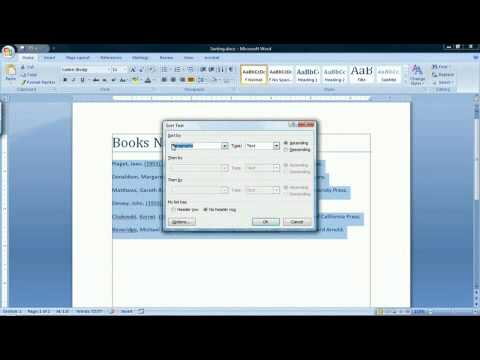
How to Put Words in Alphabetical Order in Microsoft Word 2007
ChanneleHowTechDescription from the creator
How to Put Words in Alphabetical Order in Microsoft Word 2007. Part of the series: Microsoft Word 2007 Tutorial. To put words in alphabetical order in Microsoft Word, highlight the text, click on the "Sort" icon, and choose whether to organize the text alphabetically, numerically or chronologically. Organize text in a Word document with help from a computer applications consultant in this free video about using desktop publishing software. Read more: ehow.com/video_5538119_put-order-microsoft-word…
About this tutorial
eHowTech published this 1:04 video tutorial on October 27, 2015. It has been watched 265,671 times on YouTube.
- Channel
- eHowTech
- Category
- Howto & Style
- Duration
- 1:04
- Published
- October 27, 2015
- Views
- 265,671
- Likes
- 731
Tags
Share
This tutorial in other languages
- FRComment mettre des mots par ordre alphabétique dans Microsoft Word 2007
- ESCómo poner palabras en orden alfabético en Microsoft Word 2007
- PTComo colocar palavras em ordem alfabética no Microsoft Word 2007
- ITCome mettere le parole in ordine alfabetico in Microsoft Word 2007
- DESo platzieren Sie Wörter in alphabetischer Reihenfolge in Microsoft Word 2007
- NLHoe kan ik woorden in alfabetische volgorde zetten in Microsoft Word 2007
- RUКак поставить слова в алфавитном порядке в Microsoft Word 2007
- PLJak umieścić słowa w porządku alfabetycznym w programie Microsoft Word 2007
- JAマイクロソフトWord 2007でアルファベット順に単語を置く方法
- ARكيفية وضع الكلمات في الترتيب الأبجدي في Microsoft Word 2007
- HIमाइक्रोसॉफ्ट वर्ड 2007 में वर्णमाला के क्रम में शब्द डाल कैसे
- IDCara Pasang Kata-kata dalam Abjad di Microsoft Word 2007