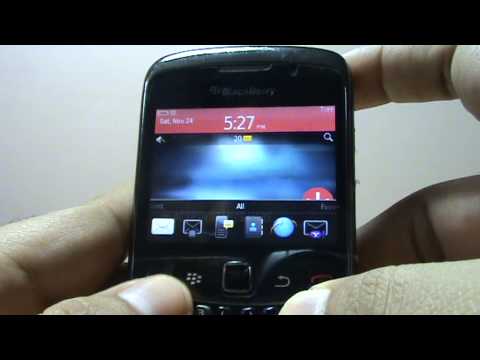
Playback starts YouTube’s embedded player (privacy-enhanced mode).
How to Reboot / Reset your Blackberry without removing your Battery
ChannelDeepDescription from the creator
Hey guys,
This is how you can do a reboot of your blackberry in case it gets frozen, or super slow or even in case you just want to do a reboot of your phone without having to remove the battery.
Mobile phone operators (GSM Operators) often ask us to remove the battery of blackberry phone and then reinsert if if you have ever subscribed to any new services or you are not getting network connectivity and so on..
So this is how you can do it..
Simply press and hold three buttons as shown in this video alt + right Shift (aA) + del for about 2 to 3 seconds and the phone automatically completely reboots.
Enjoy!, Please don't forget to comment your views, Like if you find it useful and share.
Also, please subscribe to my channel :)
Thanks
This is how you can do a reboot of your blackberry in case it gets frozen, or super slow or even in case you just want to do a reboot of your phone without having to remove the battery.
Mobile phone operators (GSM Operators) often ask us to remove the battery of blackberry phone and then reinsert if if you have ever subscribed to any new services or you are not getting network connectivity and so on..
So this is how you can do it..
Simply press and hold three buttons as shown in this video alt + right Shift (aA) + del for about 2 to 3 seconds and the phone automatically completely reboots.
Enjoy!, Please don't forget to comment your views, Like if you find it useful and share.
Also, please subscribe to my channel :)
Thanks
About this tutorial
Deep published this 2:20 video tutorial on November 6, 2013. It has been watched 115,920 times on YouTube.
- Channel
- Deep
- Category
- Howto & Style
- Duration
- 2:20
- Published
- November 6, 2013
- Views
- 115,920
- Likes
- 288
Tags
Share
This tutorial in other languages
- FRComment Reboot / Reset votre Blackberry sans enlever votre batterie
- ESCómo reiniciar / Restablecer su Blackberry sin quitar la batería
- PTComo reinicializar / Reset seu Blackberry sem remover a bateria
- ITCome Reboot / Cambia la tua Blackberry senza rimuovere la batteria
- DEWie zum Neustart / Zurücksetzen des Blackberry ohne Ihre Batterie zu entfernen
- NLHoe te Reboot / Reset uw Blackberry zonder het verwijderen van uw batterij
- RUКак Reboot / Сброс Blackberry без снятия аккумулятора
- PLJak uruchomić / Reset Blackberry bez usuwania bateria
- JAどのように再起動する/あなたのバッテリーを取り外すことなく、あなたのブラックベリーをリセット
- ARكيفية إعادة تشغيل / إعادة تعيين بلاك بيري الخاص بك دون إزالة البطارية الخاصة بك
- HIकैसे रीबूट करने के लिए / अपने बैटरी को हटाने के बिना अपने ब्लैकबेरी रीसेट
- IDCara Reboot / Reset Blackberry Anda tanpa menghapus Baterai Anda