Playback starts YouTube’s embedded player (privacy-enhanced mode).
How to Replace iPod Classic Audio Jack
ChannelDavid DeleyDescription from the creator
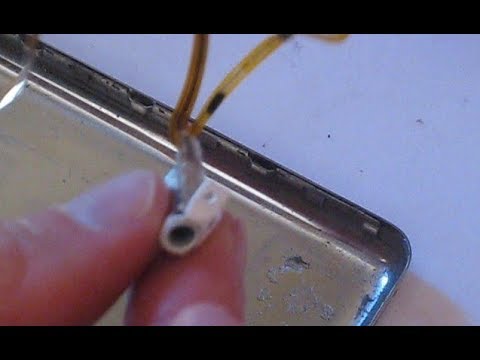
The audio jack on an iPod Classic can break after years of use. Sound will come out of only one side instead of both. The audio jack needs to be replaced. Replacement audio jacks can be purchased, or removed from other broken iPods.
First see "How to Open an iPod Classic" at youtu.be/4QhQuouAxA8
Then continue with this video.
After opening iPod Classic, shows how to disconnect ribbon cables and hard drive, remove battery, remove audio jack, replace with new audio jack, replace battery, reconnect hard drive, reconnect battery ribbon cable. (Then camera ran out of memory. A better video on how to reassemble iPod Classic is "How to close 6th, 7th generation ipod classic" at youtu.be/pyKyfq97yGs He reconnects the audio cable first, which actually looks easier.)
To prevent the audio jack from wearing out, I plug in a short audio cable and leave it plugged in. e.g. the "Cerrxian 90 Degree 3.5mm 3 Pole Male to 3.5mm Female Headphone Stereo Audio AUX Mini Spring Coiled Spiral Extension Adapter Converter Cable (3.5M-3.5F)", which can be found at Amazon or Ebay. It's lightweight and about 6 inches long. I plug my headphones into that.
Also see video " How to Replace iPod Classic Battery" at youtu.be/xP7EYzVR6Eo
David Deley works at Raytheon
First see "How to Open an iPod Classic" at youtu.be/4QhQuouAxA8
Then continue with this video.
After opening iPod Classic, shows how to disconnect ribbon cables and hard drive, remove battery, remove audio jack, replace with new audio jack, replace battery, reconnect hard drive, reconnect battery ribbon cable. (Then camera ran out of memory. A better video on how to reassemble iPod Classic is "How to close 6th, 7th generation ipod classic" at youtu.be/pyKyfq97yGs He reconnects the audio cable first, which actually looks easier.)
To prevent the audio jack from wearing out, I plug in a short audio cable and leave it plugged in. e.g. the "Cerrxian 90 Degree 3.5mm 3 Pole Male to 3.5mm Female Headphone Stereo Audio AUX Mini Spring Coiled Spiral Extension Adapter Converter Cable (3.5M-3.5F)", which can be found at Amazon or Ebay. It's lightweight and about 6 inches long. I plug my headphones into that.
Also see video " How to Replace iPod Classic Battery" at youtu.be/xP7EYzVR6Eo
David Deley works at Raytheon
About this tutorial
David Deley published this 19:24 video tutorial on November 3, 2018. It has been watched 4,490 times on YouTube.
- Channel
- David Deley
- Category
- Howto & Style
- Duration
- 19:24
- Published
- November 3, 2018
- Views
- 4,490
- Likes
- 35
Tags
Share
This tutorial in other languages
- FRComment remplacer iPod Classic Jack Audio
- ESCómo reemplazar el iPod Classic Audio Jack
- PTComo substituir iPod Classic Áudio Jack
- ITCome sostituire iPod Classic Audio Jack
- DEWie auf den iPod Classic Audio Jack ersetzen
- NLHoe te vervangen iPod Classic Audio Jack
- RUКак заменить IPod Классический Audio Jack
- PLJak wymienić iPod Classic Audio Jack
- JAクラシックのiPodオーディオジャックを交換する方法
- ARكيفية استبدال آي بود كلاسيك الصوت جاك
- HIकैसे बदलें आइपॉड क्लासिक ऑडियो जैक
- IDCara Ganti iPod Classic Audio Jack