Playback starts YouTube’s embedded player (privacy-enhanced mode).
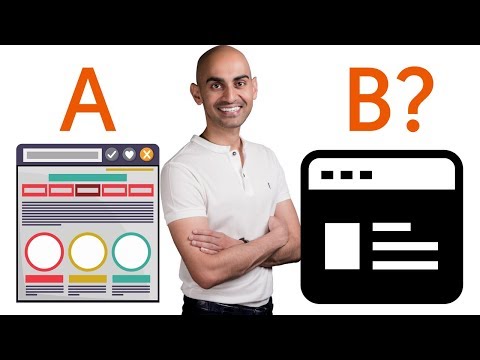
How to Run Split Tests and Optimize Your Website for Conversions
ChannelNeil PatelDescription from the creator
You got a website, you want to run split tests, how do you know what you should be changing on your own website?
► If you need help growing your business check out my ad agency Neil Patel Digital npdigital.com/
►Subscribe: goo.gl/ScRTwc to learn more secret SEO tips.
►Find me on Facebook: facebook.com/neilkpatel/
►On Instagram: instagram.com/neilpatel/
Step #1 Add Crazy Egg to your website
Crazy Egg is a visual analytics tool. It'll show you what people are doing and what they're not doing.
These reports will show you scroll maps to see where people are clicking on the page.
These video recordings show the mouse movement and how people are navigating through your website, what they're clicking on and what they're not clicking on. These reports will show you the issues people are having on your website.
Step #2: Use Crazy Egg's Wizzy Wig editor
Through the Wizzy Wig Editor, you can then go and make changes that you feel will help solve these problems.
Step #3: Run an AB test
Through Crazy Egg you can run your own AB test. Once you run them, Crazy Egg will show you which variant's performing well and which ones not. Once you combine all of that, not only will you be able to make the right changes so you can boost your conversions and sales but you'll also see those lifts.
If you don't test, you won't know if the changes you're making are helping you or hurting you. I don't care how good you are at marketing or how smart you are, we all make mistakes, even I do, so some of the changes I make sometimes hurt me.
That's why I test everything out and Crazy Egg is an amazing tool that you can use to do this for your digital marketing efforts.
The crazy egg heat map tool is an incredibly powerful way to optimize for conversions.
► If you need help growing your business check out my ad agency Neil Patel Digital npdigital.com/
►Subscribe: goo.gl/ScRTwc to learn more secret SEO tips.
►Find me on Facebook: facebook.com/neilkpatel/
►On Instagram: instagram.com/neilpatel/
Step #1 Add Crazy Egg to your website
Crazy Egg is a visual analytics tool. It'll show you what people are doing and what they're not doing.
These reports will show you scroll maps to see where people are clicking on the page.
These video recordings show the mouse movement and how people are navigating through your website, what they're clicking on and what they're not clicking on. These reports will show you the issues people are having on your website.
Step #2: Use Crazy Egg's Wizzy Wig editor
Through the Wizzy Wig Editor, you can then go and make changes that you feel will help solve these problems.
Step #3: Run an AB test
Through Crazy Egg you can run your own AB test. Once you run them, Crazy Egg will show you which variant's performing well and which ones not. Once you combine all of that, not only will you be able to make the right changes so you can boost your conversions and sales but you'll also see those lifts.
If you don't test, you won't know if the changes you're making are helping you or hurting you. I don't care how good you are at marketing or how smart you are, we all make mistakes, even I do, so some of the changes I make sometimes hurt me.
That's why I test everything out and Crazy Egg is an amazing tool that you can use to do this for your digital marketing efforts.
The crazy egg heat map tool is an incredibly powerful way to optimize for conversions.
About this tutorial
Neil Patel published this 1:53 video tutorial on October 31, 2017. It has been watched 47,242 times on YouTube.
- Channel
- Neil Patel
- Category
- Howto & Style
- Duration
- 1:53
- Published
- October 31, 2017
- Views
- 47,242
- Likes
- 293
Tags
Share
This tutorial in other languages
- FRComment Tests de Split et Run optimiser votre site pour les conversions
- ESCómo Realización de pruebas Dividir y optimizar su sitio web para Conversiones
- PTComo testes Run rachadas e otimizar seu site para conversões
- ITCome test Run Spalato e ottimizzare il sito per conversioni
- DEWie in den Run-Split-Tests und Optimieren Sie Ihre Website für Conversions
- NLHoe te lopen Splits testen en optimaliseren van uw website voor conversies
- RUКак Tests Run Split и оптимизации вашего сайта для преобразований
- PLJak testy zakończą się w Splicie i Optymalizacja witryny pod kątem konwersji
- JAどのようにファイル名を指定して実行スプリットテストへと変換のためのあなたのウェブサイトを最適化
- ARكيفية تشغيل الاختبارات سبليت وتحسين موقع الويب الخاص بك عن التحويلات
- HIभागो स्प्लिट टेस्ट कैसे और रूपांतरण के लिए अपनी वेबसाइट का अनुकूलन
- IDCara Tes Run Split dan Optimalkan Website Anda untuk Konversi