Playback starts YouTube’s embedded player (privacy-enhanced mode).
How to Set a Music File as a Ringtone on Samsung
Channelpc shastraDescription from the creator
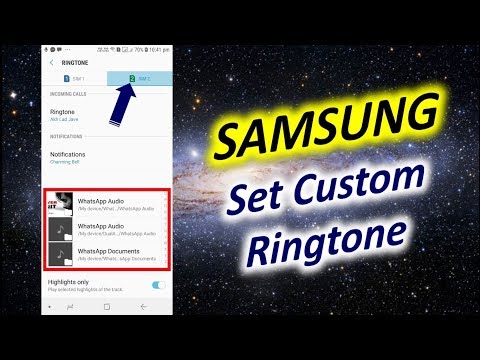
How to Set a Song as Ringtone on Samsung Galaxy/How to Set Custom Ringtone in SAMSUNG Devices: Your device can add a music file, such as an mp3, as a ringtone either as a general ringtone or as a personal ringtone for a specific contact.
You won't be able to use tracks that you play via a streaming service as the terms and conditions of most streaming services are that you pay to listen to the songs and albums, not to purchase the songs themselves. You will need to have purchased that particular album or track and have downloaded the file directly to your device.
1. From the home screen, choose Apps or swipe up to access your apps
2. Select Settings
3. This step will differ slightly depending on your model.
4. Select Ringtone (you may need to scroll down a little)
5. These will show all the ringtones on your device.
To use your own music file, tap Add or Add ringtone (you may need to scroll to the bottom for this).
6. If prompted, tap the Sound picker, then if prompted tap Allow
If you do not see the below screen pop up, or are not taken to a screen displaying your audio files, you may need to do a setting reset.
7. Choose the music file.
If the file does not appear under Tracks, choose Folders to locate the file.
PLEASE NOTE: that you need to have downloaded the actual music file onto your device.
8. Tap Done
You won't be able to use tracks that you play via a streaming service as the terms and conditions of most streaming services are that you pay to listen to the songs and albums, not to purchase the songs themselves. You will need to have purchased that particular album or track and have downloaded the file directly to your device.
1. From the home screen, choose Apps or swipe up to access your apps
2. Select Settings
3. This step will differ slightly depending on your model.
4. Select Ringtone (you may need to scroll down a little)
5. These will show all the ringtones on your device.
To use your own music file, tap Add or Add ringtone (you may need to scroll to the bottom for this).
6. If prompted, tap the Sound picker, then if prompted tap Allow
If you do not see the below screen pop up, or are not taken to a screen displaying your audio files, you may need to do a setting reset.
7. Choose the music file.
If the file does not appear under Tracks, choose Folders to locate the file.
PLEASE NOTE: that you need to have downloaded the actual music file onto your device.
8. Tap Done
About this tutorial
pc shastra published this 1:51 video tutorial on November 7, 2019. It has been watched 29,745 times on YouTube.
- Channel
- pc shastra
- Category
- Howto & Style
- Duration
- 1:51
- Published
- November 7, 2019
- Views
- 29,745
- Likes
- 159
Share
This tutorial in other languages
- FRComment définir un fichier de musique comme sonnerie sur Samsung
- ESCómo configurar un archivo de música como tono de Samsung
- PTComo definir um arquivo de música como toque no Samsung
- ITCome impostare un file musicale come suoneria sul Samsung
- DEWie eine Musikdatei als Klingelton auf Samsung Set
- NLHoe kan ik een muziekbestand als beltoon op Samsung
- RUКак установить музыкальный файл в качестве мелодии звонка на Samsung
- PLJak ustawić plik muzyczny jako dzwonek na Samsung
- JAサムスンの着信音として音楽ファイルを設定する方法
- ARكيفية تعيين ملف الموسيقى كنغمة رنين على سامسونج
- HIकैसे सैमसंग पर एक रिंगटोन के रूप में एक संगीत फ़ाइल सेट करने के लिए
- IDCara Mengatur File Musik sebagai Ringtone di Samsung