Playback starts YouTube’s embedded player (privacy-enhanced mode).
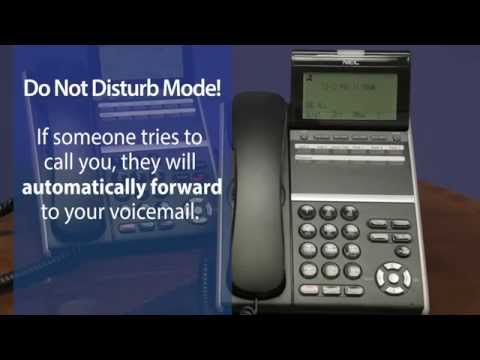
How to set and Cancel the Do Not Disturb Feature - ServiceMark Telecom
ChannelServiceMark Telecom - Business Telephone System SolutionsDescription from the creator
Shelby Doumitt of ServiceMark Telecom goes through step-by-step instructions on "How to Set & Cancel the Do Not Disturb Feature" on NEC DT800 and SV9100 Digital Telephone Systems with InMail. These steps are also applicable to the NEC DT400, DT700 and DT300 Digital Phones on the SV8100 Phone System.
Check out all of ServiceMark's "How-to's and Helpful Tips", we're the experts on NEC Business Telephone Systems!
servicemark.net/support/how-to-s-tips
For more information, click the link below:
servicemark.net/support/how-to-s-tips?id=108
Contact ServiceMark Telecom:
4243 NE Port Drive
Lee's Summit, Missouri 64064
Phone: (816) 478-2000
Fax: (816) 795-2492
Visit us on the web at servicemark.net/
Check out all of ServiceMark's "How-to's and Helpful Tips", we're the experts on NEC Business Telephone Systems!
servicemark.net/support/how-to-s-tips
For more information, click the link below:
servicemark.net/support/how-to-s-tips?id=108
Contact ServiceMark Telecom:
4243 NE Port Drive
Lee's Summit, Missouri 64064
Phone: (816) 478-2000
Fax: (816) 795-2492
Visit us on the web at servicemark.net/
About this tutorial
ServiceMark Telecom - Business Telephone System Solutions published this 2:02 video tutorial on October 29, 2015. It has been watched 53,867 times on YouTube.
- Category
- Howto & Style
- Duration
- 2:02
- Published
- October 29, 2015
- Views
- 53,867
- Likes
- 42
Tags
Share
This tutorial in other languages
- FRComment activer et désactiver la fonction Ne pas déranger - Telecom marque de service
- ESCómo Activar y desactivar la función No molestar - servicemark Telecom
- PTComo definir e cancelar a função Do Not Disturb - servicemark Telecom
- ITCome impostare e annullare la funzione Non disturbare - ServiceMark Telecom
- DESo setzen und die Do Not Disturb Eigenschaft Abbrechen - Servicemark Telecom
- NLHoe stel en Annuleer de functie Niet storen - servicemark Telecom
- RUКак установить и отмены функции Не беспокоить - Телеком знаки обслуживания
- PLJak skonfigurować i anulować funkcję Nie przeszkadzać - usługowym Telecom
- JAサイレント機能を設定してキャンセルする方法 - ServiceMarkテレコム
- ARكيفية تعيين وإلغاء عدم الإزعاج ميزة - ServiceMark اتصالات
- HIकैसे सेट और रद्द डू नॉट डिस्टर्ब सुविधा के लिए - servicemark दूरसंचार
- IDBagaimana mengatur dan Membatalkan Fitur Do Not Disturb - ServiceMark Telecom