Playback starts YouTube’s embedded player (privacy-enhanced mode).
How to set up and use your Dyson Humidifier
ChannelDysonDescription from the creator
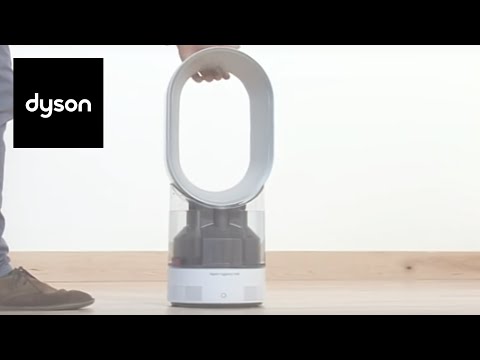
How to set up and use your new Dyson AM10 Hygienic Mist humidifier. Filling the tank, adjusting the airflow speed and humidity output, and setting the sleep timer.
Step 1. Fill the tank to the top. Replace the cap and screw until hand tight.
Step 2. Place the tank on top of the base. Important: Ensure the base is on a level surface.
Step 3. Place the loop amplifier on top of the tank and push down until you hear a click.
Step 4. Plug into the socket and base.
Step 5. Switch ‘ON’. The water treatment procedure automatically starts.
Step 6. Press and hold the power button to change the level on humidity.
Step 7. To increase or decrease the airflow speed press the Airflow Control button.
Step 8. To adjust the the level of humidity, press the the Humidity Control button.
Step 9. To set the sleep timer, press and hold the timer button to select the desired time.
Step 10. Press the water droplet with a cross through it to toggle between the humidifier and fan modes.
Step 11. When animation sequence shows, the tank is empty.
Step 12. Unplug the appliance and push the button to unlock and lift the loop amplifier away from tank.
Step 13. Then lift the tank away from base using the handle.
Step 14. Fill the tank to the top and replace the cap and screw until hand tight.
Step 15. Place the tank on top of the base.
Step 16. Place the loop amplifier on top of the tank and push down until you hear a click.
Our experts are on hand to help, so leave us a comment if you'd like some further advice.
Step 1. Fill the tank to the top. Replace the cap and screw until hand tight.
Step 2. Place the tank on top of the base. Important: Ensure the base is on a level surface.
Step 3. Place the loop amplifier on top of the tank and push down until you hear a click.
Step 4. Plug into the socket and base.
Step 5. Switch ‘ON’. The water treatment procedure automatically starts.
Step 6. Press and hold the power button to change the level on humidity.
Step 7. To increase or decrease the airflow speed press the Airflow Control button.
Step 8. To adjust the the level of humidity, press the the Humidity Control button.
Step 9. To set the sleep timer, press and hold the timer button to select the desired time.
Step 10. Press the water droplet with a cross through it to toggle between the humidifier and fan modes.
Step 11. When animation sequence shows, the tank is empty.
Step 12. Unplug the appliance and push the button to unlock and lift the loop amplifier away from tank.
Step 13. Then lift the tank away from base using the handle.
Step 14. Fill the tank to the top and replace the cap and screw until hand tight.
Step 15. Place the tank on top of the base.
Step 16. Place the loop amplifier on top of the tank and push down until you hear a click.
Our experts are on hand to help, so leave us a comment if you'd like some further advice.
About this tutorial
Dyson published this 3:41 video tutorial on April 26, 2020. It has been watched 141,613 times on YouTube.
- Channel
- Dyson
- Category
- Howto & Style
- Duration
- 3:41
- Published
- April 26, 2020
- Views
- 141,613
- Likes
- 294
Tags
Share
This tutorial in other languages
- FRComment configurer et utiliser votre Dyson Humidificateur
- ESCómo configurar y utilizar su Dyson humidificador
- PTComo configurar e usar o seu Dyson Umidificador
- ITCome impostare e utilizzare il Dyson umidificatore
- DEWie einzurichten und benutzen, um Ihre Dyson Luftbefeuchter
- NLHoe het opzetten en gebruiken van uw Dyson luchtbevochtiger
- RUКак настроить и использовать Dyson Увлажнитель
- PLJak skonfigurować i używać nawilżacza Dysona
- JAセットアップとあなたのダイソン加湿器を使用する方法
- ARكيفية إعداد واستخدام الهاتف دايسون مرطب
- HIकी स्थापना की और अपने डायसन Humidifier का उपयोग कैसे करें
- IDCara mengatur dan menggunakan Anda Dyson Humidifier