Playback starts YouTube’s embedded player (privacy-enhanced mode).
How to Set Up Microsoft Paint for Mac
ChannelMac OS X Tutorials and App reviews from HowTechDescription from the creator
In this tutorial you will learn how to Set Up Microsoft Paint for Mac
Don't forget to check out our site howtech.tv/ for more free how-to videos!
youtube.com/ithowtovids - our feed
facebook.com/howtechtv - join us on facebook
plus.google.com/103440382717658277879 - our group in Google+
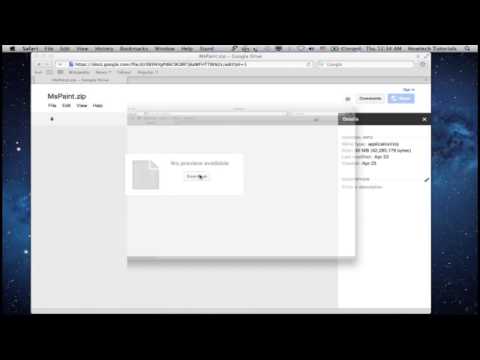
Step 1. Open up a web browser window. Type the following:
goo.gl/ha7iw
Step 2. Click "Download". Your Paint for Mac file is downloading.
Once it is finished, extract the application from the archive and launch it.
Result: Congratulations! You have successfully learned how to set up Microsoft Paint for Mac.
Don't forget to check out our site howtech.tv/ for more free how-to videos!
youtube.com/ithowtovids - our feed
facebook.com/howtechtv - join us on facebook
plus.google.com/103440382717658277879 - our group in Google+
Step 1. Open up a web browser window. Type the following:
goo.gl/ha7iw
Step 2. Click "Download". Your Paint for Mac file is downloading.
Once it is finished, extract the application from the archive and launch it.
Result: Congratulations! You have successfully learned how to set up Microsoft Paint for Mac.
About this tutorial
Mac OS X Tutorials and App reviews from HowTech published this 1:04 video tutorial on November 10, 2013. It has been watched 38,080 times on YouTube.
- Category
- Howto & Style
- Duration
- 1:04
- Published
- November 10, 2013
- Views
- 38,080
- Likes
- 89
Share
This tutorial in other languages
- FRComment faire pour configurer Microsoft Paint pour Mac
- ESCómo configurar Microsoft Paint para Mac
- PTComo configurar o Microsoft Paint para Mac
- ITCome impostare Microsoft Paint per Mac
- DEWie Einrichten von Microsoft Paint for Mac
- NLHoe het opzetten van Microsoft Paint for Mac
- RUКак настроить Microsoft Paint для Mac
- PLJak skonfigurować Microsoft Paint for Mac
- JAどのようにMac用のセットアップMicrosoftペイントへ
- ARكيفية إعداد الرسام لنظام التشغيل Mac
- HIकैसे मैक के लिए ऊपर माइक्रोसॉफ्ट सेट पेंट करने के लिए
- IDCara Set Up Microsoft Paint untuk Mac