Playback starts YouTube’s embedded player (privacy-enhanced mode).
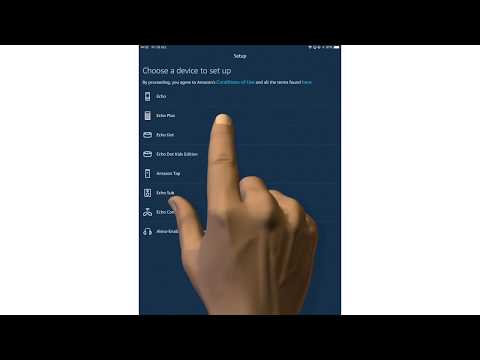
How to setup an Amazon Echo device using the Amazon Alexa App
ChannelmydoodadsDescription from the creator
If you found this video useful please like and subscribe to our channel.
Our aim in this video is to offer a point of reference to help anyone who has never setup an Amazon Echo device before. However, while we specifically demonstrate how you complete the basic setup of a 3rd Generation Amazon Echo Dot. The same process will apply to the setup of any Amazon Echo device.
Please note that during the short time between creating and posting this video. The Alexa App was slightly adjusted. This does not effect the basic settings
---------------------------------
◽Blog Site: mydoodads.com
◽Ko-fi page: ko-fi.com/mydoodads
◽Youtube channel: mydoodads
Products seen in this video:
2nd Gen Amazon Echo Plus (Charcoal) - amzn.to/2Pq1ghM
3rd Gen Amazon Echo Dot (Charcoal) - amzn.to/2PHnpVH
Amazon Echo Spot Black - amzn.to/2F1S4uT
The above Amazon affiliate links were included to make it more convenient for you to purchase items seen in the video. If you choose to click on a link and buy something, I may receive a small commission which will help to support the creation of content for the Mydoodads channel.
---------------------------------
Our aim in this video is to offer a point of reference to help anyone who has never setup an Amazon Echo device before. However, while we specifically demonstrate how you complete the basic setup of a 3rd Generation Amazon Echo Dot. The same process will apply to the setup of any Amazon Echo device.
Please note that during the short time between creating and posting this video. The Alexa App was slightly adjusted. This does not effect the basic settings
---------------------------------
◽Blog Site: mydoodads.com
◽Ko-fi page: ko-fi.com/mydoodads
◽Youtube channel: mydoodads
Products seen in this video:
2nd Gen Amazon Echo Plus (Charcoal) - amzn.to/2Pq1ghM
3rd Gen Amazon Echo Dot (Charcoal) - amzn.to/2PHnpVH
Amazon Echo Spot Black - amzn.to/2F1S4uT
The above Amazon affiliate links were included to make it more convenient for you to purchase items seen in the video. If you choose to click on a link and buy something, I may receive a small commission which will help to support the creation of content for the Mydoodads channel.
---------------------------------
About this tutorial
mydoodads published this 6:01 video tutorial on October 26, 2019. It has been watched 92,035 times on YouTube.
- Channel
- mydoodads
- Category
- Howto & Style
- Duration
- 6:01
- Published
- October 26, 2019
- Views
- 92,035
- Likes
- 460
Tags
Share
This tutorial in other languages
- FRComment configurer un appareil Amazon Echo en utilisant l'application Amazon Alexa
- ES¿Cómo configurar un dispositivo de Amazon Eco utilizando la aplicación Amazon Alexa
- PTComo configurar um dispositivo Amazon Eco usando o Amazon App Alexa
- ITCome installare un dispositivo di Amazon Echo utilizzando l'Amazzonia Alexa app
- DEWie richte ich ein Amazon-Echo-Gerät die Amazon Alexa App verwenden
- NLHoe het opzetten van een Amazon Echo apparaat met behulp van de Amazone Alexa App
- RUКак настроить устройство Amazon Echo с помощью Amazon App Alexa
- PLJak skonfigurować urządzenie Amazon Echo przy użyciu aplikacji Amazon Alexa
- JAどのようにセットアップアマゾンエコーデバイスをアマゾンアレクサAppを使用します
- ARكيفية إعداد جهاز أمازون صدى باستخدام الأمازون اليكسا التطبيقات
- HIकैसे सेटअप करने के लिए अमेज़न एलेक्सा App का उपयोग एक अमेज़न इको डिवाइस
- IDCara setup perangkat Amazon Echo menggunakan Amazon Alexa App