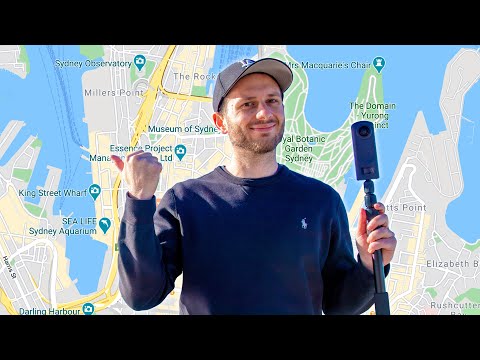
Playback starts YouTube’s embedded player (privacy-enhanced mode).
How To Shoot & Upload to Google Street View
ChannelBen ClaremontChapters
Description from the creator
🔥 Go from complete BEGINNER to PAID Virtual Tour Pro → benclaremont.com/virtualtourpro
In this ULTIMATE guide to Google Street View, you’ll learn how to shoot and upload to Street View in minutes, with ANY 360 camera.
👇 Stuff I mentioned in this video:
My published street view shots of the Harbour Bridge: bit.ly/33TxB7w
Gear I used:
Theta Z1: geni.us/bcZ1
Bushman Monopod: bit.ly/bushmanV2
Insta360 One R (for 360 video): insta360.com/sal/one_r?insrc=INRWADC
Street View App-
iOS: apps.apple.com/au/app/google-street-view/id9044…
Android: play.google.com/store/apps/details?id=com.googl…
360 photo editing software:
Adobe Photoshop: geni.us/bcpremierepro
Adobe Lightroom: prf.hn/l/xnA2aWj
Topaz Denoise: topazlabs.com/denoise-ai-2/ref/639/
Topaz Gigapixel: topazlabs.com/gigapixel-ai/ref/639/
Hosting platforms:
GoThru: gothru.co
Panoskin: panoskin.com
Matterport: matterport.com
Cupix: cupix.com
Pano2VR: ggnome.com/pano2vr
3DVista: 3dvista.com/en/purchase?c0=00000254
Street view compatible cameras (this article seems really outdated so would advise testing for yourself instead): google.com/streetview/contacts-tools/products/
My friend, Street View Eysteinn: youtube.com/channel/UC4Dy9pKegmyehTgFsoFgKkQ
⚡️ Best 360 Camera for virtual tours in 2025 (under $1K): insta360.com/sal/x5?utm_term=INRWADC (get a FREE lens replacement kit with my affiliate link)
➡️ My 360 Photography Gear: benclaremont.com/gear
🕑 TIMESTAMPS:
0:00 Introduction
1:21 How to capture 360s for Street View
3:08 How to speed up shooting
4:34 Editing workflows
5:47 How to upload to Street View
6:58 Privacy/Advertising Rules
8:07 Street View App tutorial
10:43 Virtual Tour software overview
13:01 Street View fun facts!
15:58 My shot on Street View
#googlestreetview
#streetview
#googlemaps
✉️ Business Inquiries: [email protected]
DISCLOSURE: I often recommend products I use and love. Some of the links above are affiliate links, meaning I may earn a small commission if you purchase through them — at no extra cost to you. As an Amazon Associate, I earn from qualifying purchases.
In this ULTIMATE guide to Google Street View, you’ll learn how to shoot and upload to Street View in minutes, with ANY 360 camera.
👇 Stuff I mentioned in this video:
My published street view shots of the Harbour Bridge: bit.ly/33TxB7w
Gear I used:
Theta Z1: geni.us/bcZ1
Bushman Monopod: bit.ly/bushmanV2
Insta360 One R (for 360 video): insta360.com/sal/one_r?insrc=INRWADC
Street View App-
iOS: apps.apple.com/au/app/google-street-view/id9044…
Android: play.google.com/store/apps/details?id=com.googl…
360 photo editing software:
Adobe Photoshop: geni.us/bcpremierepro
Adobe Lightroom: prf.hn/l/xnA2aWj
Topaz Denoise: topazlabs.com/denoise-ai-2/ref/639/
Topaz Gigapixel: topazlabs.com/gigapixel-ai/ref/639/
Hosting platforms:
GoThru: gothru.co
Panoskin: panoskin.com
Matterport: matterport.com
Cupix: cupix.com
Pano2VR: ggnome.com/pano2vr
3DVista: 3dvista.com/en/purchase?c0=00000254
Street view compatible cameras (this article seems really outdated so would advise testing for yourself instead): google.com/streetview/contacts-tools/products/
My friend, Street View Eysteinn: youtube.com/channel/UC4Dy9pKegmyehTgFsoFgKkQ
⚡️ Best 360 Camera for virtual tours in 2025 (under $1K): insta360.com/sal/x5?utm_term=INRWADC (get a FREE lens replacement kit with my affiliate link)
➡️ My 360 Photography Gear: benclaremont.com/gear
🕑 TIMESTAMPS:
0:00 Introduction
1:21 How to capture 360s for Street View
3:08 How to speed up shooting
4:34 Editing workflows
5:47 How to upload to Street View
6:58 Privacy/Advertising Rules
8:07 Street View App tutorial
10:43 Virtual Tour software overview
13:01 Street View fun facts!
15:58 My shot on Street View
#googlestreetview
#streetview
#googlemaps
✉️ Business Inquiries: [email protected]
DISCLOSURE: I often recommend products I use and love. Some of the links above are affiliate links, meaning I may earn a small commission if you purchase through them — at no extra cost to you. As an Amazon Associate, I earn from qualifying purchases.
About this tutorial
Ben Claremont published this 16:19 video tutorial on September 4, 2020. It has been watched 261,984 times on YouTube.
- Channel
- Ben Claremont
- Category
- Howto & Style
- Duration
- 16:19
- Published
- September 4, 2020
- Views
- 261,984
- Likes
- 5,495
Tags
Share
This tutorial in other languages
- FRComment Shoot & Télécharger Google Street View
- ESCómo grabar y subir a Google Street View
- PTComo disparar e Upload para o Google Street View
- ITCome sparare e caricare su Google Street View
- DEHow To Shoot & Hochladen zu Google Street View
- NLHow To Shoot & uploaden naar Google Street View
- RUКак стрелять и Выгрузка в Google Street View
- PLJak strzelać i przesyłane do Google Street View
- JAGoogleストリートビューに撮影&アップロードする方法
- ARكيفية تبادل لاطلاق النار وتحميل لجوجل ستريت فيو
- HIकैसे गूगल स्ट्रीट व्यू के लिए अपलोड शूट करने के लिए और
- IDCara Tembak & Upload ke Google Street View