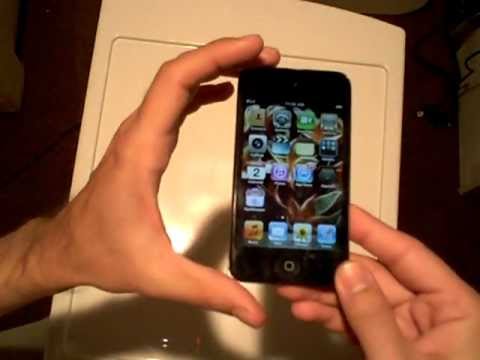
Playback starts YouTube’s embedded player (privacy-enhanced mode).
How to shut down running applications (apps) on the iPhone, iPad or iPod Touch (iOS 4, 5 and 6)
ChannelRodneyDicksonDescription from the creator
WARNING - I will NOT be held responsible for any damages the methods shown in this video may cause to yours or someone else's hardware, software, and/or data, including loss of use of such devices and/or loss of data and/or loss of profits from the resulting inability to use such devices and data. Any information or program you choose to put into use from this video is done AT YOUR OWN RISK.
This video will show you how to properly shut down and exit running applications (apps) on the iOS platform, such as on the iPhone 4, iPhone 4s, iPhone 5, iPad, iPad 2, The New iPad, iPad Mini, iPod Touch fourth generation, iPod Touch fifth generation, etc. (Note that this method only functions within iOS versions 4, 5 and 6). The benefit of properly shutting down applications that remain running in the background is that by doing so, you end up optimizing performance, battery life, system resource usage, memory usage, data traffic transfer costs (upload and download) and CPU clock cycles on your iOS device. This will help you speed up your iOS device if it is running slowly, as well as show you how to keep your device running fast and efficiently.
---
How to shut down running applications (apps) on the iPhone, iPad or iPod Touch (iOS 7 and up)
youtube.com/watch?v=eY8KqKCx2Nk
This video will show you how to properly shut down and exit running applications (apps) on the iOS platform, such as on the iPhone 4, iPhone 4s, iPhone 5, iPad, iPad 2, The New iPad, iPad Mini, iPod Touch fourth generation, iPod Touch fifth generation, etc. (Note that this method only functions within iOS versions 4, 5 and 6). The benefit of properly shutting down applications that remain running in the background is that by doing so, you end up optimizing performance, battery life, system resource usage, memory usage, data traffic transfer costs (upload and download) and CPU clock cycles on your iOS device. This will help you speed up your iOS device if it is running slowly, as well as show you how to keep your device running fast and efficiently.
---
How to shut down running applications (apps) on the iPhone, iPad or iPod Touch (iOS 7 and up)
youtube.com/watch?v=eY8KqKCx2Nk
About this tutorial
RodneyDickson published this 8:21 video tutorial on November 1, 2012. It has been watched 166,881 times on YouTube.
- Channel
- RodneyDickson
- Category
- Howto & Style
- Duration
- 8:21
- Published
- November 1, 2012
- Views
- 166,881
- Likes
- 200
Share
This tutorial in other languages
- FRComment fermer les applications en cours d'exécution (applications) sur l'iPhone, iPad ou iPod Touch (iOS 4, 5 et 6)
- ESCómo cerrar aplicaciones que se ejecutan (aplicaciones) en el iPhone, iPad o iPod Touch (iOS 4, 5 y 6)
- PTComo desligar a execução de aplicativos (apps) no iPhone, iPad ou iPod Touch (iOS 4, 5 e 6)
- ITCome arrestare l'esecuzione di applicazioni (apps) su iPhone, iPad o iPod Touch (iOS 4, 5 e 6)
- DEWie zum Herunterfahren von Anwendungen (Apps) auf dem iPhone, iPad oder iPod Touch (iOS 4, 5 und 6) laufen
- NLHoe af te sluiten draaiende applicaties (apps) op de iPhone, iPad of iPod Touch (iOS 4, 5 en 6)
- RUКак завершить работу запущенных приложений (приложений) на iPhone, IPad или IPod Touch (IOS 4, 5 и 6)
- PLJak zamknąć uruchomione aplikacje (aplikacje) na iPhone, iPad lub iPod Touch (iOS 4, 5 i 6)
- JAiPhone、iPadやiPod touchの(iOSの4、5および6)上のアプリケーション(アプリケーション)を実行し、シャットダウンする方法
- ARكيفية اغلاق تشغيل تطبيقات (التطبيقات) على اي فون، آي باد أو آي بود تاتش (دائرة الرقابة الداخلية 4 و 5 و 6)
- HIiPhone, iPad या iPod Touch (iOS 4, 5 और 6) पर चल रही एप्लिकेशन (ऐप्स) को बंद करने के लिए कैसे
- IDBagaimana untuk menutup aplikasi yang sedang berjalan (aplikasi) di iPhone, iPad atau iPod Touch (iOS 4, 5 dan 6)