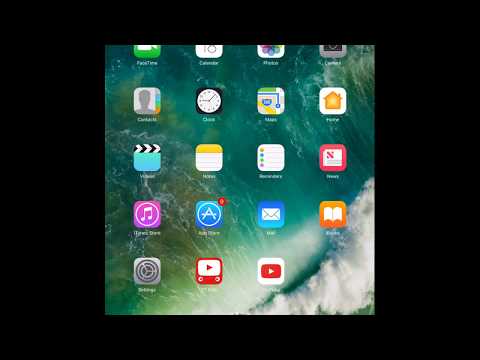
Playback starts YouTube’s embedded player (privacy-enhanced mode).
How to sign out from icloud and apple id
Channeli can fix thatDescription from the creator
How to sign out of your iCloud account on iPhone and iPad
How to sign out of iCloud on your iPhone or iPad in iOS 10.3 or later
Signing out of iCloud in iOS 10.3 is a bit different than it's been in the past, and involves the new Apple ID banner.
Launch Settings on your iPhone or iPad. Tap the Apple ID banner at the top of the screen.
Scroll to the bottom and tap Sign Out.
Tap Sign out of iCloud if you have different accounts for iCloud and the iTunes and App Stores. Otherwise, proceed to Step 5.
Enter your password for your iCloud Apple ID.
Tap Turn Off.
Toggle the switch on for each set of data that you want to keep on your iPhone.
Tap Sign Out.
Tap Sign Out to confirm that you want to sign out of your iCloud account.
Toggle switches, tap Sign Out, tap Sign Out
How to sign out of iCloud on your iPhone or iPad on iOS 10.2.1 and earlier
If you're still running iOS 10.2.1 or earlier on your iPhone or iPad, this is how you'll sign out of iCloud.
Launch Settings on your iPhone or iPad. Tap iCloud.
Scroll down and tap Sign Out.
Tap Sign Out.
Tap Delete from My iPhone.
Tap delete or keep for iCloud calendars, Safari, reminders, and contacts on iPhone.
Enter your password.
Tap Turn Off.
Thank you for watching I hope you like video and was helpful
Please do like comment and SUB
How to sign out of iCloud on your iPhone or iPad in iOS 10.3 or later
Signing out of iCloud in iOS 10.3 is a bit different than it's been in the past, and involves the new Apple ID banner.
Launch Settings on your iPhone or iPad. Tap the Apple ID banner at the top of the screen.
Scroll to the bottom and tap Sign Out.
Tap Sign out of iCloud if you have different accounts for iCloud and the iTunes and App Stores. Otherwise, proceed to Step 5.
Enter your password for your iCloud Apple ID.
Tap Turn Off.
Toggle the switch on for each set of data that you want to keep on your iPhone.
Tap Sign Out.
Tap Sign Out to confirm that you want to sign out of your iCloud account.
Toggle switches, tap Sign Out, tap Sign Out
How to sign out of iCloud on your iPhone or iPad on iOS 10.2.1 and earlier
If you're still running iOS 10.2.1 or earlier on your iPhone or iPad, this is how you'll sign out of iCloud.
Launch Settings on your iPhone or iPad. Tap iCloud.
Scroll down and tap Sign Out.
Tap Sign Out.
Tap Delete from My iPhone.
Tap delete or keep for iCloud calendars, Safari, reminders, and contacts on iPhone.
Enter your password.
Tap Turn Off.
Thank you for watching I hope you like video and was helpful
Please do like comment and SUB
About this tutorial
i can fix that published this 2:41 video tutorial on October 27, 2017. It has been watched 72,822 times on YouTube.
- Channel
- i can fix that
- Category
- Howto & Style
- Duration
- 2:41
- Published
- October 27, 2017
- Views
- 72,822
- Likes
- 148
Share
This tutorial in other languages
- FRComment vous déconnecter de id icloud et pomme
- ESCómo cerrar la sesión de iCloud y la ID de Apple
- PTComo para sair da icloud e ID da Apple
- ITCome uscire da icloud e ID Apple
- DEWie melden Sie sich von icloud und Apfel-ID
- NLHoe maak je af te melden bij iCloud en Apple ID
- RUКак выйти из ICloud и Apple ID
- PLJak wylogować się z icloud i Apple ID
- JAiCloud上とのApple IDからサインアウトする方法
- ARكيفية تسجيل الخروج من معرف على iCloud والتفاح
- HIiCloud और सेब आईडी से साइन आउट कैसे करें
- IDCara keluar dari iCloud dan apple id