Playback starts YouTube’s embedded player (privacy-enhanced mode).
How to Split Screen on Windows 8.1 - Fun & Easy Windows Tips 2015
ChannelnickscomputerfixDescription from the creator
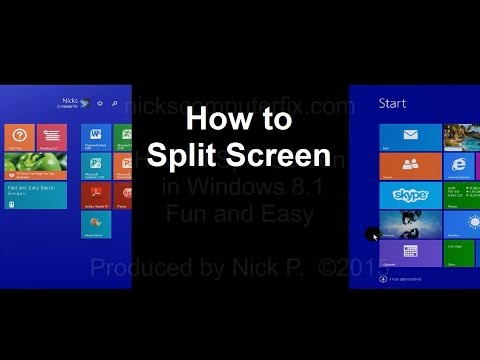
In this video see how to Split Screen on Windows 8.1. You can also do this in Windows 8 as well. This allows for enhanced multitasking in Windows 8.1 by using two different Windows 8 apps, side by side on the same screen. You will see how to do Split Screen in a easy and fun way in this tutorial.
Something to keep in mind is that split screens is not the same as
dual screens or dual monitors. Split screen is a Windows software function using one monitor or display and dual screens is using two different hardware monitors or display screens.
The split screen function on how to split screen on Windows 8 laptop, desktop, or tablet can be done on any computer that runs Windows operating system. Screen split multitasking is supported on Windows 8 and Windows 8.1 OS as well.
Split screens is also sometimes referred to as Windows 8.1 snap view that allows you to perform a Windows 8.1 switch between apps on your desktop.
Something to keep in mind is that split screens is not the same as
dual screens or dual monitors. Split screen is a Windows software function using one monitor or display and dual screens is using two different hardware monitors or display screens.
The split screen function on how to split screen on Windows 8 laptop, desktop, or tablet can be done on any computer that runs Windows operating system. Screen split multitasking is supported on Windows 8 and Windows 8.1 OS as well.
Split screens is also sometimes referred to as Windows 8.1 snap view that allows you to perform a Windows 8.1 switch between apps on your desktop.
About this tutorial
nickscomputerfix published this 1:34 video tutorial on November 8, 2015. It has been watched 318,354 times on YouTube.
- Channel
- nickscomputerfix
- Category
- Howto & Style
- Duration
- 1:34
- Published
- November 8, 2015
- Views
- 318,354
- Likes
- 1,090
Tags
Share
This tutorial in other languages
- FRComment diviser l'écran sur Windows 8.1 - Fun et facile de Windows Conseils 2015
- ESCómo dividir la pantalla en Windows 8.1 - Diversión y fácil Consejos de Windows 2015
- PTComo dividir a tela no Windows 8.1 - Fun & Easy o Windows Tips 2015
- ITCome dividere schermo su Windows 8.1 - Fun & Easy Suggerimenti per Windows 2015
- DEWie man Split-Screen auf Windows 8.1 - Fun & Easy Windows-Tipps 2015
- NLHoe te Screen Split op Windows 8.1 - Fun & Easy Windows Tips 2015
- RUКак разделить экран на Windows, 8.1 - Fun & Easy Windows, советы 2015
- PLJak podzielić ekran na Windows 8.1 - Fun & Easy Okna Porady 2015
- JA2015楽しい&簡単にWindowsのヒント - のWindows 8.1の画面を分割する方法
- ARكيفية تقسيم الشاشة على ويندوز 8.1 - متعة وسهلة نصائح ويندوز 2015
- HIमौजमस्ती और आसान विंडोज युक्तियाँ 2015 - Windows 8.1 पर स्क्रीन को विभाजित करने के लिए कैसे
- IDBagaimana untuk Split Screen pada Windows 8.1 - Fun & Easy Windows Tips 2015