Playback starts YouTube’s embedded player (privacy-enhanced mode).
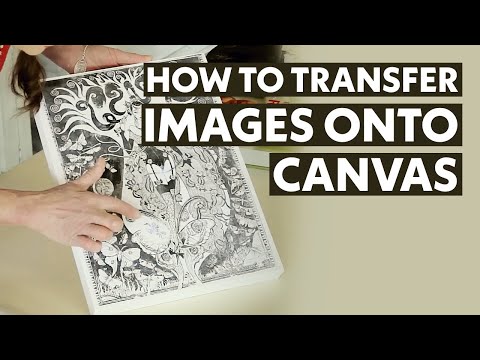
How To Transfer Images onto Canvas Arts & Crafts Tutorial
ChannelAstar's PlaceDescription from the creator
Join this channel to support me and get special access to perks: youtube.com/channel/UC40DcEEoRls0xQ-UCJL5twg/jo…
See my other video on how to transfer onto glass here: youtu.be/UubXOMjfaD8
For this project, you will need:
Mod Podge Matte Finish: amzn.to/1JAgV0o or Gloss Finish: amzn.to/1LWq4WP
Sponge Paint Brush: amzn.to/3oH9Ufs | Sponge Roller: amzn.to/3MHj2bX
Craft Scissors: amzn.to/1KKCn7f | Canvas
You can use any image you like. For this demonstration I used 'The Seven Deadly Sins' by Chris Price, taken from Harper's Bazaar 'The Big Red Book'.
Directions
1. Take the image to the photocopier and scan it. If it has writings, flip it over.
2. Take the Modge Podge and pour it onto the canvas by covering all of it. Use a brush to make it even.
3. Take the image and place it on to the canvas, make sure to even up the sides and leave no wrinkles.
4. Take the roller and roll the image so that it fits perfectly on to the canvas, make sure that there is no glue onto the paper top.
5. Get rid of any glue stains that have pushed out on the sides of canvas.
6. Leave the canvas with image to dry out for 24 hours.
7. After the 24 hours, get a sponge, soak it in water and make the top layer of paper wet. You will start to see the image below.
8. Turn the canvas vertically and rub the paper side of canvas gently with your fingers, so the paper comes off slowly.
9. Keep on rubbing down the paper. If needed, add more water so that it comes off easier.
10. When you have cleared the image, you are finished. Good job!
Follow me on:
Facebook: facebook.com/astarsplace
Instagram: instagram.com/astarsplace
Go to astarsplace.co.nz for more!
See my other video on how to transfer onto glass here: youtu.be/UubXOMjfaD8
For this project, you will need:
Mod Podge Matte Finish: amzn.to/1JAgV0o or Gloss Finish: amzn.to/1LWq4WP
Sponge Paint Brush: amzn.to/3oH9Ufs | Sponge Roller: amzn.to/3MHj2bX
Craft Scissors: amzn.to/1KKCn7f | Canvas
You can use any image you like. For this demonstration I used 'The Seven Deadly Sins' by Chris Price, taken from Harper's Bazaar 'The Big Red Book'.
Directions
1. Take the image to the photocopier and scan it. If it has writings, flip it over.
2. Take the Modge Podge and pour it onto the canvas by covering all of it. Use a brush to make it even.
3. Take the image and place it on to the canvas, make sure to even up the sides and leave no wrinkles.
4. Take the roller and roll the image so that it fits perfectly on to the canvas, make sure that there is no glue onto the paper top.
5. Get rid of any glue stains that have pushed out on the sides of canvas.
6. Leave the canvas with image to dry out for 24 hours.
7. After the 24 hours, get a sponge, soak it in water and make the top layer of paper wet. You will start to see the image below.
8. Turn the canvas vertically and rub the paper side of canvas gently with your fingers, so the paper comes off slowly.
9. Keep on rubbing down the paper. If needed, add more water so that it comes off easier.
10. When you have cleared the image, you are finished. Good job!
Follow me on:
Facebook: facebook.com/astarsplace
Instagram: instagram.com/astarsplace
Go to astarsplace.co.nz for more!
About this tutorial
Astar's Place published this 11:46 video tutorial on October 26, 2014. It has been watched 2,562,990 times on YouTube.
- Channel
- Astar's Place
- Category
- Howto & Style
- Duration
- 11:46
- Published
- October 26, 2014
- Views
- 2,562,990
- Likes
- 45,778
Tags
Share
This tutorial in other languages
- FRComment faire pour transférer des images sur la toile Arts et artisanat Tutorial
- ESCómo transferir imágenes sobre el lienzo Arts & Crafts Tutorial
- PTComo transferir imagens para a tela Arts & Crafts Tutorial
- ITCome trasferire le immagini su tela Arte e artigianato Tutorial
- DEWie Übertragen von Bildern auf Leinwand Kunsthandwerk Tutorial
- NLHow To Beelden die op Canvas Arts & Crafts Tutorial Transfer
- RUКак перенести изображения на холст Arts & Crafts Tutorial
- PLJak przenieść na płótno obrazy Arts & Crafts Tutorial
- JAキャンバスアート&クラフトチュートリアルに画像を転送する方法
- ARكيفية نقل الصور على قماش الفنون والحرف دروس
- HIकैसे कैनवास कला और शिल्प ट्यूटोरियल पर छवियाँ स्थानांतरण करने के लिए
- IDCara Transfer Gambar ke Kanvas Seni & Kerajinan Tutorial