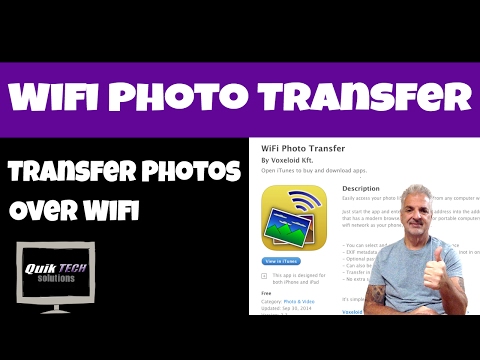
Playback starts YouTube’s embedded player (privacy-enhanced mode).
How To Transfer Photos from iPad, iPhone to Computer
ChannelQuik Tech Solutions L.L.CDescription from the creator
In this video I show How To Transfer Photos from iPad, iPhone to Computer.
All images used in this video are my own. The music Yeah Yeah is from the YouTube's free music library. Yeah Yeah by Audionautix is licensed under a Creative Commons Attribution license (creativecommons.org/licenses/by/4.0/)
Artist: audionautix.com/.
About Tony:
I am a retired educator of 32 years. I started out as an instrumental music teacher and evolved into technology support. After many years of providing technology support to teachers and students, the last ten years of my career, I was in a leadership position of Technology Coordinator and also Supervisor of Technology. My passion has always been helping people. I hope to continue helping people in my youtube community. The videos I produce are solely for the sake of giving back. I'm not in this for any type of financial gain, as you will not see monetization of my videos. At least, not yet. If I should happen to acquire a large subscriber base over time, I'll revisit that idea. But, for now, it's all about wanting to share some of my knowledge to help others.
That being said, I have no association with any of the vendors or products seen in this video, nor am I being paid to make this video.
Contact Tony at:
[email protected]
Hope you enjoyed this video.
Regards!!
All images used in this video are my own. The music Yeah Yeah is from the YouTube's free music library. Yeah Yeah by Audionautix is licensed under a Creative Commons Attribution license (creativecommons.org/licenses/by/4.0/)
Artist: audionautix.com/.
About Tony:
I am a retired educator of 32 years. I started out as an instrumental music teacher and evolved into technology support. After many years of providing technology support to teachers and students, the last ten years of my career, I was in a leadership position of Technology Coordinator and also Supervisor of Technology. My passion has always been helping people. I hope to continue helping people in my youtube community. The videos I produce are solely for the sake of giving back. I'm not in this for any type of financial gain, as you will not see monetization of my videos. At least, not yet. If I should happen to acquire a large subscriber base over time, I'll revisit that idea. But, for now, it's all about wanting to share some of my knowledge to help others.
That being said, I have no association with any of the vendors or products seen in this video, nor am I being paid to make this video.
Contact Tony at:
[email protected]
Hope you enjoyed this video.
Regards!!
About this tutorial
Quik Tech Solutions L.L.C published this 4:09 video tutorial on November 8, 2017. It has been watched 1,128 times on YouTube.
- Channel
- Quik Tech Solutions L.L.C
- Category
- Howto & Style
- Duration
- 4:09
- Published
- November 8, 2017
- Views
- 1,128
- Likes
- 18
Tags
Share
This tutorial in other languages
- FRComment transférer des photos de l'iPad, l'iPhone à l'ordinateur
- ESCómo transferir fotos desde el iPad, el iPhone al ordenador
- PTComo transferir fotos do iPad, iPhone ao computador
- ITCome trasferire foto da iPad, iPhone al computer
- DEWie man Fotos von iPad, iPhone auf den Computer übertragen
- NLHoe om foto's van de iPad, iPhone te Computer
- RUКак перенести фотографии с IPAD, iPhone к компьютеру
- PLJak przesłać zdjęcia z iPad, iPhone do komputera
- JAコンピュータへのiPad、iPhoneから写真を転送する方法
- ARكيفية نقل صور من آي باد، اي فون إلى الكمبيوتر
- HIकैसे iPad, iPhone से कंप्यूटर के लिए स्थानांतरण करने के लिए तस्वीरें
- IDCara Transfer Foto dari iPad, iPhone ke Komputer