Playback starts YouTube’s embedded player (privacy-enhanced mode).
How To Upload Chapters To Fanfiction.net & Fictionpress.com
ChannelKazuki933Description from the creator
~My video actually has AUDIO which means MY VOICE unlike other fiction help videos out there so no need to read! Just sit back and listen (: ~ WATCH IN HD PLEASE!!
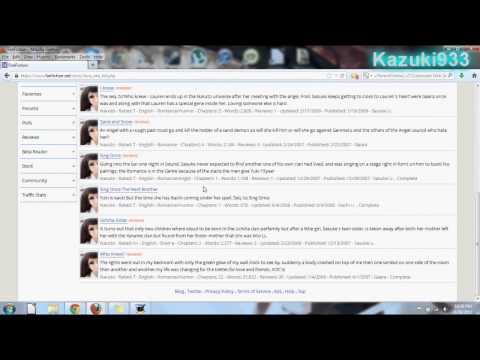
Another video in the line of Fanfiction/Fictionpress videos I've been doing. This one will show you how to upload (again) and publish a CHAPTER into your story. This also shows you a new way to write your stories down. Instead of uploading a document to Doc manager you can just write what you want on the site (if you have internet access at the time) and then save or publish the new chapter/story.
Sorry for the nasal sounds, rambling, and me saying "anyways" all the time...I can't help it lol ^-^'.
Link to original video on how to upload and manage your stories: youtube.com/watch?v=iKkscn3kBEY
Video response added to this video to correspond with the original video and vise verse.
Another video in the line of Fanfiction/Fictionpress videos I've been doing. This one will show you how to upload (again) and publish a CHAPTER into your story. This also shows you a new way to write your stories down. Instead of uploading a document to Doc manager you can just write what you want on the site (if you have internet access at the time) and then save or publish the new chapter/story.
Sorry for the nasal sounds, rambling, and me saying "anyways" all the time...I can't help it lol ^-^'.
Link to original video on how to upload and manage your stories: youtube.com/watch?v=iKkscn3kBEY
Video response added to this video to correspond with the original video and vise verse.
About this tutorial
Kazuki933 published this 15:13 video tutorial on November 3, 2013. It has been watched 18,840 times on YouTube.
- Channel
- Kazuki933
- Category
- Howto & Style
- Duration
- 15:13
- Published
- November 3, 2013
- Views
- 18,840
Tags
Share
This tutorial in other languages
- FRComment télécharger chapitres à Fanfiction.net & Fictionpress.com
- ESCómo subir capítulos para Fanfiction.net y Fictionpress.com
- PTComo fazer upload de capítulos para Fanfiction.net & Fictionpress.com
- ITCome caricare capitoli per Fanfiction.net & Fictionpress.com
- DEWie zum Hochladen von Kapitel zu Fanfiction.net & Fictionpress.com
- NLHoe te uploaden hoofdstukken Fanfiction.net & Fictionpress.com
- RUКак закачать главы FanFiction.Net и Fictionpress.com
- PLJak przesłać rozdziały FanFiction.Net & Fictionpress.com
- JAFanfiction.net&Fictionpress.comする方法へのアップロードの章
- ARكيف الفصول لتحميل لFanfiction.net وFictionpress.com
- HIकैसे अपलोड Fanfiction.net और Fictionpress.com करने के लिए अध्याय
- IDCara Upload Bab Untuk Fanfiction.net & Fictionpress.com