Playback starts YouTube’s embedded player (privacy-enhanced mode).
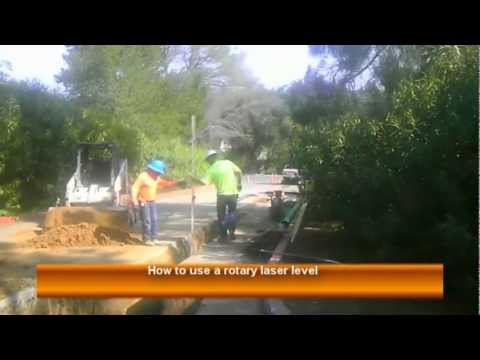
How to Use a Rotary Laser Level
Channelaskme2builditDescription from the creator
learningconstruction.com
Step by Step Tutorial Learn how to use a rotary laser level. This is a small beginners tutorial to explain how rotary levels work and how to use them.
A Laser level can be used to determine the elevation of diferent areas on a plane, or to set an elevation of many items like concrete form boards, building pads, sewer lines and much more.
initial steps:
1. Set up your laser with a tripod. make sure to place it on an area that will reach all the points you will be checking.
2. Install the rotary laser as level as possible. Most rotary lasers are capable of self-leveling; however, you need to place it on a surface that is somehwhat level otherwise it will not work.
3. Set a benchmark. This will be your control point to the elevation you want. For example, let's say your level was set next in a landscape area, and you need to make the area level. look for the spot that resembles to your desired elevation, and measure the height with your measuring stick.
4. Double chek your elevations.
Step by Step Tutorial Learn how to use a rotary laser level. This is a small beginners tutorial to explain how rotary levels work and how to use them.
A Laser level can be used to determine the elevation of diferent areas on a plane, or to set an elevation of many items like concrete form boards, building pads, sewer lines and much more.
initial steps:
1. Set up your laser with a tripod. make sure to place it on an area that will reach all the points you will be checking.
2. Install the rotary laser as level as possible. Most rotary lasers are capable of self-leveling; however, you need to place it on a surface that is somehwhat level otherwise it will not work.
3. Set a benchmark. This will be your control point to the elevation you want. For example, let's say your level was set next in a landscape area, and you need to make the area level. look for the spot that resembles to your desired elevation, and measure the height with your measuring stick.
4. Double chek your elevations.
About this tutorial
askme2buildit published this 2:25 video tutorial on November 8, 2012. It has been watched 98,057 times on YouTube.
- Channel
- askme2buildit
- Category
- Howto & Style
- Duration
- 2:25
- Published
- November 8, 2012
- Views
- 98,057
- Likes
- 70
Tags
Share
This tutorial in other languages
- FRComment utiliser un niveau laser rotatif
- ESCómo utilizar un nivel láser rotativo
- PTComo usar um laser Nível Rotary
- ITCome utilizzare un livello laser rotante
- DEWie ein Rotations-Laser verwenden
- NLHoe maak je een Rotary Laser Level Gebruik
- RUКак использовать Ротационный лазерный уровень
- PLJak korzystać z Rotary Laser Level
- JA回転レーザレベルを使用する方法
- ARكيفية استخدام الروتاري مستوى الليزر
- HIएक रोटरी लेजर स्तर का उपयोग कैसे करें
- IDCara Menggunakan Tingkat Laser Rotary