Playback starts YouTube’s embedded player (privacy-enhanced mode).
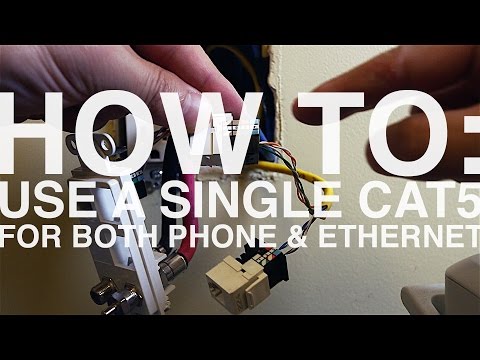
How To Use A Single Cat5 Cable For Both Phone and Ethernet
ChannelDanny MavromatisDescription from the creator
In this video I revisit my most popular blog post at mavromatic.com. It seems like many homes only have a single CAT5 cable run to a location. That has meant that location can only serve one network or a single phone connection.
With the method shown in this video, now you can have both. The only caveat is that this will derate the potential max speed of up to 1000Mbps (Gigabit) down to 100Mbps. For most applications 100Mbps is more than enough but if you have a Gigabit switch use discretion.
Hope you enjoy this video and please support me by subscribing to my channel and liking this video.
---
Tools used in this video:
* Wiha 32092 Slotted And Phillips Insulated Screwdriver Set, 1000 Volt, 6 Piece (amzn.to/28sPXXv)
* Ideal Punchmaster II Tool 110 Blade (amzn.to/28sQmcq)
---
Subscribe: youtube.com/c/mavromatic
Website: mavromatic.com
RSS: mavromatic.com/feed/rss/
Twitter: twitter.com/mavromatic
EMAIL US!
[email protected]
With the method shown in this video, now you can have both. The only caveat is that this will derate the potential max speed of up to 1000Mbps (Gigabit) down to 100Mbps. For most applications 100Mbps is more than enough but if you have a Gigabit switch use discretion.
Hope you enjoy this video and please support me by subscribing to my channel and liking this video.
---
Tools used in this video:
* Wiha 32092 Slotted And Phillips Insulated Screwdriver Set, 1000 Volt, 6 Piece (amzn.to/28sPXXv)
* Ideal Punchmaster II Tool 110 Blade (amzn.to/28sQmcq)
---
Subscribe: youtube.com/c/mavromatic
Website: mavromatic.com
RSS: mavromatic.com/feed/rss/
Twitter: twitter.com/mavromatic
EMAIL US!
[email protected]
About this tutorial
Danny Mavromatis published this 13:51 video tutorial on October 31, 2016. It has been watched 165,242 times on YouTube.
- Channel
- Danny Mavromatis
- Category
- Howto & Style
- Duration
- 13:51
- Published
- October 31, 2016
- Views
- 165,242
- Likes
- 702
Tags
Share
This tutorial in other languages
- FRComment utiliser un seul câble CAT5 pour le téléphone et Ethernet
- ESCómo utilizar un único cable CAT5 tanto para teléfono y Ethernet
- PTComo usar um único Cat5 cabo para telefone e Ethernet
- ITCome utilizzare un unico cavo CAT5 per telefono e Ethernet
- DEWie man eine Single Cat5-Kabel zum Telefon- und Ethernet
- NLHow To gebruik een single Cat5 kabel voor zowel telefoon als Ethernet
- RUКак использовать один кабель Cat5 для телефонов и Ethernet
- PLJak korzystać z jednego kabla Cat5 zarówno dla telefonu i Ethernet
- JA電話とイーサネットの両方のためにどのようにするために使用するAシングルのCat5ケーブル
- ARكيفية استخدام واحدة التصحيح Cat5 الكابل لكلا الهاتف وإيثرنت
- HIकैसे करने के लिए उपयोग एक Cat5 केबल दोनों फोन और के लिए ईथरनेट
- IDCara Gunakan A Single CAT5 Kabel Untuk Kedua Telepon dan Ethernet