Playback starts YouTube’s embedded player (privacy-enhanced mode).
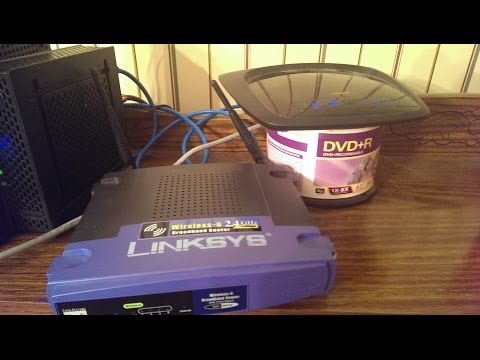
How to use a spare router as a range booster for your Wifi Network
ChannelchiefjobooDescription from the creator
I have made an updated version of this video that is more clear to understand. See it here: youtu.be/vMXSH4SRIuA
Please note that this won't work for all routers. It will work on most Linksys routers, which, in my opinion, are the best you can get.
This video will show you how to use your older wireless router in conjunction with your new router (via a long ethernet cord to another part of your house) to boost your network's wireless signal throughout your house. Note: You will have to end up with 2 different wireless networks BUT they are both on the same internet network for you to use for internet access. You will need to connect them via a long Ethernet cable from a client port on the first one to a client port on the second router. The 2nd router's DHCP server will need to be turned off as the first router will be assigning local IP addresses and the second router MUST have the option to change from "gateway" to "router", or a similar option, for this to work. On a standard linksys admin or configuration page, it is under "advanced routing".
PS: I'm sorry about the quality of this video/details left out. I put it together really fast. Some details are in the annotations. I also didn't expect this to get this many views.
Please note that this won't work for all routers. It will work on most Linksys routers, which, in my opinion, are the best you can get.
This video will show you how to use your older wireless router in conjunction with your new router (via a long ethernet cord to another part of your house) to boost your network's wireless signal throughout your house. Note: You will have to end up with 2 different wireless networks BUT they are both on the same internet network for you to use for internet access. You will need to connect them via a long Ethernet cable from a client port on the first one to a client port on the second router. The 2nd router's DHCP server will need to be turned off as the first router will be assigning local IP addresses and the second router MUST have the option to change from "gateway" to "router", or a similar option, for this to work. On a standard linksys admin or configuration page, it is under "advanced routing".
PS: I'm sorry about the quality of this video/details left out. I put it together really fast. Some details are in the annotations. I also didn't expect this to get this many views.
About this tutorial
chiefjoboo published this 8:11 video tutorial on November 10, 2014. It has been watched 836,933 times on YouTube.
- Channel
- chiefjoboo
- Category
- Howto & Style
- Duration
- 8:11
- Published
- November 10, 2014
- Views
- 836,933
- Likes
- 2,140
Tags
Share
This tutorial in other languages
- FRComment utiliser un routeur de rechange comme un booster de gamme pour votre réseau Wifi
- ESCómo utilizar un router repuesto como un refuerzo de rango para su red de Wifi
- PTComo usar um roteador de reposição como um impulsionador da faixa adequada para a rede Wi-Fi
- ITCome utilizzare un router di riserva come booster gamma per la vostra rete Wi-Fi
- DEWie ein Ersatz Router als Range-Booster für Ihr WLAN-Netzwerk nutzen
- NLHoe maak je een reserve-router te gebruiken als een range booster voor uw WiFi-netwerk
- RUКак использовать запасной маршрутизатор в качестве диапазона усилителя для вашей Wi-Fi сети
- PLJak korzystać zapasowy router jako wzmacniacz zasięgu dla sieci WiFi
- JAお使いの無線LANネットワークのためのレンジブースターとして予備のルータを使用する方法
- ARكيفية استخدام جهاز توجيه الفراغ كمنشط النطاق لشبكة واي فاي الخاص بك
- HIअपने वाईफ़ाई नेटवर्क के लिए एक सीमा बूस्टर के रूप में एक अतिरिक्त रूटर का उपयोग कैसे करें
- IDCara menggunakan router cadangan sebagai booster jangkauan untuk Jaringan Wifi Anda