Playback starts YouTube’s embedded player (privacy-enhanced mode).
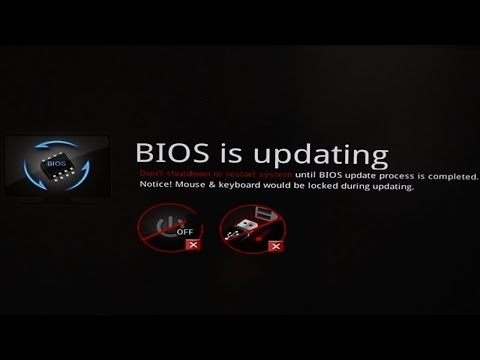
How To Use M-FLASH For MSI Single BIOS/UEFI With USB Pen Drive
ChannelJamie WagnerDescription from the creator
How to update/flash msi bios/uefi with m-flash using a USB flash drive/USB pen drive. How to flash bios MSI X299 SLI Plus motherboard. #MSI #MFlash #FlashBIOS
Notes:
1. You don't have to flash or update the bios/uefi if your not having issues it's just a good idea because it keeps you updated and can fix hardware and compatibility issues.
2. Your USB flash drive does not need to be bootable. (You don't need to create a bootable USB pen drive) you only need to format the usb flash drive and then copy the bios/uefi flash files to the root directory on a flash drive.
3. Use a 16GB USB flash/pen drive and format it to FAT32 or try NTFS, copy all bios/uefi flash files to your USB flash drive root directory, formatting FAT32 still works great and is recommended as it is widely compatible.
4. If you don't see the bios/uefi files or there are no bios/uefi files in the folder then exit out of the BIOS/UEFI and restart the computer and switch usb ports re-download a fresh copy of the flash files and double check your motherboard manual BIOS/UEFI settings to make sure your following the flash procedures correctly for your board.
DISCLAIMER: As an Amazon Associate I earn from qualifying purchases, I am a participant in the Amazon Services LLC Associates Program, an affiliate advertising program designed to provide a means for me to earn fees/commission by linking to Amazon.com and affiliated sites. If you click on any of the product links provided in this description I could earn a fee/commission. Thank you all for your support!
**MY TECH GEAR 2026**
APPLE AirPods Pro 3
Amazon ➜ amzn.to/4sokc06
APPLE iPad Magic Keyboard
Amazon ➜ amzn.to/4bcpsNZ
APPLE iPad Pro 13-inch M5 1TB Wi-Fi/Cellular
Amazon ➜ amzn.to/4q1Y4XI
SPIGEN for iPhone 17 Pro Max Case
Amazon ➜ amzn.to/4pk0bF0
CRUCIAL X10 8TB Portable SSD
Amazon ➜ amzn.to/4joIhQk
SANDISK 1TB Extreme PRO Dual Drive
Amazon ➜ amzn.to/49x60Kz
APPLE 2024 Mac mini
Amazon ➜ amzn.to/3MZYcs0
LOGITECH Pebble 2 Combo for Mac
Amazon ➜ amzn.to/4qtgPmq
LOGITECH Signature M650
Amazon ➜ amzn.to/494RuIs
LOGITECH MX Keys Mini
Amazon ➜ amzn.to/48YtXdD
NVIDIA GEFORCE RTX 2080 Ti FE
Amazon ➜ amzn.to/2K5SbbK
LOGITECH BRIO 4K Webcam
Amazon ➜ amzn.to/2P09BFS
DISCLAIMER: As an Amazon Associate I earn from qualifying purchases, I am a participant in the Amazon Services LLC Associates Program, an affiliate advertising program designed to provide a means for me to earn fees/commission by linking to Amazon.com and affiliated sites. If you click on any of the product links provided in this description I could earn a fee/commission. Thank you all for your support!
COPYRIGHT: Unless otherwise permitted by Jamie Wagner or under the United States Copyright Act, no part of the content of this video or any video published under Jamie Wagner, shall be copied, recreated, stored, republished, or transported. Permission by Jamie Wagner is required before any use of this video not permitted under the United States Copyright Act. Please contact me first at [email protected].
Notes:
1. You don't have to flash or update the bios/uefi if your not having issues it's just a good idea because it keeps you updated and can fix hardware and compatibility issues.
2. Your USB flash drive does not need to be bootable. (You don't need to create a bootable USB pen drive) you only need to format the usb flash drive and then copy the bios/uefi flash files to the root directory on a flash drive.
3. Use a 16GB USB flash/pen drive and format it to FAT32 or try NTFS, copy all bios/uefi flash files to your USB flash drive root directory, formatting FAT32 still works great and is recommended as it is widely compatible.
4. If you don't see the bios/uefi files or there are no bios/uefi files in the folder then exit out of the BIOS/UEFI and restart the computer and switch usb ports re-download a fresh copy of the flash files and double check your motherboard manual BIOS/UEFI settings to make sure your following the flash procedures correctly for your board.
DISCLAIMER: As an Amazon Associate I earn from qualifying purchases, I am a participant in the Amazon Services LLC Associates Program, an affiliate advertising program designed to provide a means for me to earn fees/commission by linking to Amazon.com and affiliated sites. If you click on any of the product links provided in this description I could earn a fee/commission. Thank you all for your support!
**MY TECH GEAR 2026**
APPLE AirPods Pro 3
Amazon ➜ amzn.to/4sokc06
APPLE iPad Magic Keyboard
Amazon ➜ amzn.to/4bcpsNZ
APPLE iPad Pro 13-inch M5 1TB Wi-Fi/Cellular
Amazon ➜ amzn.to/4q1Y4XI
SPIGEN for iPhone 17 Pro Max Case
Amazon ➜ amzn.to/4pk0bF0
CRUCIAL X10 8TB Portable SSD
Amazon ➜ amzn.to/4joIhQk
SANDISK 1TB Extreme PRO Dual Drive
Amazon ➜ amzn.to/49x60Kz
APPLE 2024 Mac mini
Amazon ➜ amzn.to/3MZYcs0
LOGITECH Pebble 2 Combo for Mac
Amazon ➜ amzn.to/4qtgPmq
LOGITECH Signature M650
Amazon ➜ amzn.to/494RuIs
LOGITECH MX Keys Mini
Amazon ➜ amzn.to/48YtXdD
NVIDIA GEFORCE RTX 2080 Ti FE
Amazon ➜ amzn.to/2K5SbbK
LOGITECH BRIO 4K Webcam
Amazon ➜ amzn.to/2P09BFS
DISCLAIMER: As an Amazon Associate I earn from qualifying purchases, I am a participant in the Amazon Services LLC Associates Program, an affiliate advertising program designed to provide a means for me to earn fees/commission by linking to Amazon.com and affiliated sites. If you click on any of the product links provided in this description I could earn a fee/commission. Thank you all for your support!
COPYRIGHT: Unless otherwise permitted by Jamie Wagner or under the United States Copyright Act, no part of the content of this video or any video published under Jamie Wagner, shall be copied, recreated, stored, republished, or transported. Permission by Jamie Wagner is required before any use of this video not permitted under the United States Copyright Act. Please contact me first at [email protected].
About this tutorial
Jamie Wagner published this 11:57 video tutorial on December 6, 2019. It has been watched 166,926 times on YouTube.
- Channel
- Jamie Wagner
- Category
- Howto & Style
- Duration
- 11:57
- Published
- December 6, 2019
- Views
- 166,926
- Likes
- 1,554
Tags
Share
This tutorial in other languages
- FRComment faire pour utiliser M-FLASH pour MSI unique BIOS / UEFI Avec USB Pen Drive
- ESCómo utilizar M-FLASH para MSI individual BIOS / UEFI con USB Pen Drive
- PTComo usar o M-FLASH Para MSI Individual BIOS / UEFI Com USB Pen Drive
- ITCome utilizzare M-FLASH per MSI singolo BIOS / UEFI con USB Pen Drive
- DEWie zu verwenden M-FLASH Für MSI Einzel BIOS / UEFI mit USB-Pen Drive
- NLHow To Gebruik M-FLASH Voor MSI Single BIOS / UEFI Met USB Pen Drive
- RUКак использовать M-FLASH для MSI Single BIOS / UEFI С USB Pen Drive
- PLJak korzystać z M-Flash dla MSI pojedyncze BIOS / UEFI z USB Pen Drive
- JAどのようにUSBペンドライブにするために使用するM-FLASHについてはMSIシングルBIOS / UEFI
- ARكيفية استخدام M-FLASH لMSI واحدة BIOS / UEFI مع القلم USB محرك الأقراص
- HIकैसे करने के लिए उपयोग एम फ़्लैश के लिए एमएसआई एकल BIOS / UEFI यूएसबी पेन ड्राइव के साथ
- IDCara Gunakan M-FLASH Untuk MSI Tunggal BIOS / UEFI Dengan USB Pen Drive