Playback starts YouTube’s embedded player (privacy-enhanced mode).
How To Use Multiple Displays for Digital Art
ChannelAaron RuttenDescription from the creator
UPDATED VIDEO: youtu.be/Xh4HPHg7hdU
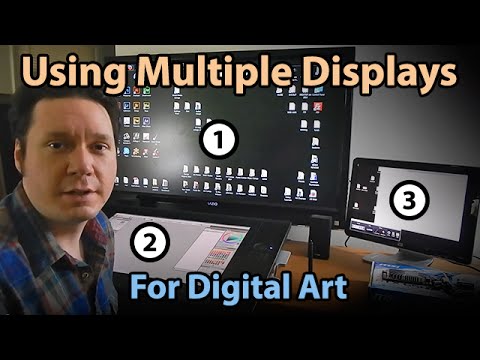
Learn how to use two or more screens to extend your computer's desktop. If you have a capable video card, you can use a computer monitor or HDTV as your additional screen for digital painting and graphic design tasks. This will allow you to store applications, windows, palettes, files and icons on the additional screens. Having an additional screens is incredibly helpful for multi-tasking. Learn more in this video demonstration by artist, Aaron Rutten.
• Digital Art Tutorials For Beginners: youtube.com/playlist?list=PLo_kbikcLfN_P93T3PZZ…
• Download Aaron's Corel Painter workspace and brushes so you can easily follow along with his digital art tutorials: aaronrutten.link/PainterBrushes
• Shop for Tablets: aaronrutten.com/drawing-tablets
(DISCLAIMER: This is not a sponsored video. All opinions in this review are my own.)
• SUBSCRIBE: aaronrutten.link/subscribe
• Support My Videos with Patreon: patreon.com/aaronrutten
• WEBSITE: aaronrutten.com
Learn how to use two or more screens to extend your computer's desktop. If you have a capable video card, you can use a computer monitor or HDTV as your additional screen for digital painting and graphic design tasks. This will allow you to store applications, windows, palettes, files and icons on the additional screens. Having an additional screens is incredibly helpful for multi-tasking. Learn more in this video demonstration by artist, Aaron Rutten.
• Digital Art Tutorials For Beginners: youtube.com/playlist?list=PLo_kbikcLfN_P93T3PZZ…
• Download Aaron's Corel Painter workspace and brushes so you can easily follow along with his digital art tutorials: aaronrutten.link/PainterBrushes
• Shop for Tablets: aaronrutten.com/drawing-tablets
(DISCLAIMER: This is not a sponsored video. All opinions in this review are my own.)
• SUBSCRIBE: aaronrutten.link/subscribe
• Support My Videos with Patreon: patreon.com/aaronrutten
• WEBSITE: aaronrutten.com
About this tutorial
Aaron Rutten published this 10:17 video tutorial on November 8, 2014. It has been watched 133,607 times on YouTube.
- Channel
- Aaron Rutten
- Category
- Howto & Style
- Duration
- 10:17
- Published
- November 8, 2014
- Views
- 133,607
- Likes
- 1,748
Share
This tutorial in other languages
- FRComment faire pour utiliser plusieurs écrans pour Art numérique
- ESCómo utilizar varias pantallas de Arte Digital
- PTComo usar vários monitores para Arte Digital
- ITCome utilizzare Monitor multipli per Digital Art
- DEWie zu verwenden Mehrere Anzeigen für Digitale Kunst
- NLHoe te gebruiken Multiple Displays voor Digital Art
- RUКак использовать несколько Дисплеи для цифрового искусства
- PLJak korzystać z wielu wyświetlaczy dla Digital Art
- JAデジタルアートのためにどのようにするために使用する複数ディスプレイ
- ARكيفية استخدام عرض متعددة للفنون الرقمية
- HIकैसे डिजिटल कला के लिए एकाधिक प्रदर्शित करता है के लिए उपयोग
- IDCara Gunakan Menampilkan Multiple Seni Digital