Playback starts YouTube’s embedded player (privacy-enhanced mode).
How to Use Notion Integrations
ChannelKeep ProductiveDescription from the creator
Great software, for less, every week: dub.sh/tool-finder
//
// Stop doing busywork! Try Bento Focus: dub.sh/V8HyMzT Find the best productivity tools with our site: toolfinder.co/ 🎯 Get the Notion Mastery Course*: bit.ly/3rNMSRD
👩🏻💻 Discover Notion here: toolfinder.co/go/notion
✅ Get Notion templates from Easlo: gumroad.com/a/739398771
All of the above include affiliate/commission links to courses or recommended content. 🏫 The Full Notion Course here: bit.ly/2HWFE98
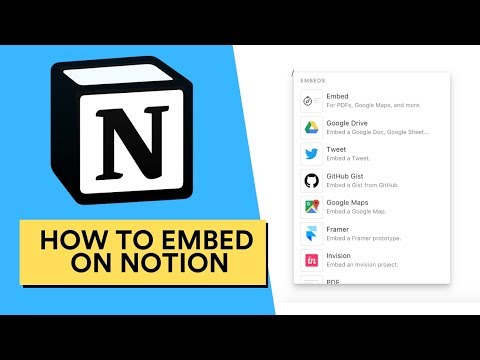
Looking to customise your Notion a little further, using Google Maps, Embedding PDFs, Framer X and more. This explains how to use Notion integrations and get started with them all.
▶ Notion Skillshare class: skl.sh/2FuocI9
--
ALL KEEP PRODUCTIVE INFORMATION
▶ AMAZING PATRONS OF KEEP PRODUCTIVE
Aleksander, David, Don, Frederik, Giuseppe, John, Jeurgen, Kevin, Paul, Pete, Reinier, Robert, Roy, Tracey and Amazin Marvin (featured supporter) - helping to support Keep Productive and it's growth!
▶ DEALS/OFFERS for the productivity apps and tools
New added weekly: bit.ly/2PtZfym
▶ DISCOVER MORE
🎙 Subscribe on iTunes: apple.co/2EIyEsi
🏠 Join the Facebook Group: bit.ly/2k9Pn0P
📧 The monthly newsletter: eepurl.com/dtxtn1
📋 Get 2-months free Skillshare: skl.sh/2CT4mk
📅 Contact Francesco direct: [email protected]
📷 Follow Francesco on Instagram: bit.ly/2fX7we0
▶ EQUIPMENT USED
📋 MacBook Pro 13'inch TouchBar:
(UK: amzn.to/2jOOg3R) (US: amzn.to/2CgBfKL)
📋 Camtasia 9: techsmith.com/video-editor.html
📋 Blue Yeti Microphone:
(UK): amzn.to/2KO2Pkt (US: amzn.to/2pSrU4r)
📋 Newer Lighting Set:
(UK: amzn.to/2KUmhMf) (US: amzn.to/2RPXWdZ)
📋 Canon 70D:
(UK: amzn.to/2KSKa71) (US: amzn.to/2RR2XTz)
📋 Rode Shotgun Mic:
(UK: amzn.to/2wtneZ2) (US: amzn.to/2pUKsRA)
___
▶ VIDEO INFORMATION
Edited by Francesco D’Alessio
Business inquiries: [email protected]
Looking to get your app reviewed?! My policy is simple. Ping me an email, share more about the resource with me. Give me time to explore the tool, and I’ll get back to you about an honest review.
▶ ADS
On the majority of my videos, you'll find YouTube pre-roll ads and other ads. Ads help to support the community and help create new videos in my spare time, my main role is working freelance for clients.
▶ PRIVACY POLICY
You can view my full privacy policy here: keepproductive.com/gdpr
This will outline everything for the email newsletter.
▶ MUSIC USED
♫Music By♫
●Ehrling - X Rated
●Song - youtu.be/LVMri9AHDUI
●Follow Ehrling - smarturl.it/Ehrling
▶ ABOUT OUR MISSION
In a nutshell, Keep Productive is your guide to productivity software.
Keep Productive is a community dedicated to helping you find the most suitable productivity software for your work and life. We’re continually growing an evolving towards the mission of being supportive to your everyday productivity.
▶ DISCLAIMER
All opinions expressed are my own. In some of my videos, I’ve started to include affiliate codes/links to earn a small commission if you make a purchase. If you choose to use them, thank you for supporting the channel!
▶ WEBSITE: toolfinder.co/
#Notion #Productivity Find the perfect productivity tools with Tool Finder: toolfinder.co --
POPULAR TOOLS
- monday - toolfinder.co/go/monday-dot-com
- ClickUp - toolfinder.co/go/monday-dot-com
- Notion - toolfinder.co/go/notion
- Akiflow - toolfinder.co/go/akiflow
- Motion - toolfinder.co/go/motion
- Sunsama - toolfinder.co/go/sunsama
- Todoist - toolfinder.co/go/todoist
- Wrike - toolfinder.co/go/wrike
//
// Stop doing busywork! Try Bento Focus: dub.sh/V8HyMzT Find the best productivity tools with our site: toolfinder.co/ 🎯 Get the Notion Mastery Course*: bit.ly/3rNMSRD
👩🏻💻 Discover Notion here: toolfinder.co/go/notion
✅ Get Notion templates from Easlo: gumroad.com/a/739398771
All of the above include affiliate/commission links to courses or recommended content. 🏫 The Full Notion Course here: bit.ly/2HWFE98
Looking to customise your Notion a little further, using Google Maps, Embedding PDFs, Framer X and more. This explains how to use Notion integrations and get started with them all.
▶ Notion Skillshare class: skl.sh/2FuocI9
--
ALL KEEP PRODUCTIVE INFORMATION
▶ AMAZING PATRONS OF KEEP PRODUCTIVE
Aleksander, David, Don, Frederik, Giuseppe, John, Jeurgen, Kevin, Paul, Pete, Reinier, Robert, Roy, Tracey and Amazin Marvin (featured supporter) - helping to support Keep Productive and it's growth!
▶ DEALS/OFFERS for the productivity apps and tools
New added weekly: bit.ly/2PtZfym
▶ DISCOVER MORE
🎙 Subscribe on iTunes: apple.co/2EIyEsi
🏠 Join the Facebook Group: bit.ly/2k9Pn0P
📧 The monthly newsletter: eepurl.com/dtxtn1
📋 Get 2-months free Skillshare: skl.sh/2CT4mk
📅 Contact Francesco direct: [email protected]
📷 Follow Francesco on Instagram: bit.ly/2fX7we0
▶ EQUIPMENT USED
📋 MacBook Pro 13'inch TouchBar:
(UK: amzn.to/2jOOg3R) (US: amzn.to/2CgBfKL)
📋 Camtasia 9: techsmith.com/video-editor.html
📋 Blue Yeti Microphone:
(UK): amzn.to/2KO2Pkt (US: amzn.to/2pSrU4r)
📋 Newer Lighting Set:
(UK: amzn.to/2KUmhMf) (US: amzn.to/2RPXWdZ)
📋 Canon 70D:
(UK: amzn.to/2KSKa71) (US: amzn.to/2RR2XTz)
📋 Rode Shotgun Mic:
(UK: amzn.to/2wtneZ2) (US: amzn.to/2pUKsRA)
___
▶ VIDEO INFORMATION
Edited by Francesco D’Alessio
Business inquiries: [email protected]
Looking to get your app reviewed?! My policy is simple. Ping me an email, share more about the resource with me. Give me time to explore the tool, and I’ll get back to you about an honest review.
▶ ADS
On the majority of my videos, you'll find YouTube pre-roll ads and other ads. Ads help to support the community and help create new videos in my spare time, my main role is working freelance for clients.
▶ PRIVACY POLICY
You can view my full privacy policy here: keepproductive.com/gdpr
This will outline everything for the email newsletter.
▶ MUSIC USED
♫Music By♫
●Ehrling - X Rated
●Song - youtu.be/LVMri9AHDUI
●Follow Ehrling - smarturl.it/Ehrling
▶ ABOUT OUR MISSION
In a nutshell, Keep Productive is your guide to productivity software.
Keep Productive is a community dedicated to helping you find the most suitable productivity software for your work and life. We’re continually growing an evolving towards the mission of being supportive to your everyday productivity.
▶ DISCLAIMER
All opinions expressed are my own. In some of my videos, I’ve started to include affiliate codes/links to earn a small commission if you make a purchase. If you choose to use them, thank you for supporting the channel!
▶ WEBSITE: toolfinder.co/
#Notion #Productivity Find the perfect productivity tools with Tool Finder: toolfinder.co --
POPULAR TOOLS
- monday - toolfinder.co/go/monday-dot-com
- ClickUp - toolfinder.co/go/monday-dot-com
- Notion - toolfinder.co/go/notion
- Akiflow - toolfinder.co/go/akiflow
- Motion - toolfinder.co/go/motion
- Sunsama - toolfinder.co/go/sunsama
- Todoist - toolfinder.co/go/todoist
- Wrike - toolfinder.co/go/wrike
About this tutorial
Keep Productive published this 3:30 video tutorial on October 31, 2019. It has been watched 98,058 times on YouTube.
- Channel
- Keep Productive
- Category
- Howto & Style
- Duration
- 3:30
- Published
- October 31, 2019
- Views
- 98,058
- Likes
- 1,027
Tags
Share
This tutorial in other languages
- FRComment utiliser Intégrations Notion
- ESCómo utilizar integraciones Notion
- PTComo usar Integrações Notion
- ITCome usare integrazioni Notion
- DEWie Verwenden von Notion Integrationen
- NLHoe te gebruiken Notion integraties
- RUКак использовать понятие интеграций
- PLJak korzystać z integracji pojęcie
- JA概念の統合を使用する方法
- ARكيفية استخدام التكاملات مفهوم
- HIकैसे नोशन एकीकरण का उपयोग करने के लिए
- IDCara Menggunakan Integrasi Notion