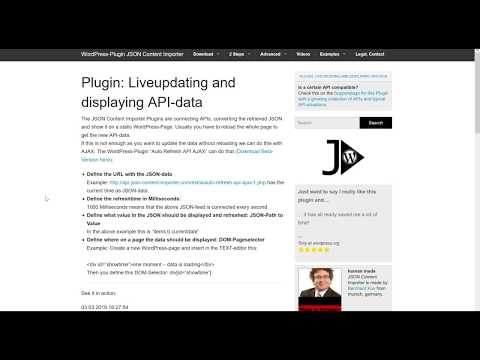
Playback starts YouTube’s embedded player (privacy-enhanced mode).
How to use Plugin "Auto Refresh API Ajax"
ChannelJSON Content ImporterDescription from the creator
This Video shows how to use data from a JSON-API-feed on a Wordpress-Page and update the data (e. g. time) without reloading the page. This is done with the Wordpress-Plugin "Auto Refresh API Ajax". Also: With the JSON Contentimporter Pro plugin you can create a JSON you need here, if the API needs authentication or headerdata.
Links used in the video:
1. Explanation: json-content-importer.com/auto-refresh-api-ajax/
2. Wordpress-Plugin "Auto Refresh API Ajax": wordpress.org/plugins/auto-refresh-api-ajax/
3. JSON Content Importer: json-content-importer.com/
Links used in the video:
1. Explanation: json-content-importer.com/auto-refresh-api-ajax/
2. Wordpress-Plugin "Auto Refresh API Ajax": wordpress.org/plugins/auto-refresh-api-ajax/
3. JSON Content Importer: json-content-importer.com/
About this tutorial
JSON Content Importer published this 6:24 video tutorial on October 27, 2019. It has been watched 7,732 times on YouTube.
- Channel
- JSON Content Importer
- Category
- Howto & Style
- Duration
- 6:24
- Published
- October 27, 2019
- Views
- 7,732
- Likes
- 27
Tags
Share
This tutorial in other languages
- FRComment utiliser le plugin "API Auto Refresh Ajax"
- ESCómo utilizar Plugin "Actualización automática API Ajax"
- PTComo usar o Plugin "Auto Refresh API Ajax"
- ITCome utilizzare plug-in "Auto Refresh API Ajax"
- DEWie verwenden Plugin "Auto Refresh API Ajax"
- NLHoe te Plugin "Auto Refresh API Ajax" gebruiken
- RUКак использовать плагин «Auto Refresh API Ajax»
- PLJak korzystać z wtyczki „Auto Refresh API Ajax”
- JAプラグインの「自動更新APIのAjax」を使用する方法
- ARكيفية استخدام البرنامج المساعد "التحديث التلقائي API أياكس"
- HIप्लगइन "ऑटो ताज़ा एपीआई अजाक्स" का उपयोग कैसे करें
- IDCara menggunakan Plugin "Auto Refresh API Ajax"