Playback starts YouTube’s embedded player (privacy-enhanced mode).
How to Use Text to Speech Function in Mac
ChannelMac OS X Tutorials and App reviews from HowTechDescription from the creator
Learn how to use text to speech function in Mac OS X.
Don't forget to check out our site howtech.tv/ for more free how-to videos!
youtube.com/ithowtovids - our feed
facebook.com/howtechtv - join us on facebook
plus.google.com/103440382717658277879 - our group in Google+
In this video tutorial we will show you how to use mac speech recognition to get your mac to talk to you.
If you want your Mac to read text, open the System Preferences in the Dock and choose Dictation & Speech settings. Go to "Text to Speech" tab.
Here you can select voice of your computer. Here is a list of both of male and female voices. You can also adjust speaking rate of the voice.
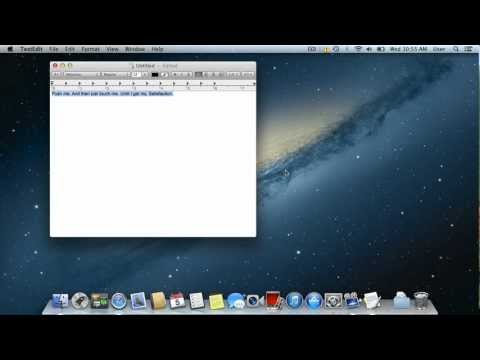
Now open any document or a webpage. Select the part of the text for Mac to read and right click on it. Go to "Speech" and select "Start Speaking".
Don't forget to check out our site howtech.tv/ for more free how-to videos!
youtube.com/ithowtovids - our feed
facebook.com/howtechtv - join us on facebook
plus.google.com/103440382717658277879 - our group in Google+
In this video tutorial we will show you how to use mac speech recognition to get your mac to talk to you.
If you want your Mac to read text, open the System Preferences in the Dock and choose Dictation & Speech settings. Go to "Text to Speech" tab.
Here you can select voice of your computer. Here is a list of both of male and female voices. You can also adjust speaking rate of the voice.
Now open any document or a webpage. Select the part of the text for Mac to read and right click on it. Go to "Speech" and select "Start Speaking".
About this tutorial
Mac OS X Tutorials and App reviews from HowTech published this 1:01 video tutorial on October 31, 2013. It has been watched 27,417 times on YouTube.
- Category
- Howto & Style
- Duration
- 1:01
- Published
- October 31, 2013
- Views
- 27,417
- Likes
- 49
Share
This tutorial in other languages
- FRComment utiliser la fonction Text to Speech Mac
- ESCómo utilizar función de texto a voz en Mac
- PTComo usar função texto para voz no Mac
- ITCome utilizzare la funzione Text to Speech in Mac
- DEWie Verwenden von Text-to-Speech-Funktion in Mac
- NLHoe om tekst-naar-spraak functie in Mac
- RUИспользование текста в речь Функция в Mac
- PLJak korzystać z funkcji Text to Speech w Mac
- JAマックで音声機能にテキストを使用する方法
- ARكيفية استخدام النص إلى وظيفة الكلام في ماك
- HIकैसे मैक में भाषण समारोह के लिए पाठ का उपयोग करने के लिए
- IDCara Menggunakan Text to Speech Fungsi di Mac