Playback starts YouTube’s embedded player (privacy-enhanced mode).
How to use Word 2007 Autotext
ChannelExcel, Word and PowerPoint Tutorials from HowtechDescription from the creator
Learn how to use autotext in Microsoft Word 2007
Don't forget to check out our site howtech.tv/ for more free how-to videos!
youtube.com/ithowtovids - our feed
facebook.com/howtechtv - join us on facebook
plus.google.com/103440382717658277879 - our group in Google+
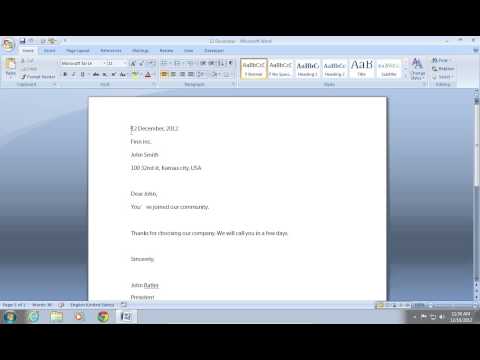
In this video tutorial we will show you how to use word 2007 autotext.
In order to use word 2007 autotext, open your document. Right-click on the "Home" tab and click "Customize quick access Toolbar".
In the appeared window click on "Customize" tab. Select "Commands Not in the Ribbon".
Find the "AutoText" and click "Add", then press "ok".
Select your text. Click "Autotext" and choose "Save selection to autotext gallery".
Choose a name in the appeared window, for example "12". Now, when you type "12" and press "enter" key -- autotext will automatically insert the saved text.
Don't forget to check out our site howtech.tv/ for more free how-to videos!
youtube.com/ithowtovids - our feed
facebook.com/howtechtv - join us on facebook
plus.google.com/103440382717658277879 - our group in Google+
In this video tutorial we will show you how to use word 2007 autotext.
In order to use word 2007 autotext, open your document. Right-click on the "Home" tab and click "Customize quick access Toolbar".
In the appeared window click on "Customize" tab. Select "Commands Not in the Ribbon".
Find the "AutoText" and click "Add", then press "ok".
Select your text. Click "Autotext" and choose "Save selection to autotext gallery".
Choose a name in the appeared window, for example "12". Now, when you type "12" and press "enter" key -- autotext will automatically insert the saved text.
About this tutorial
Excel, Word and PowerPoint Tutorials from Howtech published this 1:07 video tutorial on November 15, 2013. It has been watched 32,990 times on YouTube.
- Category
- Howto & Style
- Duration
- 1:07
- Published
- November 15, 2013
- Views
- 32,990
- Likes
- 143
Tags
Share
This tutorial in other languages
- FRComment utiliser Word 2007 Autotext
- ESCómo utilizar Word 2007 autotexto
- PTComo usar o Word 2007 Autotext
- ITCome utilizzare Word 2007 Autotext
- DESo verwenden Sie Word 2007 Autotext
- NLHoe kan ik Word 2007 Autotext gebruiken
- RUКак использовать Word 2007 Автотекст
- PLJak korzystać z programu Word 2007 Autotext
- JAWord 2007の定型句を使用する方法
- ARكيفية استخدام Word 2007 نص تلقائي
- HIWord 2007 Autotext का उपयोग कैसे करें
- IDCara menggunakan Word 2007 Autotext