Playback starts YouTube’s embedded player (privacy-enhanced mode).
Illustrator Tutorial: Create a Vector Logo from a Rough Sketch
ChannelTheVectorLabIn brief
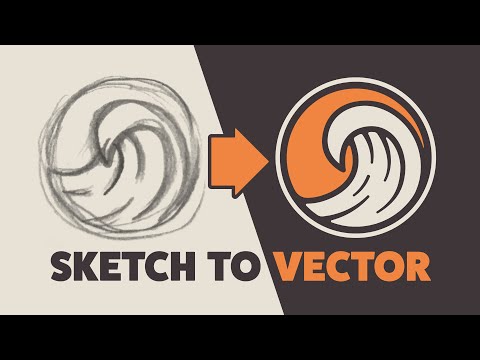
Transform a rough hand-drawn sketch into a polished vector logo using Adobe Illustrator’s core tools. This tutorial covers essential techniques like refining anchor points, balancing line weights, and creating smooth curves—ideal for designers looking to refine their digital logo workflow.
Description from the creator
Learn about:
• A new way to use the Delete Anchor Point Tool
• The importance of line weights
• Why and how to use a low number of vector points
• Pro’s and cons of the Width Tool
• Why and how to round corners
• How to make smooth curves
• Using the Pen Tool
• Using the Scissors Tool
About this tutorial
TheVectorLab published this 8:18 video tutorial on January 25, 2020. It has been watched 3,802,617 times on YouTube.
- Channel
- TheVectorLab
- Category
- Howto & Style
- Duration
- 8:18
- Published
- January 25, 2020
- Views
- 3,802,617
- Likes
- 76,398
Share
Further reading
-
Illustrator Tutorial: Create a Vector Logo from a Rough Sketch
ladyoak.com
Illustrator Tutorial: Create a Vector Logo from a Rough Sketch. How to turn a thumbnail sketch into a clean vector logo in Adobe Illustrator. ... Pinned onto ...
-
How to Create a Vector Logo from a Rough Sketch — Ray Dombroski
raydombroski.com
How to turn a thumbnail sketch into a clean vector logo in Adobe Illustrator. Learn about: A new way to use the Delete Anchor Point Tool. The importance of line weights. Why and how to use a low number of vector points.…
-
Illustrator Tutorial: Create a Vector Logo from a Rough Sketch
vimeo.com
How to turn a thumbnail sketch into a clean vector logo in Adobe Illustrator Illustrator Tutorial: Create a Vector Logo from a Rough Sketch on Vimeo Join
-
The Vector Lab - How to Create a Vector Logo from a Rough Sketch | Facebook
facebook.com
How to Create a Vector Logo from a Rough Sketch. The Vector Lab. January 2 at 3:04 PM · · ·
-
How To Turn A Hand Lettered Sketch Into A Digital Vector Logo Using ...
handletteringforbeginners.com
6. Save your vector logo files in multiple formats. Once you've finalized your logo design in your Illustrator file, it's time to save your files! This is probably one of the most confusing parts of creating a logo if y…
This tutorial in other languages
- FRIllustrator Tutorial: Créer un logo vecteur d'une esquisse
- ESIllustrator Tutorial: Crear un logotipo vectorial de un bosquejo áspero
- PTIllustrator Tutorial: Criar um logotipo Vector partir de um esboço
- ITTutorial Illustrator: creare un logo vettoriale da un ruvido schizzo
- DEIllustrator Tutorial: Erstellen Sie einen Vektor Logo von einer groben Skizze
- NLIllustrator Tutorial: Maak een vector logo van een ruwe schets
- RUIllustrator Учебник: Создание векторного логотипа из начерно
- PLIlustrator Samouczek: Tworzenie logo wektor z nieobrobionego Szkic
- JAイラストレーターチュートリアル:ラフスケッチからのベクトルのロゴを作成します。
- ARالمصور التعليمي: إنشاء شعار مكافحة ناقلات الخام من رسم
- HIइलस्ट्रेटर ट्यूटोरियल: एक स्केच से एक वेक्टर लोगो बनाएं
- IDIllustrator Tutorial: Buat Vector Logo dari Rough Sketch