Playback starts YouTube’s embedded player (privacy-enhanced mode).
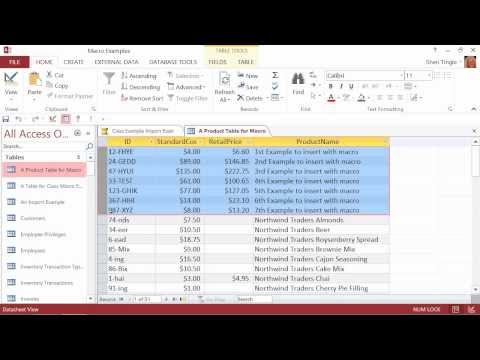
Microsoft Office Access 2013 Tutorial: Creating a Macro | K Alliance
ChannelK AllianceDescription from the creator
Learn how to create a macro in this Microsoft Office Access 2013 training video. Contact K Alliance for more info. kalliance.com/ - 1.800.330.9111
Featured Instructor - Sheri Tingle
Course Duration: 15 Hours 8 Minutes
Link to Course: kalliance.com/desktop/microsoft/office/access/2…
Course Catalog: kalliance.com/catalog/
Request Your 7 Day Trial: kalliance.com/trial/
Twitter: twitter.com/#!/K_Alliance
Facebook: facebook.com/KAllianceTraining
Microsoft Office Access 2013: New Features table of contents:
1.1 Creating a New Database
1.2 Creating Tables
1.3 Creating Table Relationships
1.4 Establishing Referential Integrity
1.5 Entering Table Data
1.6 Deleting and Changing Records
1.7 Creating a Form Using the Form Wizard
1.8 Creating an Access Report From Scratch
1.9 Querying With Two or More Tables
1.10 Creating an Append Query
1.11 Setting Tab Stops on Forms
1.12 Adding a Calculated Field
1.13 Hiding Fields and Duplicates
1.14 Creating Custom Ribbon Tabs
1.15 Creating a Macro
1.16 Creating a Database Backup
1.17 Compacting and Repairing a Database
1.18 Importing Data
1.19 Creating a Self Join Query
1.20 Creating Lookup Forms
Featured Instructor - Sheri Tingle
Course Duration: 15 Hours 8 Minutes
Link to Course: kalliance.com/desktop/microsoft/office/access/2…
Course Catalog: kalliance.com/catalog/
Request Your 7 Day Trial: kalliance.com/trial/
Twitter: twitter.com/#!/K_Alliance
Facebook: facebook.com/KAllianceTraining
Microsoft Office Access 2013: New Features table of contents:
1.1 Creating a New Database
1.2 Creating Tables
1.3 Creating Table Relationships
1.4 Establishing Referential Integrity
1.5 Entering Table Data
1.6 Deleting and Changing Records
1.7 Creating a Form Using the Form Wizard
1.8 Creating an Access Report From Scratch
1.9 Querying With Two or More Tables
1.10 Creating an Append Query
1.11 Setting Tab Stops on Forms
1.12 Adding a Calculated Field
1.13 Hiding Fields and Duplicates
1.14 Creating Custom Ribbon Tabs
1.15 Creating a Macro
1.16 Creating a Database Backup
1.17 Compacting and Repairing a Database
1.18 Importing Data
1.19 Creating a Self Join Query
1.20 Creating Lookup Forms
About this tutorial
K Alliance published this 12:55 video tutorial on October 26, 2013. It has been watched 34,738 times on YouTube.
- Channel
- K Alliance
- Category
- Howto & Style
- Duration
- 12:55
- Published
- October 26, 2013
- Views
- 34,738
- Likes
- 93
Share
This tutorial in other languages
- FRMicrosoft Office Access 2013 Tutoriel: Création d'une macro | K Alliance
- ESMicrosoft Office Access 2013 Tutorial: Creación de una macro | K Alliance
- PTMicrosoft Office Access 2013 Tutorial: Criando uma Macro | K Alliance
- ITMicrosoft Office Access 2013 Tutorial: Creazione di una macro | K Alliance
- DEMicrosoft Office Access 2013 Tutorial: Erstellen eines Makros | K-Allianz
- NLMicrosoft Office Access 2013 Tutorial: Het maken van een Macro | K Alliance
- RUMicrosoft Office Access 2013 Учебник: Создание макросов | K Альянс
- PLMicrosoft Office Access 2013 Tutorial: Tworzenie makro | K Alliance
- JAMicrosoft Officeのアクセス2013チュートリアル:マクロを作成します| Kアライアンス
- ARعلى Microsoft Office Access 2013 البرنامج التعليمي: إنشاء ماكرو | التحالف K
- HIमाइक्रोसॉफ्ट ऑफिस Access 2013 ट्यूटोरियल: एक मैक्रो बनाना | कश्मीर एलायंस
- IDMicrosoft Office Access 2013 Tutorial: Membuat Makro | K Alliance