Playback starts YouTube’s embedded player (privacy-enhanced mode).
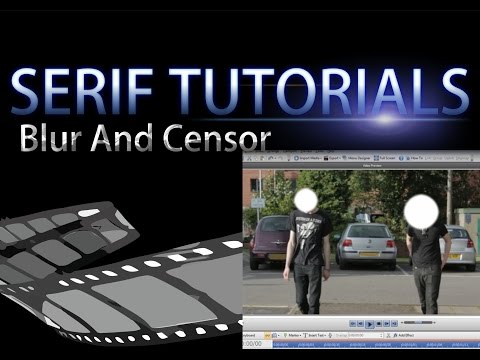
Serif MoviePlus X6 Tutorial - Face Censor And Blur
ChannelWill PattendenDescription from the creator
Serif MoviePlus X6 Tutorial – Censor and Blur a Face
A tutorial on how to blur or pixelate a face, licence plate, or logo using Serif MoviePlus X6.
I've used Serif programmes for years and have learnt many new things. All of my videos are edited with MoviePlus X6 and I feel it's time to reveal how I do it...
"I'm a sucker for Serif"
Total time = 4:13
Edited on Serif MoviePlus X6
Screen recorded with LiteCam (A Serif Product)
Audio = Zoom H4n with Røde NTG-2 Shotgun Microphone
All footage used was my own taken with a Canon EOS 650D
Sound effects used were copy right and royalty free sound effects from 'freesound.org' under creative commons licence 3.0
S: SystemLoad.wav by Zabuhailo | License: Creative Commons 0
S: Cinematic boom.wav by juskiddink | License: Attribution
Soundtrack was "Hypnothis" by Kevin MacLeod found at incompetech.com/music/royalty-free/index.html?i…
"Hypnothis" Kevin MacLeod (incompetech.com)
Licensed under Creative Commons: By Attribution 3.0
creativecommons.org/licenses/by/3.0/
Subscribe - youtube.com/channel/UCYw40AKu0wlyCBsW9Hbi1QQ
Twitter - twitter.com/WillsAnimations
Google+ - plus.google.com/115229681122180906146/about
A tutorial on how to blur or pixelate a face, licence plate, or logo using Serif MoviePlus X6.
I've used Serif programmes for years and have learnt many new things. All of my videos are edited with MoviePlus X6 and I feel it's time to reveal how I do it...
"I'm a sucker for Serif"
Total time = 4:13
Edited on Serif MoviePlus X6
Screen recorded with LiteCam (A Serif Product)
Audio = Zoom H4n with Røde NTG-2 Shotgun Microphone
All footage used was my own taken with a Canon EOS 650D
Sound effects used were copy right and royalty free sound effects from 'freesound.org' under creative commons licence 3.0
S: SystemLoad.wav by Zabuhailo | License: Creative Commons 0
S: Cinematic boom.wav by juskiddink | License: Attribution
Soundtrack was "Hypnothis" by Kevin MacLeod found at incompetech.com/music/royalty-free/index.html?i…
"Hypnothis" Kevin MacLeod (incompetech.com)
Licensed under Creative Commons: By Attribution 3.0
creativecommons.org/licenses/by/3.0/
Subscribe - youtube.com/channel/UCYw40AKu0wlyCBsW9Hbi1QQ
Twitter - twitter.com/WillsAnimations
Google+ - plus.google.com/115229681122180906146/about
About this tutorial
Will Pattenden published this 4:14 video tutorial on October 31, 2015. It has been watched 3,848 times on YouTube.
- Channel
- Will Pattenden
- Category
- Howto & Style
- Duration
- 4:14
- Published
- October 31, 2015
- Views
- 3,848
- Likes
- 47
Tags
Share
This tutorial in other languages
- FRSerif MoviePlus X6 Tutorial - Visage Censeur et Blur
- ESSerif MoviePlus X6 Tutorial - Cara censor y Blur
- PTSerif MoviePlus X6 Tutorial - Rosto Censor e desfocagem
- ITSerif MoviePlus X6 Tutorial - Viso Censore e sfocatura
- DESerif Movieplus X6 Tutorial - Gesicht Zensor und Unschärfe
- NLSerif MoviePlus X6 Tutorial - Face Censor En Blur
- RUSerif MoviePlus X6 Учебник - Face Цензор и Размытие
- PLSerif MoviePlus X6 Tutorial - Face Cenzor i Blur
- JAセリフムービープラスX6チュートリアル - フェイス検閲ぼかし
- ARشريف MoviePlus X6 دروس - الوجه الرقيب وطمس
- HIसेरिफ़ MoviePlus X6 ट्यूटोरियल - चेहरा सेंसर और धुंधला
- IDSerif MoviePlus X6 Tutorial - Wajah Sensor Dan Blur