Playback starts YouTube’s embedded player (privacy-enhanced mode).
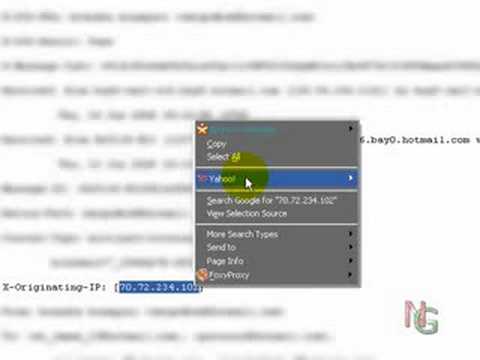
TUTORIAL: Track an email & the Location *MUST WATCH*
ChannelashisthebestDescription from the creator
Click Here!!!!!!!!
Be sure to visit:
nextgamer.co.nr/
Instructions for Other Emails:
ip-adress.com/trace_email/
+ Outlook 98, Outlook 2000, Outlook 2003
1. Double Click the message to open it in a full window
2. Click on "Options" in the "View" Menu
3. Now you can copy and paste everything (press Ctrl-A, Ctrl-C)
+ Outlook Express 4, 5 and 6
1. Open the Message
2. Click on the "File" menu
3. Click on "Properties"
4. Click the "Details" tab
5. Click on "Message Source"
6. Now you can copy and paste everything (press Ctrl-A, Ctrl-C)
+ Yahoo Mail
1. Right click on the message
2. Click "Show Full Header"
3. Now you can copy and paste the Email header
+ Google Mail
1. On the top is next to the "Reply" button an down arrow.
2. Click it and click on "Show original"
3. Now you can copy and paste the Email header
+ Hotmail
1. Rightlick the message in the message List.
2. Click on "View Source"
3. Now you can copy and paste the Email header
+ Mozilla Thunderbird
1. Open the email.
2. Click in the menu on VIEW / Headers and select All.
3. Now you can copy and paste the Email header
Be sure to visit:
nextgamer.co.nr/
Instructions for Other Emails:
ip-adress.com/trace_email/
+ Outlook 98, Outlook 2000, Outlook 2003
1. Double Click the message to open it in a full window
2. Click on "Options" in the "View" Menu
3. Now you can copy and paste everything (press Ctrl-A, Ctrl-C)
+ Outlook Express 4, 5 and 6
1. Open the Message
2. Click on the "File" menu
3. Click on "Properties"
4. Click the "Details" tab
5. Click on "Message Source"
6. Now you can copy and paste everything (press Ctrl-A, Ctrl-C)
+ Yahoo Mail
1. Right click on the message
2. Click "Show Full Header"
3. Now you can copy and paste the Email header
+ Google Mail
1. On the top is next to the "Reply" button an down arrow.
2. Click it and click on "Show original"
3. Now you can copy and paste the Email header
+ Hotmail
1. Rightlick the message in the message List.
2. Click on "View Source"
3. Now you can copy and paste the Email header
+ Mozilla Thunderbird
1. Open the email.
2. Click in the menu on VIEW / Headers and select All.
3. Now you can copy and paste the Email header
About this tutorial
ashisthebest published this 1:13 video tutorial on November 3, 2008. It has been watched 14,626 times on YouTube.
- Channel
- ashisthebest
- Category
- Howto & Style
- Duration
- 1:13
- Published
- November 3, 2008
- Views
- 14,626
- Likes
- 9
Tags
Share
This tutorial in other languages
- FRTUTORIAL: Suivre un email et l'emplacement * WATCH * MUST
- ESTutorial: el seguimiento de un correo electrónico y la ubicación * * reloj debe
- PTTUTORIAL: Acompanhe um e-mail ea localização * deve prestar atenção *
- ITTUTORIAL: TRACK una e-mail e la posizione * orologio deve *
- DETUTORIAL: Verfolgen Sie eine E-Mail und die Lage * MUST UHR *
- NLTUTORIAL: Volg een e-mail en de locatie * MUST HORLOGE *
- RUУчебник: Отследить по электронной почте & местоположените * ЧАСЫ * MUST
- PLSamouczek: Śledzenie e-mail i lokalizacji * muszą uważać *
- JAチュートリアル:トラックメール&場所* MUSTのWATCH *
- ARTUTORIAL: تعقب البريد الإلكتروني والمكان * MUST WATCH *
- HIट्यूटोरियल: एक ई-मेल और स्थान * MUST वॉच ट्रैक *
- IDTUTORIAL: Melacak email & Lokasi * HARUS PERHATIKAN *