Playback starts YouTube’s embedded player (privacy-enhanced mode).
Web Design Tutorial For Beginners Using Photoshop
ChannelCosmin SerbanDescription from the creator
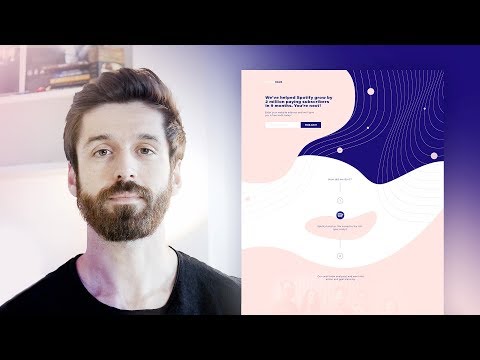
Today's video brings you a web design tutorial inside Photoshop CC where I'll go over the whole process of taking an old landing page and turning it into a modern looking one, that has a pretty unique visual style.
→ Join the waitlist for my upcoming course that will go over designing illustrations and finding your next job as a designer: cosminserban.com/course-launch
For more landing page design video tutorials check out this playlist: youtube.com/playlist?list=PLwK4VEM_pKK07eveaQy8…
Join the waitlist for my upcoming "Character Vector Illustration for Beginners" Illustrator course and get a big discount at launch: cosminserban.com/course-launch
Get full access of the fully layered Photoshop file that includes the web design of this homepage here: cosminserban.com/web-design-tutorial-in-photosh…
You can use this template for free in any of your projects. Have fun!
→ Download your 23 GRAIN BRUSH BUNDLE for Illustrator and Photoshop here: cosminserban.gumroad.com/l/hcTAc/textureforyou
About this landing page project: The client asked for a refreshed version of one of their existing landing pages, in the past, they've been using a generic template and wanted to move as far away from that as possible.
Came up with a couple of new ideas, introduced some very vibrant and modern colors, put a lot of thought into how this landing page can stand out from the crowd and remove friction.
The first step was to create a wireframe using the initial content that was on the landing page and then adds more space.
Most of the final graphics were done using Illustrator, then copy and pasted inside Photoshop.
Just in case you'd like to learn how to design a landing page in real-time, check out my course: patreon.com/posts/full-course-page-25498918
Don't forget to like this video if you've enjoyed it and subscribe for more graphic design tutorials!
About me // My name is Cosmin Serban, I’ve been a graphic designer for over 10 years now, started my career by doing logos and small websites for clients around the world, right now I work as a Design Consultant for instapage.com
If you’d like to say hi or if you have a project in mind, you can get in touch with me here: cosminserban.com
Follow me on Instagram: instagram.com/cosmindesign/
Read articles about “Design Mindset”: medium.com/@cosminserban
#photoshop #webdesign #tutorial #homepage #landingpage
→ Join the waitlist for my upcoming course that will go over designing illustrations and finding your next job as a designer: cosminserban.com/course-launch
For more landing page design video tutorials check out this playlist: youtube.com/playlist?list=PLwK4VEM_pKK07eveaQy8…
Join the waitlist for my upcoming "Character Vector Illustration for Beginners" Illustrator course and get a big discount at launch: cosminserban.com/course-launch
Get full access of the fully layered Photoshop file that includes the web design of this homepage here: cosminserban.com/web-design-tutorial-in-photosh…
You can use this template for free in any of your projects. Have fun!
→ Download your 23 GRAIN BRUSH BUNDLE for Illustrator and Photoshop here: cosminserban.gumroad.com/l/hcTAc/textureforyou
About this landing page project: The client asked for a refreshed version of one of their existing landing pages, in the past, they've been using a generic template and wanted to move as far away from that as possible.
Came up with a couple of new ideas, introduced some very vibrant and modern colors, put a lot of thought into how this landing page can stand out from the crowd and remove friction.
The first step was to create a wireframe using the initial content that was on the landing page and then adds more space.
Most of the final graphics were done using Illustrator, then copy and pasted inside Photoshop.
Just in case you'd like to learn how to design a landing page in real-time, check out my course: patreon.com/posts/full-course-page-25498918
Don't forget to like this video if you've enjoyed it and subscribe for more graphic design tutorials!
About me // My name is Cosmin Serban, I’ve been a graphic designer for over 10 years now, started my career by doing logos and small websites for clients around the world, right now I work as a Design Consultant for instapage.com
If you’d like to say hi or if you have a project in mind, you can get in touch with me here: cosminserban.com
Follow me on Instagram: instagram.com/cosmindesign/
Read articles about “Design Mindset”: medium.com/@cosminserban
#photoshop #webdesign #tutorial #homepage #landingpage
About this tutorial
Cosmin Serban published this 5:49 video tutorial on November 11, 2018. It has been watched 47,622 times on YouTube.
- Channel
- Cosmin Serban
- Category
- Howto & Style
- Duration
- 5:49
- Published
- November 11, 2018
- Views
- 47,622
- Likes
- 1,157
Tags
Share
This tutorial in other languages
- FRWeb Design Tutoriel pour les débutants Utilisation de Photoshop
- ESDiseño web tutorial para principiantes Uso de Photoshop
- PTWeb Design para iniciantes tutorial usando Photoshop
- ITWeb Design Corso per principianti Utilizzo di Photoshop
- DEWeb Design Tutorial für Anfänger Photoshop
- NLWeb Design Tutorial voor beginners Met behulp van Photoshop
- RUВеб-дизайн Учебник для начинающих Использование Photoshop
- PLWeb Design Tutorial dla początkujących za pomocą Photoshopa
- JAPhotoshopのを使用して初心者のためのWebデザインチュートリアル
- ARتم تصميم الموقع دروس للمبتدئين عن طريق برنامج فوتوشوب
- HIवेब डिजाइन ट्यूटोरियल के लिए शुरुआती का उपयोग फ़ोटोशॉप
- IDWeb Design Tutorial Untuk Pemula Menggunakan Photoshop