Playback starts YouTube’s embedded player (privacy-enhanced mode).
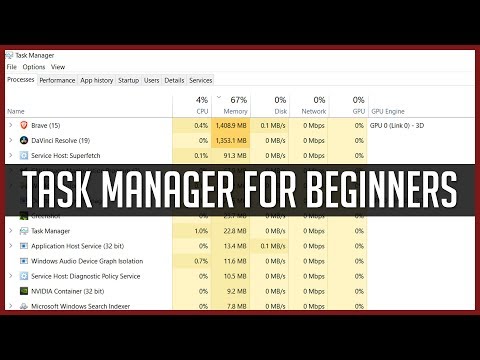
Windows Task Manager | Complete Tutorial for Beginners
ChannelChris' TutorialsDescription from the creator
━━━ ChrisTutorials Links ━━━
🌐 ChrisTutorials — Docs, Plugins, Courses & Assets: christutorials.com
💛 Support on Patreon: patreon.com/ChrisTutorials
☕ Ko-fi: ko-fi.com/chrisTutorials
🎮 YouTube Memberships include plugins, assets & courses
Network: Your computer's ability to send data over the network. This might
mean transferring to another computer or downloading over the Internet. Almost
never a real problem here.
Performance Tab: See usage over time. Bars that hit the ceiling (100% usage)
for long periods of time are bad and may indicate a problem.
App History: How long has a program been opened on your computer since log in
(Anything weird on list that you don't recognize?)
Startup: the more you disable, the faster your computer will start. Be careful
not to disable important stuff like AntiVirus or Audio Drivers
Users: See if any other users are logged in. Might be consuming resources so
ask them to log off.
Details: Extra information about every open app or service. Right click
on top and select columns to choose what you want to see. Usually unnecessary
tab.
Services: See open background tools. These usually start with computer and
consume very little power. If you want to disable one from starting, choose
open services at bottom. Find it in services and change from automatic to
manual. Be careful because many services are necessary for your apps
or windows itself to work properly.
Get Two Months FREE of Premium Video Courses when you Sign Up with My Link skillshare.com/r/user/christutorials
See My Full Software Courses
skillshare.com/r/user/christutorials
udemy.com/user/chris-navarre/
christutorials.teachable.com
➣ Also Follow Me On
Minds ►►bit.ly/ChrisTutorialsOnMinds
Gab.ai ►► gab.ai/ChrisTutorials
Steemit ►► steemit.com/@christutorials/
Written Article Tutorials at ►► christutorials.com/
➣ If you like my videos, you can support the channel directly
Patreon: patreon.com/christutorials
Paypal: paypal.me/christutorials
Bitcoin: 17Pn5PifFmRkHRAqCZQAom1ZjCiSf7qJjJ
Ethereum: 0x6f2781F382952c8caCDbE99C46F07c265ab59627
About this tutorial
Chris' Tutorials published this 12:20 video tutorial on October 25, 2018. It has been watched 163,818 times on YouTube.
- Channel
- Chris' Tutorials
- Category
- Howto & Style
- Duration
- 12:20
- Published
- October 25, 2018
- Views
- 163,818
- Likes
- 1,511
Tags
Share
Further reading
-
How to Use the New Task Manager in Windows 8 or 10
howtogeek.com
The Task Manager in Windows 8 and 10 has been completely overhauled. It’s easier-to-use, slicker, and more feature-packed than ever. Windows 8 may be all about Metro, but the Task Manager and Windows Explorer are better…
-
Windows Task Manager: The Complete Guide
howtogeek.com
The Windows Task Manager is a powerful tool packed with useful information, from your system’s overall resource usage to detailed statistics about each process. This guide explains every feature and technical term in th…
-
8 Ways to Open Windows Task Manager - wikiHow
wikihow.com
The Windows Task Manager allows you to view and monitor various activities that occur on your computer. Examples of information available in Task Manager are running applications, CPU and RAM usage, startup apps (Window…
This tutorial in other languages
- FRGestionnaire des tâches Windows | Tutoriel complet pour les débutants
- ESAdministrador de tareas de Windows | Tutorial completo para principiantes
- PTGerenciador de Tarefas do Windows | Tutorial completo para iniciantes
- ITTask Manager di Windows | Tutorial completo per principianti
- DEWindows Task-Manager | Komplettes Tutorial für Anfänger
- NLWindows Taakbeheer | Compleet Tutorial voor beginners
- RUДиспетчер задач Windows | Полное Руководство для начинающих
- PLMenedżer zadań systemu Windows | Kompletna Tutorial dla początkujących
- JAWindowsのタスクマネージャ|初心者のための完全なチュートリアル
- ARإدارة المهام ويندوز | دروس كاملة للمبتدئين
- HIWindows कार्य प्रबंधक | शुरुआती के लिए संपूर्ण प्रशिक्षण सामग्री
- IDWindows Task Manager | Lengkap Tutorial untuk Pemula