Playback starts YouTube’s embedded player (privacy-enhanced mode).
Windows XP Program Color Tutorial
Channelkataangforev121Description from the creator
*WATCH IN HD*
*HD LINK*
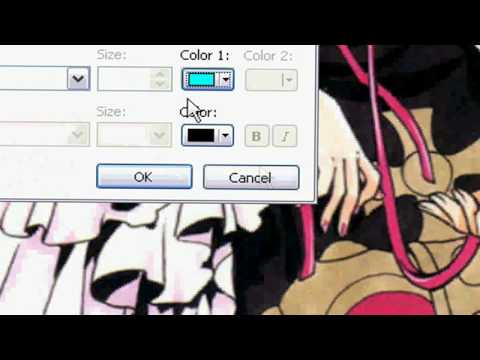
This tutorial is to show you how to change the color of your program.
Here are the steps ^^:
1. go to your desktop and right click
2. go to properties
3. click the appearence tab
4. go down and click advance
5. click the item drop down and select 3D objects
6. choose your color
7. click ok
8. click ok again
9. Your done!!! ^^
song: Check Yes Juliet by We The Kings
where can I get the song:
itunes.apple.com/WebObjects/MZStore.woa/wa/view…
*DISCLAIMER*
I DO NOT own Check Yes Juliet by We the Kings!!!!!
*HD LINK*
This tutorial is to show you how to change the color of your program.
Here are the steps ^^:
1. go to your desktop and right click
2. go to properties
3. click the appearence tab
4. go down and click advance
5. click the item drop down and select 3D objects
6. choose your color
7. click ok
8. click ok again
9. Your done!!! ^^
song: Check Yes Juliet by We The Kings
where can I get the song:
itunes.apple.com/WebObjects/MZStore.woa/wa/view…
*DISCLAIMER*
I DO NOT own Check Yes Juliet by We the Kings!!!!!
About this tutorial
kataangforev121 published this 0:38 video tutorial on November 4, 2009. It has been watched 337 times on YouTube.
- Channel
- kataangforev121
- Category
- Howto & Style
- Duration
- 0:38
- Published
- November 4, 2009
- Views
- 337
- Likes
- 2
Tags
Share
This tutorial in other languages
- FRWindows XP Programme couleur Tutorial
- ESWindows XP Tutorial color Programa
- PTXP Programa Tutorial de cores do Windows
- ITXP Programma Colore Tutorial di Windows
- DEWindows XP Programmfarbe Tutorial
- NLWindows XP Programma Color Tutorial
- RUWindows XP Программа Color Учебник
- PLWindows XP Program Kolor Tutorial
- JAWindows XPでプログラムの色のチュートリアル
- ARويندوز XP برنامج اللون دروس
- HIWindows XP कार्यक्रम रंग ट्यूटोरियल
- IDWindows XP Program Warna Tutorial