Playback starts YouTube’s embedded player (privacy-enhanced mode).
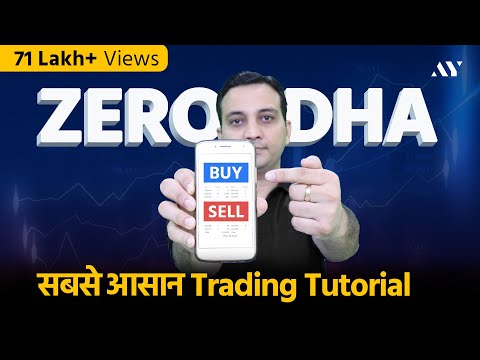
Zerodha Trading Tutorial & Kite App Demo for Intraday & Share Delivery - Zerodha Buy Sell Process
ChannelAsset YogiIn brief
This tutorial walks you through the basics of trading on Zerodha’s Kite app, covering both intraday (MIS) and delivery (CNC) trades. You’ll learn how to navigate the interface, place different order types (market, limit, stop-loss, etc.), and use features like GTT for investors. Best for beginners in India’s stock market.
Key steps
- Download and log in to the Zerodha Kite app on your device
- Add stocks to your watchlist and review your portfolio
- Place an intraday trade using MIS (Margin Intraday Square-off)
- Execute a market order, limit order, or stop-loss order
- Set up a GTT (Good Till Triggered) order for delivery trades
- Check pending and executed orders in the app
Questions & answers
What types of orders does this cover?
Market, limit, stop-loss (SL), stop-loss market (SLM), bracket (BO), cover (CO), after-market (AMO), day, and IOC orders.
Chapters
Description from the creator
Zerodha Trading Tutorial with complete Zerodha buy and sell process for shares. ✔ Open your Zerodha Account here: bit.ly/demat-zerodha. Zerodha App kaise use kare (How to use Zerodha Kite App?). Learn Intraday Trading and Stock Investing in this Live Zerodha Kite Demo.
Open your Discount Demat Account here:
✔ tinyurl.com/free-discount-demat
To open Zerodha Demat & Trading Account Online in 10 mins, follow this video: youtu.be/1Qto-2LuVK8
Zerodha has introduced new features like GTT (Good Till Trigerred) and changed the interface of Kite. In this Zerodha Kite Demo video, we have showcased buying and selling of shares in Intraday Trading using MIS (Margin Intraday Squareoff) feature and how to buy and sell shares in Zerodha Kite App using CNC (Cash and Carry) option.
We will briefly discuss intraday trading strategies for beginners while explaining the types of orders in Zerodha - Market Order, Limit Order, Stop Loss Order (SL), Stop Loss Market Order (SLM), Cover Order (CO), Bracket Order (BO), After Market Order (AMO), Day Order and Immediate or Cancelled Order (IOC) in Zerodha Kite App.
On delivery side, we will see latest Zerodha GTT orders in detail which will be very useful for investors who do fundamental analysis. This will be a good video for a beginner in Share and Stock Market in India.
Related Videos:
Master investor series: youtube.com/watch?v=2USGSuPe8SQ&list=PLSiDK…
-------------------------------------------------------------------------------------------
Time Stamps:
0:00 – Intro
01:35 – Download Zerodha Kite App
02:00 – Adding Scrips in Watchlist
03:26 – Checking Orders in Zerodha Kite
04:07 – Checking Portfolio in Zerodha Kite App
05:13 – Intraday Trading Using MIS
05:21 – How to Buy & Sell Shares in Zerodha Kite App
07:03 – How to see Charts in Kite App
8:16 – MIS Order
8:29 – Market Order
8:46 – Limit Order
09:14 – Stop Loss Limit Order
10:12 – Stop Loss Market Order
11:11 – Bracket Order
12:10 – Trailing Stop Loss
13:43 – Cover Order in Zerodha
14:43 – After Market Order (AMO)
15:15 – Day Validity in Zerodha App
15:30 – Immediate or Cancelled (IOC)
15:55 – Disclose Quantity
16:16 – Market Order Demo in Zerodha
17:46 – Cash and Carry (CNC)
18:34 – GTT Order in Zerodha
-------------------------------------------------------------------------------------------
Share This Video: youtu.be/twqxgLfqBH0
In this video, we have explained:
1. Zerodha Trading Tutorial
2. Zerodha Buy Sell Process
3. Zerodha Account Opening
4. How to use Zerodha Kite App?
5. Zerodha App kaise use kare
6. Zerodha brokerage charges
7. Zerodha Intraday Trading
8. Kite app zerodha in hindi
9. Zerodha Kite Demo
10. Zerodha me stop loss kaise lagaye
11. How to trade in Zerodha kite?
12. How to use kite Zerodha app?
13. How to buy shares in zerodha?
14. how to do intraday trading in zerodha?
15. Share market basics for beginners
16. How to use Zerodha for Beginners?
17. How can we add or delete any stock in our watchlist in Zerodha Kite app?
18. Types of orders in Zerodha
19. What are the Pending orders?
20. What are the Executed orders?
21. How to use GTT (Good Till Triggered) order in Zerodha?
22. How to add funds in Zerodha trading account?
23. Charts in Zerodha Kite app
24. What is CNC (Cash in Carry)?
25. What is MIS (Margin Intraday Square off) in Zerodha?
26. What is Market Order?
27. What is limit Order in Zerodha?
28. What is SL(Stoploss) in Zerodha and why it is important?
29. What is BO (Bracket Order) in Zerodha?
30. What is CO (Cover Order) in Zerodha?
31. What is Trailing Stoploss in Zerodha Kite?
32. What is AMO (After Market Order)?
33. What is Day Order and IOC(Immediate or Cancel Order)?
We hope you like this video on "Zerodha Trading Tutorial for BEGINNERS - Zerodha Buy & Sell Process, Zerodha App कैसे Use करें? "
Open your Discount Demat Account here:
✔ tinyurl.com/free-discount-demat
To open Zerodha Demat & Trading Account Online in 10 mins, follow this video: youtu.be/1Qto-2LuVK8
Zerodha has introduced new features like GTT (Good Till Trigerred) and changed the interface of Kite. In this Zerodha Kite Demo video, we have showcased buying and selling of shares in Intraday Trading using MIS (Margin Intraday Squareoff) feature and how to buy and sell shares in Zerodha Kite App using CNC (Cash and Carry) option.
We will briefly discuss intraday trading strategies for beginners while explaining the types of orders in Zerodha - Market Order, Limit Order, Stop Loss Order (SL), Stop Loss Market Order (SLM), Cover Order (CO), Bracket Order (BO), After Market Order (AMO), Day Order and Immediate or Cancelled Order (IOC) in Zerodha Kite App.
On delivery side, we will see latest Zerodha GTT orders in detail which will be very useful for investors who do fundamental analysis. This will be a good video for a beginner in Share and Stock Market in India.
Related Videos:
Master investor series: youtube.com/watch?v=2USGSuPe8SQ&list=PLSiDK…
-------------------------------------------------------------------------------------------
Time Stamps:
0:00 – Intro
01:35 – Download Zerodha Kite App
02:00 – Adding Scrips in Watchlist
03:26 – Checking Orders in Zerodha Kite
04:07 – Checking Portfolio in Zerodha Kite App
05:13 – Intraday Trading Using MIS
05:21 – How to Buy & Sell Shares in Zerodha Kite App
07:03 – How to see Charts in Kite App
8:16 – MIS Order
8:29 – Market Order
8:46 – Limit Order
09:14 – Stop Loss Limit Order
10:12 – Stop Loss Market Order
11:11 – Bracket Order
12:10 – Trailing Stop Loss
13:43 – Cover Order in Zerodha
14:43 – After Market Order (AMO)
15:15 – Day Validity in Zerodha App
15:30 – Immediate or Cancelled (IOC)
15:55 – Disclose Quantity
16:16 – Market Order Demo in Zerodha
17:46 – Cash and Carry (CNC)
18:34 – GTT Order in Zerodha
-------------------------------------------------------------------------------------------
Share This Video: youtu.be/twqxgLfqBH0
In this video, we have explained:
1. Zerodha Trading Tutorial
2. Zerodha Buy Sell Process
3. Zerodha Account Opening
4. How to use Zerodha Kite App?
5. Zerodha App kaise use kare
6. Zerodha brokerage charges
7. Zerodha Intraday Trading
8. Kite app zerodha in hindi
9. Zerodha Kite Demo
10. Zerodha me stop loss kaise lagaye
11. How to trade in Zerodha kite?
12. How to use kite Zerodha app?
13. How to buy shares in zerodha?
14. how to do intraday trading in zerodha?
15. Share market basics for beginners
16. How to use Zerodha for Beginners?
17. How can we add or delete any stock in our watchlist in Zerodha Kite app?
18. Types of orders in Zerodha
19. What are the Pending orders?
20. What are the Executed orders?
21. How to use GTT (Good Till Triggered) order in Zerodha?
22. How to add funds in Zerodha trading account?
23. Charts in Zerodha Kite app
24. What is CNC (Cash in Carry)?
25. What is MIS (Margin Intraday Square off) in Zerodha?
26. What is Market Order?
27. What is limit Order in Zerodha?
28. What is SL(Stoploss) in Zerodha and why it is important?
29. What is BO (Bracket Order) in Zerodha?
30. What is CO (Cover Order) in Zerodha?
31. What is Trailing Stoploss in Zerodha Kite?
32. What is AMO (After Market Order)?
33. What is Day Order and IOC(Immediate or Cancel Order)?
We hope you like this video on "Zerodha Trading Tutorial for BEGINNERS - Zerodha Buy & Sell Process, Zerodha App कैसे Use करें? "
About this tutorial
Asset Yogi published this 23:41 video tutorial on March 10, 2020. It has been watched 7,566,290 times on YouTube.
- Channel
- Asset Yogi
- Category
- Howto & Style
- Duration
- 23:41
- Published
- March 10, 2020
- Views
- 7,566,290
- Likes
- 200,170
Tags
Share
This tutorial in other languages
- FRZerodha trading Tutoriel & Kite App Demo pour livraison Intraday & Partager - Zerodha Acheter Vendre Process
- ESZerodha Trading Tutorial y Kite aplicación de demostración para el intradía y Compartir Entrega - Zerodha Compra Venta Proceso
- PTZerodha Negociação Tutorial & Kite App Demo for Intraday & Share Delivery - Zerodha Comprar Processo Sell
- ITZerodha Trading Tutorial & Kite App Demo per Intraday & Share consegna - Zerodha Compra Vendita di processo
- DEZerodha Handel Tutorial & Kite App Demo für Intraday & Teile Lieferung - Zerodha Kaufen Verkaufen Prozess
- NLZerodha Trading Tutorial & Kite App Demo voor Intraday en deel Levering - Zerodha koop verkoop Process
- RUZerodha Trading Tutorial & Kite App Demo для внутридневной & Share Доставка - Zerodha Купить Продать Процесс
- PLZerodha Trading Tutorial & Kite App Demo dla Bieżącego & Share Dostawa - Zerodha Kupię Sprzedam Process
- JAZerodha取引チュートリアル&日中用カイトのAppデモ&シェア配達 - Zerodha購入売りプロセス
- ARZerodha تجارة دروس وكايت التطبيقات تجريبي لوخلال اليوم حصة التسليم - Zerodha شراء بيع عملية
- HIZerodha ट्रेडिंग ट्यूटोरियल और के लिए एक दिवसीय और साझा प्रसव पतंग अनुप्रयोग डेमो - Zerodha खरीदने, बेचने की प्रक्रिया
- IDZerodha Trading Tutorial & Kite App Demo untuk Intraday & Share Pengiriman - Zerodha Beli Proses Jual