Playback starts YouTube’s embedded player (privacy-enhanced mode).
How to Create a Clean Version of a Song Using Garageband
ChannelSpencer HaleDescription from the creator
Quick Recap
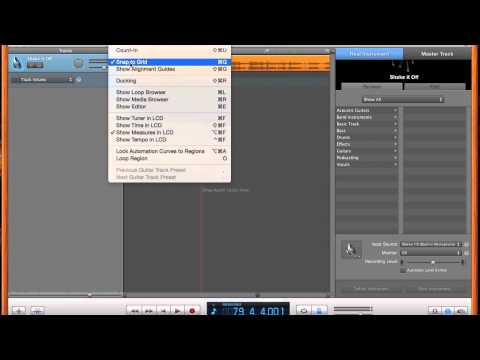
1) Open Garageband. Start new project with just piano
2) Drag audio file from desktop to Garageband interface
3) Delete piano track.
4) Find part of song you want censored
5) Create two adjustment points in the Track Volume Automation at the beginning and end of the desired point.
6) Bring down the volume of that section
7) Add scratch or other audio to fill the gap in the sound
1) Open Garageband. Start new project with just piano
2) Drag audio file from desktop to Garageband interface
3) Delete piano track.
4) Find part of song you want censored
5) Create two adjustment points in the Track Volume Automation at the beginning and end of the desired point.
6) Bring down the volume of that section
7) Add scratch or other audio to fill the gap in the sound
About this tutorial
Spencer Hale published this 4:58 video tutorial on November 2, 2015. It has been watched 43,898 times on YouTube.
- Channel
- Spencer Hale
- Category
- Music
- Duration
- 4:58
- Published
- November 2, 2015
- Views
- 43,898
- Likes
- 193
Tags
Share
This tutorial in other languages
- FRComment faire pour créer un Clean Version d'un morceau à l'aide Garageband
- ESCómo crear una versión limpia de una canción con GarageBand
- PTComo criar uma versão limpa uma música utilizando o Garageband
- ITCome creare una versione pulita di un brano utilizzando Garageband
- DESo erstellen Sie eine Clean Version eines Songs Mit Garageband
- NLHoe maak je een schone versie van een song met behulp van GarageBand
- RUКак создать чистую версию песни с помощью GarageBand
- PLJak utworzyć Clean Version piosenki Korzystanie GarageBand
- JAGarageBandのを使って歌のクリーンバージョンを作成する方法
- ARكيفية إنشاء نسخة نظيفة من أغنية عن طريق كاراج باند
- HIकैसे एक गाने के Garageband का उपयोग करने के एक स्वच्छ संस्करण बनाने के लिए
- IDCara Membuat Bersih Versi dari Lagu menggunakan GarageBand