Playback starts YouTube’s embedded player (privacy-enhanced mode).
How to export projects in iMovie iOS (iPhone/iPad)
ChannelPete JohnsDescription from the creator
How to export projects in iMovie iOS (iPhone/iPad)
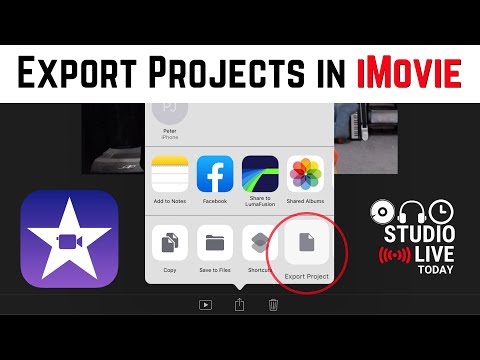
In this video, I show you how to export the actual iMovie project so that you can share it with another iMovie iOS user or backup your iMovie project for future use. You can even AirDrop your iMovie project to another device and continue working!
== Related Videos ==
Share GarageBand projects as videos using iMovie - youtu.be/IetlJeNtLfs
iMovie Update - new features - youtu.be/Zm6PAPeZaWg
Using Zip/Unzip in iOS - youtu.be/Bep2iVWSvGM
== Pete Recommends ==
Full list of the audio and video gear I use is at:
studiolivetoday.com/gear
Note - Links provided in this video description may be affiliate links, meaning that if you choose to purchase products using these links, a small commission may be paid to me for referring you. Thanks for helping me and the channel.
Releasing Music - DistroKid - distrokid.com/vip/PeteJohns (7% off first year)
Video Editing (Desktop) - Adobe Premiere Pro
Video Editing (Mobile) - LumaFusion
Design & Images - Canva - canva.com
== Web & Social ==
Patreon - patreon.com/petejohns
Web - studiolivetoday.com
Facebook - fb.me/PeteJohnsMusic
Twitter - twitter.com/StudioLiveToday
Soundcloud - soundcloud.com/PeteJohns
Email - [email protected]
In this video, I show you how to export the actual iMovie project so that you can share it with another iMovie iOS user or backup your iMovie project for future use. You can even AirDrop your iMovie project to another device and continue working!
== Related Videos ==
Share GarageBand projects as videos using iMovie - youtu.be/IetlJeNtLfs
iMovie Update - new features - youtu.be/Zm6PAPeZaWg
Using Zip/Unzip in iOS - youtu.be/Bep2iVWSvGM
== Pete Recommends ==
Full list of the audio and video gear I use is at:
studiolivetoday.com/gear
Note - Links provided in this video description may be affiliate links, meaning that if you choose to purchase products using these links, a small commission may be paid to me for referring you. Thanks for helping me and the channel.
Releasing Music - DistroKid - distrokid.com/vip/PeteJohns (7% off first year)
Video Editing (Desktop) - Adobe Premiere Pro
Video Editing (Mobile) - LumaFusion
Design & Images - Canva - canva.com
== Web & Social ==
Patreon - patreon.com/petejohns
Web - studiolivetoday.com
Facebook - fb.me/PeteJohnsMusic
Twitter - twitter.com/StudioLiveToday
Soundcloud - soundcloud.com/PeteJohns
Email - [email protected]
About this tutorial
Pete Johns published this 3:22 video tutorial on November 12, 2019. It has been watched 160,921 times on YouTube.
- Channel
- Pete Johns
- Category
- Music
- Duration
- 3:22
- Published
- November 12, 2019
- Views
- 160,921
- Likes
- 1,070
Tags
Share
This tutorial in other languages
- FRComment exporter des projets dans iMovie iOS (iPhone / iPad)
- ESCómo exportar proyectos de iMovie para iOS (iPhone / iPad)
- PTComo exportar projetos no iMovie para iOS (/ iPad iPhone)
- ITCome esportare i progetti in iMovie per iOS (iPhone / iPad)
- DEWie Projekte in iMovie iOS (iPhone / iPad) exportieren
- NLHoe maak je projecten exporteren in iMovie iOS (iPhone / iPad)
- RUКак экспортировать проекты в IMOVIE прошивке (iPhone / IPad)
- PLJak eksportować projekty iMovie iOS (iPhone / iPad)
- JAiMovieのiOS版(iPhone / iPadの)でプロジェクトをエクスポートする方法
- ARكيفية تصدير المشاريع في موفي دائرة الرقابة الداخلية (اي فون / آي باد)
- HIकैसे iMovie आईओएस में परियोजनाओं निर्यात करने के लिए (iPhone / iPad)
- IDCara mengekspor proyek di iMovie iOS (iPhone / iPad)