Playback starts YouTube’s embedded player (privacy-enhanced mode).
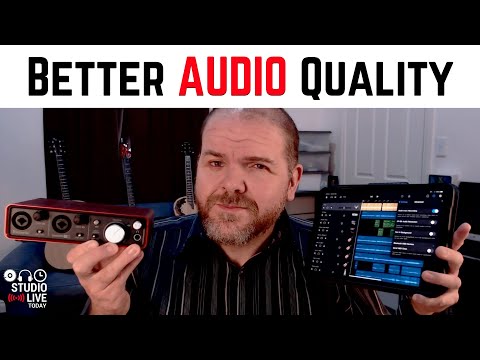
How to get BETTER QUALITY audio in GarageBand iOS (iPad/iPhone)
ChannelPete JohnsDescription from the creator
How to improve the audio quality in GarageBand iPad and GarageBand iPhone - my top 5 tips for better quality recordings.
🎹 Products shown in this video:
Steinberg UR22C audio interface - amzn.to/2CKl33t
Focusrite Scarlett 2i2 audio interface - amzn.to/2mm3IWo
Behringer U-Phoria UM2 - amzn.to/2Dmsyyk
Apple Lightning to USB 3 adapter - amzn.to/2wnyqmL
AKG D5 microphone - amzn.to/2uJSWO8
Audio Technica AT2020 microphone - amzn.to/2xm4FmY
Pop filter - amzn.to/2NThzQy
⏰ Time Stamps:
00:44 Enable 24-bit audio
01:40 Use an audio interface
03:07 Adjust the input gain
06:08 Use EQ
09:31 Export at highest quality
11:55 Bonus tip - use a pop filter
🔔 Subscribe for daily videos about mobile and home recording: youtube.com/c/PeteJohnsMusic
👍 Share this video with a friend:
youtu.be/5HWWwpjNbfM
🎞️ Other related videos:
Enable 24-bit audio in GarageBand iOS - youtu.be/qTOvhMrJkfI
How to use an audio interface with an iPad/iPhone - youtu.be/Sc-_LiuqiRA
How to use EQ in GarageBand iOS - youtu.be/ehMKUVO3qgM
How to "sweep" EQ using the LRC5 plugin - youtu.be/Jx2JVJVtTog
How to share in GarageBand iOS - youtu.be/C1zyo4IbI5w
✔️ Support the channel:
Patreon: patreon.com/petejohns
One-off Donation: paypal.me/petejohns
🔉 Recommended Gear:
Studio Live Today Gear Guide - studiolivetoday.com/gear
Note - Links provided in this video description may be affiliate links, meaning that if you choose to purchase products using these links, a small commission may be paid to me for referring you.
🛒 Merchandise:
Studio Live Today T-shirts, hoodies and mugs - studiolivetoday.com/merch
✉️ Connect with me:
Email: [email protected]
Mailing List: studiolivetoday.com/email
Twitter: twitter.com/StudioLiveToday
Facebook: fb.me/PeteJohnsMusic
Instagram: instagram.com/petejohns/
Soundcloud: soundcloud.com/PeteJohns
LinkedIn: linkedin.com/in/pete-johns-2ba5234
🎹 Products shown in this video:
Steinberg UR22C audio interface - amzn.to/2CKl33t
Focusrite Scarlett 2i2 audio interface - amzn.to/2mm3IWo
Behringer U-Phoria UM2 - amzn.to/2Dmsyyk
Apple Lightning to USB 3 adapter - amzn.to/2wnyqmL
AKG D5 microphone - amzn.to/2uJSWO8
Audio Technica AT2020 microphone - amzn.to/2xm4FmY
Pop filter - amzn.to/2NThzQy
⏰ Time Stamps:
00:44 Enable 24-bit audio
01:40 Use an audio interface
03:07 Adjust the input gain
06:08 Use EQ
09:31 Export at highest quality
11:55 Bonus tip - use a pop filter
🔔 Subscribe for daily videos about mobile and home recording: youtube.com/c/PeteJohnsMusic
👍 Share this video with a friend:
youtu.be/5HWWwpjNbfM
🎞️ Other related videos:
Enable 24-bit audio in GarageBand iOS - youtu.be/qTOvhMrJkfI
How to use an audio interface with an iPad/iPhone - youtu.be/Sc-_LiuqiRA
How to use EQ in GarageBand iOS - youtu.be/ehMKUVO3qgM
How to "sweep" EQ using the LRC5 plugin - youtu.be/Jx2JVJVtTog
How to share in GarageBand iOS - youtu.be/C1zyo4IbI5w
✔️ Support the channel:
Patreon: patreon.com/petejohns
One-off Donation: paypal.me/petejohns
🔉 Recommended Gear:
Studio Live Today Gear Guide - studiolivetoday.com/gear
Note - Links provided in this video description may be affiliate links, meaning that if you choose to purchase products using these links, a small commission may be paid to me for referring you.
🛒 Merchandise:
Studio Live Today T-shirts, hoodies and mugs - studiolivetoday.com/merch
✉️ Connect with me:
Email: [email protected]
Mailing List: studiolivetoday.com/email
Twitter: twitter.com/StudioLiveToday
Facebook: fb.me/PeteJohnsMusic
Instagram: instagram.com/petejohns/
Soundcloud: soundcloud.com/PeteJohns
LinkedIn: linkedin.com/in/pete-johns-2ba5234
About this tutorial
Pete Johns published this 14:12 video tutorial on June 15, 2020. It has been watched 40,001 times on YouTube.
- Channel
- Pete Johns
- Category
- Music
- Duration
- 14:12
- Published
- June 15, 2020
- Views
- 40,001
- Likes
- 1,183
Tags
Share
This tutorial in other languages
- FRComment obtenir audio meilleure qualité GarageBand iOS (iPad / iPhone)
- ES¿Cómo conseguir una mejor calidad de audio en GarageBand para iOS (iPad / iPhone)
- PTComo obter áudio de melhor qualidade no GarageBand iOS (iPhone / iPad)
- ITCome ottenere una migliore qualità audio in GarageBand iOS (iPad / iPhone)
- DEWie eine bessere Audioqualität in Garageband iOS (iPad / iPhone) erhalten
- NLHoe kan ik een betere audiokwaliteit in GarageBand iOS te krijgen (iPad / iPhone)
- RUКак получить звук более высокого качества GarageBand прошивки (IPad / iPhone)
- PLJak uzyskać lepszą jakość dźwięku w GarageBand iOS (iPad / iPhone)
- JAGarageBandのiOS版(アプリ/ iPhone)でより高品質のオーディオを取得する方法
- ARكيفية الحصول على الصوت BETTER QUALITY في كاراج باند دائرة الرقابة الداخلية (آي باد / اي فون)
- HIकैसे GarageBand आईओएस में बेहतर गुणवत्ता वाले ऑडियो प्राप्त करने के लिए (iPad / iPhone के)
- IDCara mendapatkan LEBIH BAIK KUALITAS audio dalam GarageBand iOS (iPad / iPhone)